Knowledge

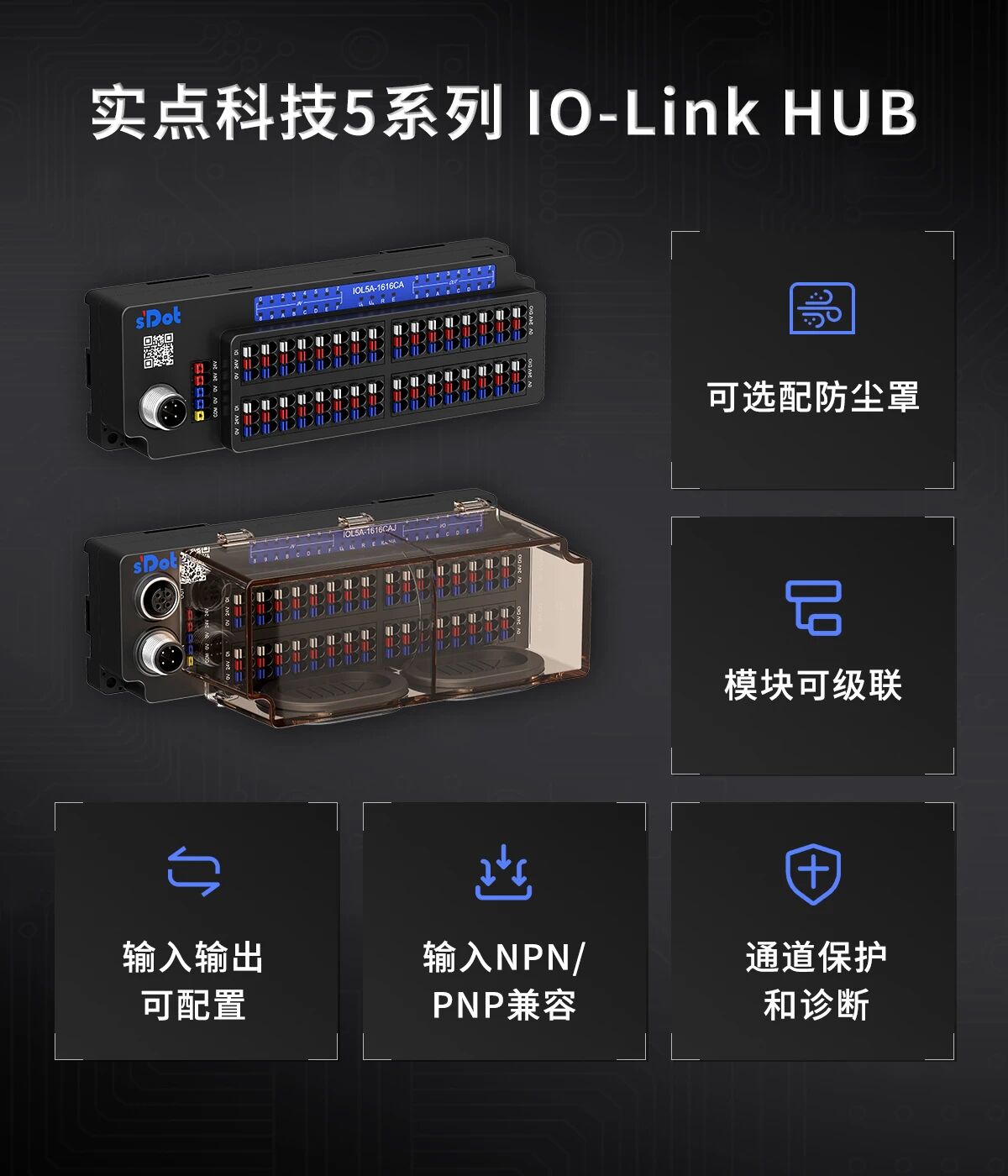
In applications where point count combinations vary and spare margin must be reserved for later process changes or channel expansion, a hub with a fixed configuration often cannot cover every requirement. The configurable models in Solidot's IO-Link HUB-IOL5 series let you configure the latter 32 channels as inputs or outputs as required on site, so a single device covers a wide range of point count combinations, and cascading-capable models allow further channel expansion. From flexible standalone configuration to cascading expansion, this provides customers with a more complete and more convenient digital signal connection solution.
Model overview
In the IOL5 series naming convention, "A" indicates NPN, "B" indicates PNP, "C" indicates Configurable input/output, and "J" indicates cascading support. There are four configurable models; the first 16 channels are all NPN/PNP compatible inputs, and the latter 16 channels can be configured as needed. The details are as follows:
Model | First 16 channels | Last 16 channels | Outputs Type | Cascading Function |
NPN/PNP compatible input | Configurable input or output | NPN | Not supported | |
PNP | Not supported | |||
NPN | Supported | |||
PNP | Supported |
Note: All IOL5 series models can be ordered with a dust cover.
Configuration method
The latter 16 channels support channel-independent configuration: they can all be set as inputs, all as outputs, or any combination of the two. When configured as inputs, IOL5A-1616CA and IOL5A-1616CAJ provide NPN type inputs, and IOL5A-1616CB and IOL5A-1616CBJ provide PNP type inputs. When configured as outputs, IOL5A-1616CA and IOL5A-1616CAJ provide NPN output, and IOL5A-1616CB and IOL5A-1616CBJ provide PNP output. By default, all of the latter 16 channels are outputs at the factory; users can reassign them according to the point requirements on site.
Channel configuration is performed via the IO-Link Master (IOL7A-EC01B-8A, IOL7A-PN01B-8A): once communication is established, write the value to the configuration index in the master's ISDU parameter channel and it takes effect. The main configuration parameters are as follows:
Configuration index | Configuration item | Range | Default Value |
0 x 0041 | Input conversion | 0: no reverse rotation 1: reverse rotation | 0 |
0 x 0042 | Configure port direction | 0: Input 1: Output | 0xFFFF (all outputs) |
0 x 0045 | Output Failure Protection | 0: Output 0 V 1: Output 24 V 2: Hold last state | 0 (output 0 V) |
0 x 0049 | Input filter time | off/10 ms/20 ms/30 ms/40 ms/50 ms | — |
Take port direction as an example: index 0 x 0042 has 16 bits, each bit corresponding to one channel in group B. Writing 0 indicates that the channel is an input, and writing 1 indicates an output. Users only need to rewrite the corresponding bits according to the on-site points to switch the specified channel to input or output. The same applies to other configuration items, which take effect after being set channel by channel. If you want to return to the default values during configuration, you can execute Restore Factory settings via the system command (index 0 x 0002, subindex 0 x 82, value 1).
Cascading expansion
IOL5A-1616CAJ and IOL5A-1616CBJ support cascading. After switching to the cascading state, a module of the same model can be connected in series behind the module, expanding the channels from 32 to 64 while occupying only one IO-Link Master port. In cascading mode, configuration items such as port direction and input conversion apply equally to the channels of the main module and the cascade module.
The cascading state can be switched in two ways: one is to write a value to index 0 x 0055 via the master, where writing 00 is the non-cascading state and writing 01 is the cascading state; the other is to change the device identification, switching the device ID from 0 x 24A301 (IOL5A-1616CAJ) and 0 x 24A302 (IOL5A-1616CBJ) for non-cascading to 0 x 24A303 and 0 x 24A304 for cascading, with the Vendor ID fixed at 0 x 0528. Neither method requires changes to the hardware wiring.
Note: Cascading is supported only between modules of the same model, and at most one module can be connected in series.