
 Knowledge

Troubleshooting Method for Input Signal Reading Anomalies of the Solidot Remote I/O Module XB6S PROFINET Coupler in TIA Portal Software
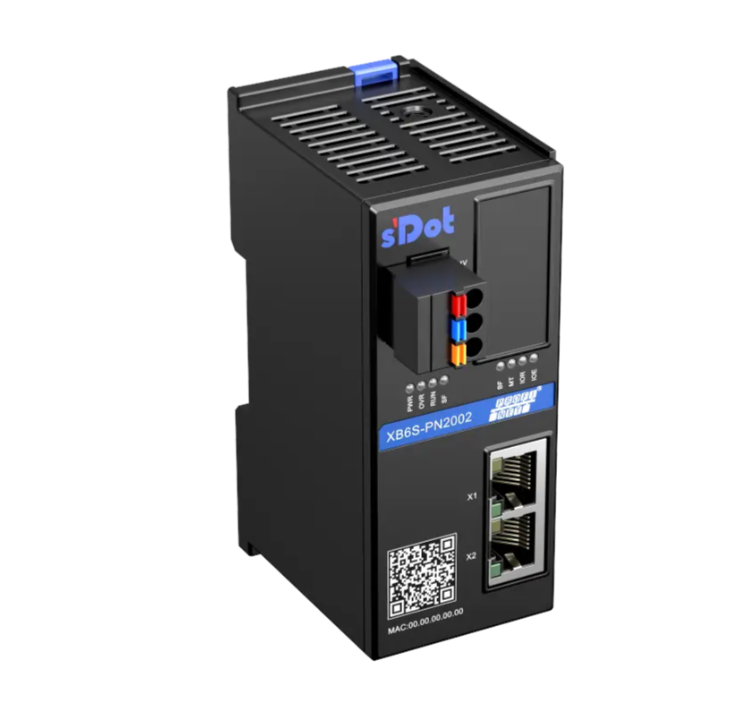
The XB6S-PN2002 is the Solidot remote I/O module XB6S PROFINET protocol coupler. In practical applications, you may encounter situations where input signals cannot be read in the TIA Portal software. This article provides a systematic troubleshooting method to help users quickly locate and resolve the issue.
I. Checking the Wiring
If the module's channel indicator lights are off, it usually indicates a wiring problem. Taking the XB6S-3200 as an example, the wiring diagram is as follows:
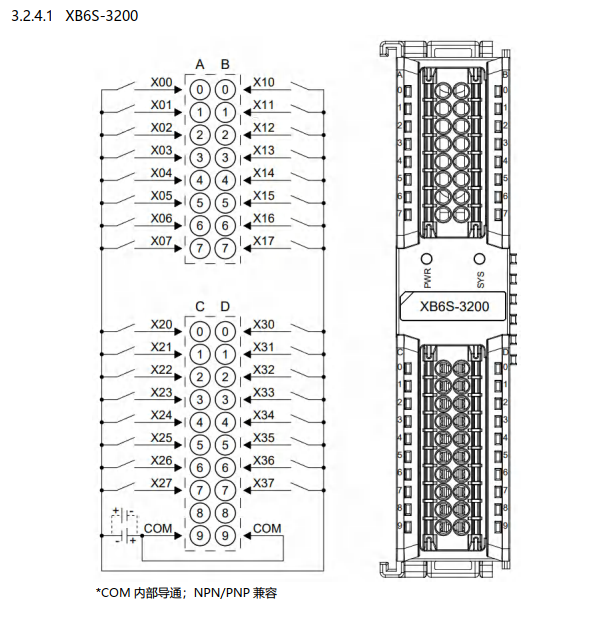
The XB6S-3200 input signal is NPN/PNP compatible, switched via the COM terminal wiring: if using a PNP-type input signal, COM should be connected to 0V; if using an NPN-type input signal, COM should be connected to 24V. If the COM terminal is not wired, the input signal cannot form a loop within the module. Consequently, the channel indicator light will not illuminate, and the corresponding input signal cannot be read in the program.
II. Checking if Input Points (I Points) Are Accidentally Written To
Input points (I points) should logically be read-only signals. However, they might be accidentally assigned values due to programming reasons, which can also lead to reading anomalies.

As shown in the program example above, using an I point directly as an output coil will allow the TIA Portal to compile and download normally, but I0.0 will no longer change in real-time with the external sensor signal.
During troubleshooting, besides checking specific input points (e.g., I0.0), it's also necessary to check IB0, IW0, ID0, etc., as well as other instructions that might perform batch assignments.
III. Checking if the Process Image Update is Set to "Automatic"
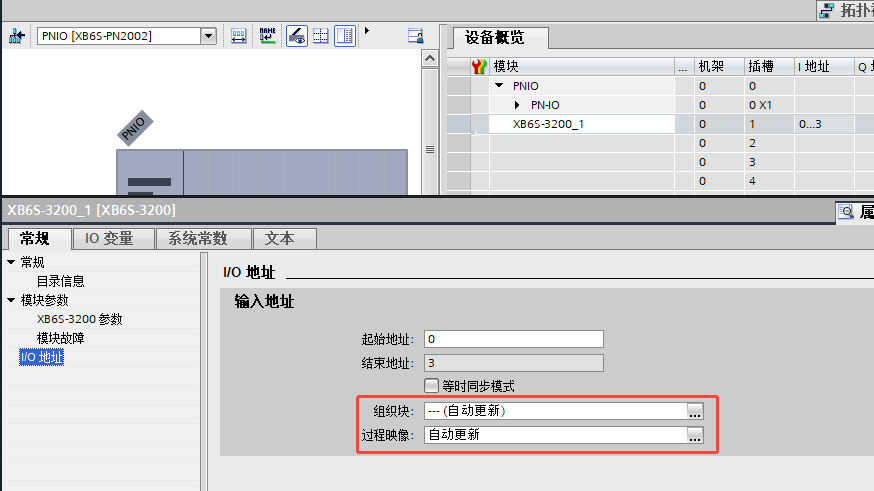
When adding a module in a new program, the process image is set to update automatically by default. Taking adding an XB6S-3200 module as an example, you can right-click the module in the device overview and go to "Properties - IO Addresses" to view the relevant settings, as shown in the interface below:
The TIA Portal's explanation regarding the process image is as follows:
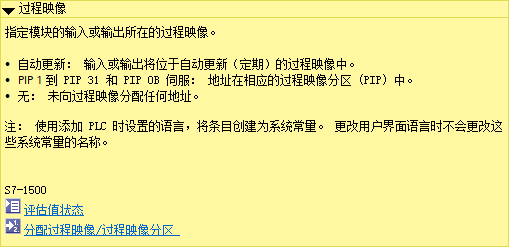
During debugging, if "Automatic update" is mistakenly changed to "None", the I points will be unable to receive actual data from the module, and no alarm will be generated in the configuration.
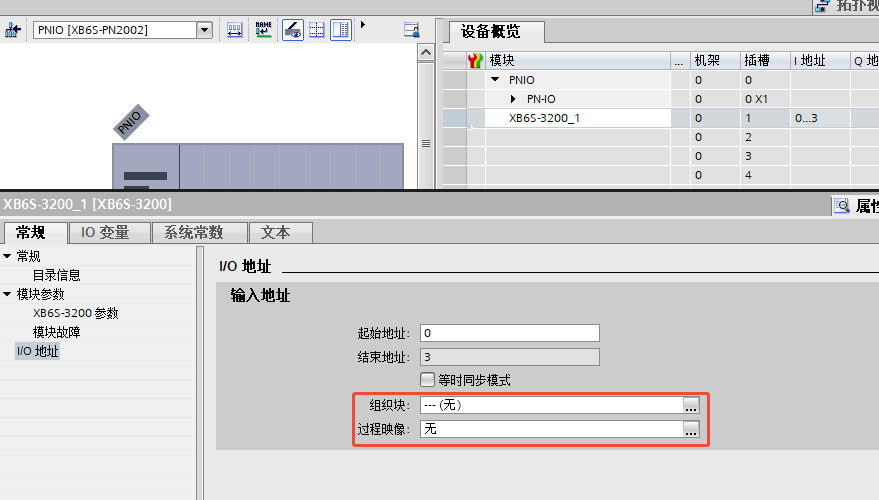
Restoring this setting to "Automatic update" and re-downloading the configuration will typically allow you to observe the I points changing in real-time with external signals.
The above is the troubleshooting method for input signal reading anomalies of the Solidot remote I/O module XB6S PROFINET protocol coupler in TIA Portal software. Thank you for reading.











