
 Knowledge

How to switch the byte length for the Solidot remote I/O XB6S serial communication module in TIA Portal
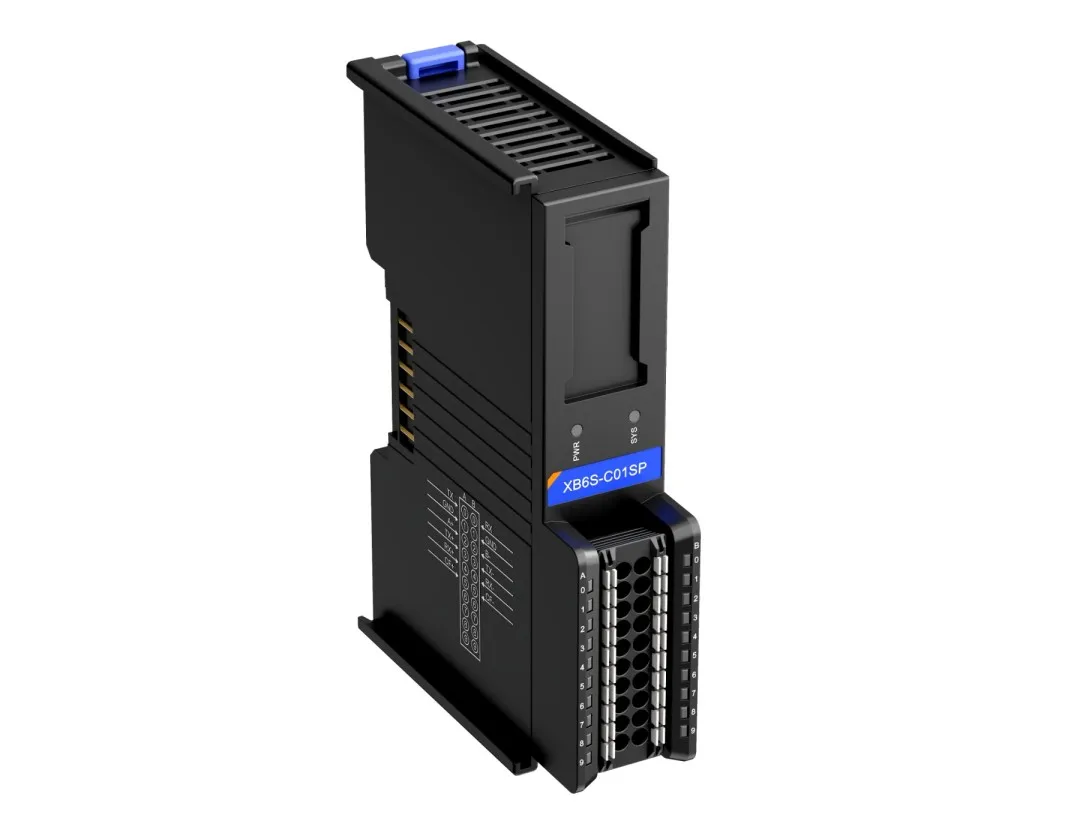
The XB6S-C01SP is a 1-channel serial communication module from Solidot's XB6S series. It is compatible with the XB6S series couplers. The module has a small footprint and simple data interaction processing, capable of meeting serial communication needs in various application scenarios. In practical use, the question of "how to switch its byte length in TIA Portal" is frequently asked by customers. This article will provide a detailed explanation with an example:
I. Basic Knowledge
The XB6S-C01SP has four different byte length options during configuration, as shown in the figure below:
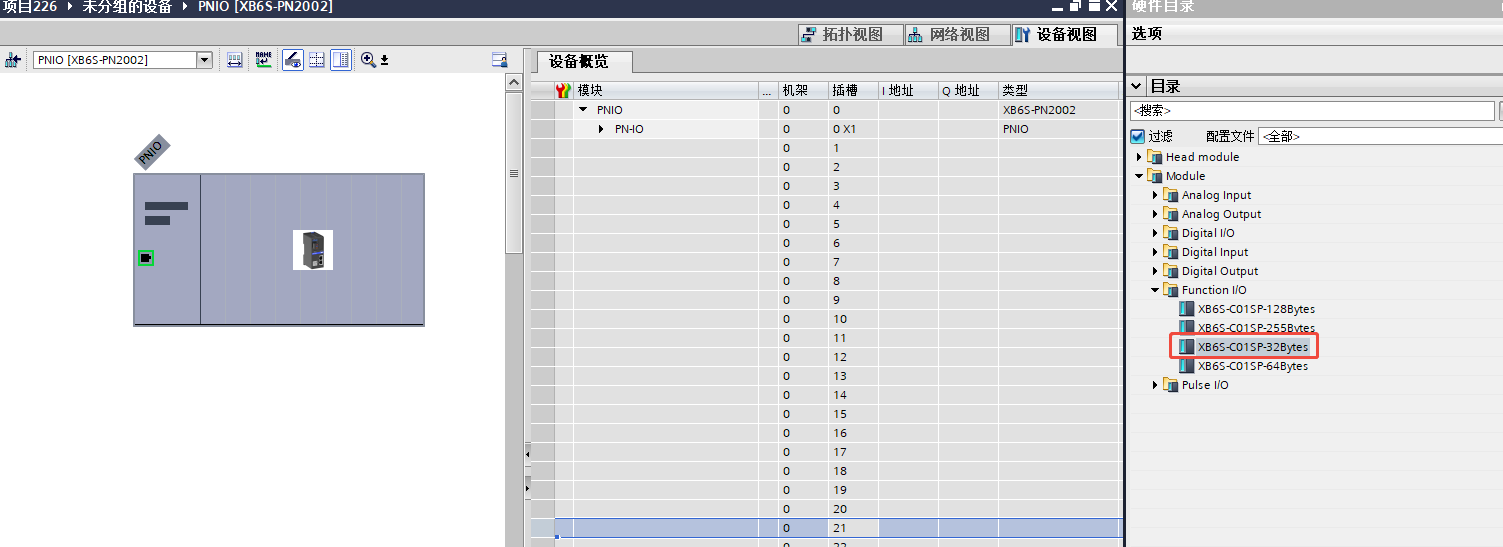
The module defaults to XB6S-C01SP-32Bytes ex-factory, with 32Bytes each for upstream and downstream data length. For initial power-on configuration, simply select the 32Bytes option for configuration. After correctly assigning the device name to the coupler, a successful connection can generally be established.
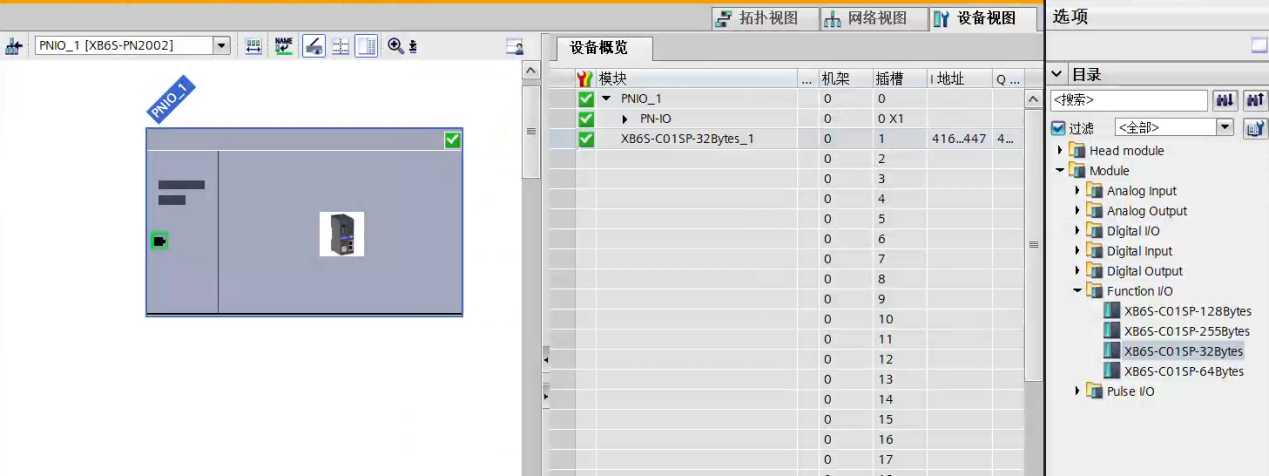
II. Switching Example
Example:
When the required data length exceeds 32Bytes, the module's data length needs to be adjusted. Here is an example of switching to XB6S-C01SP-64Bytes:
1.Switch TIA Portal to Offline mode.
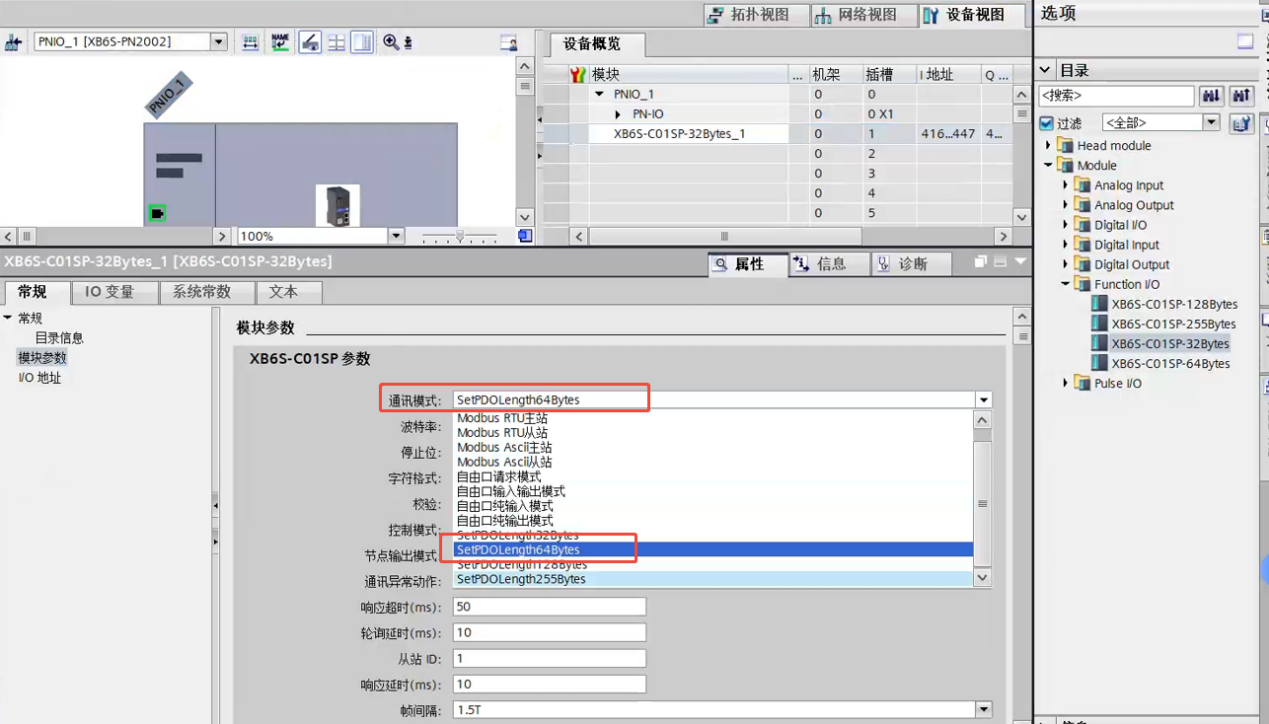
2.Right-click on "XB6S-C01SP-32Bytes" and select "Properties".
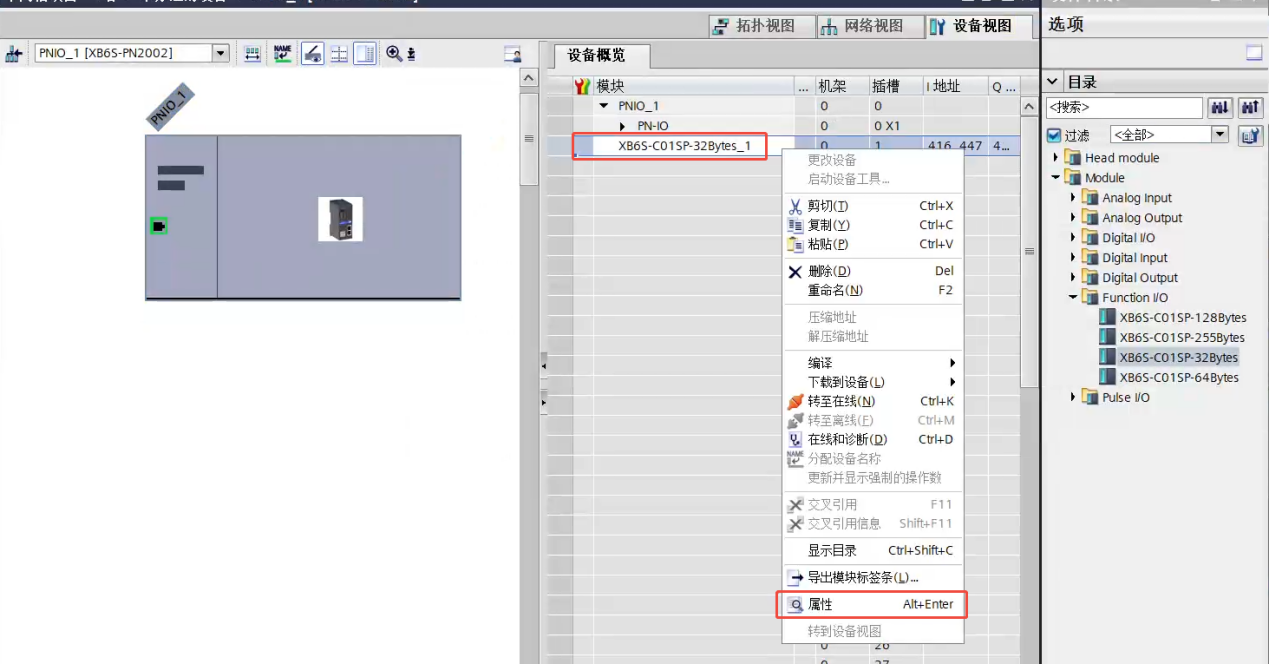
3.In the Communication Mode, select "SetPDOLength 64 Bytes".
4.Download the hardware configuration.
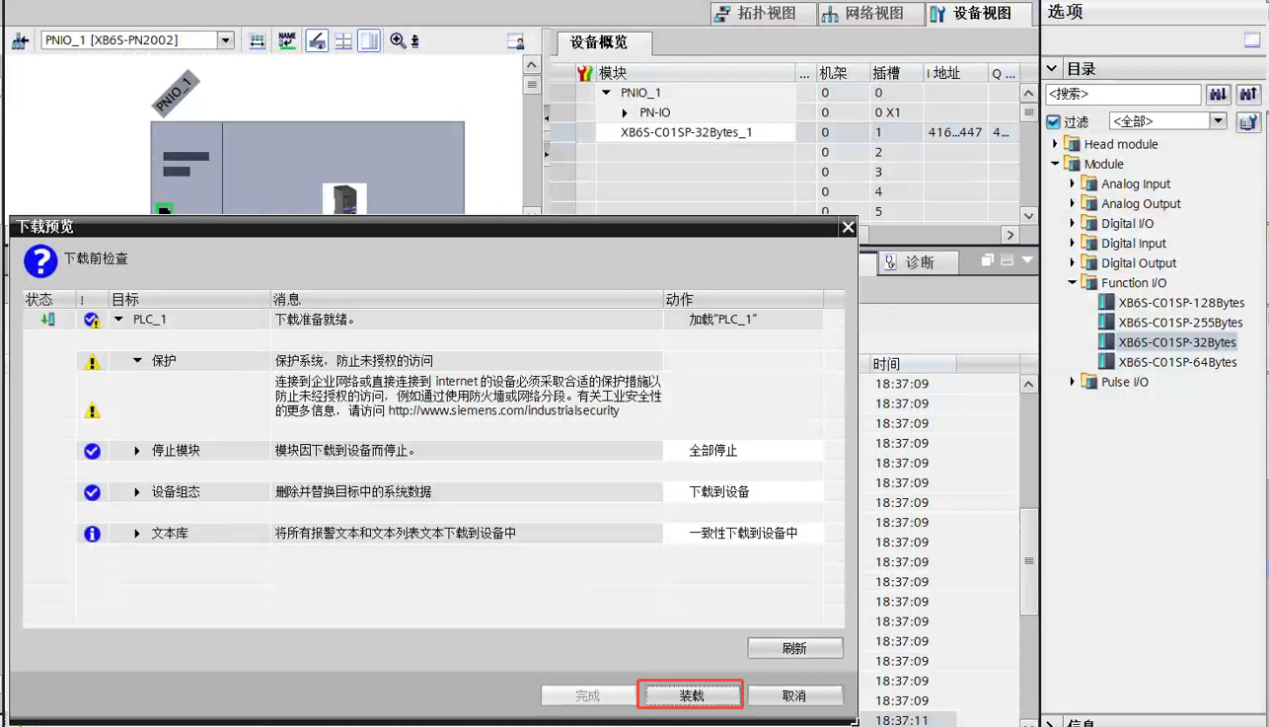
5.After a successful download, power cycle the module.
6.At this point, an error will occur and the connection will fail. Re-select "XB6S-C01SP-64Bytes" to add the configuration.
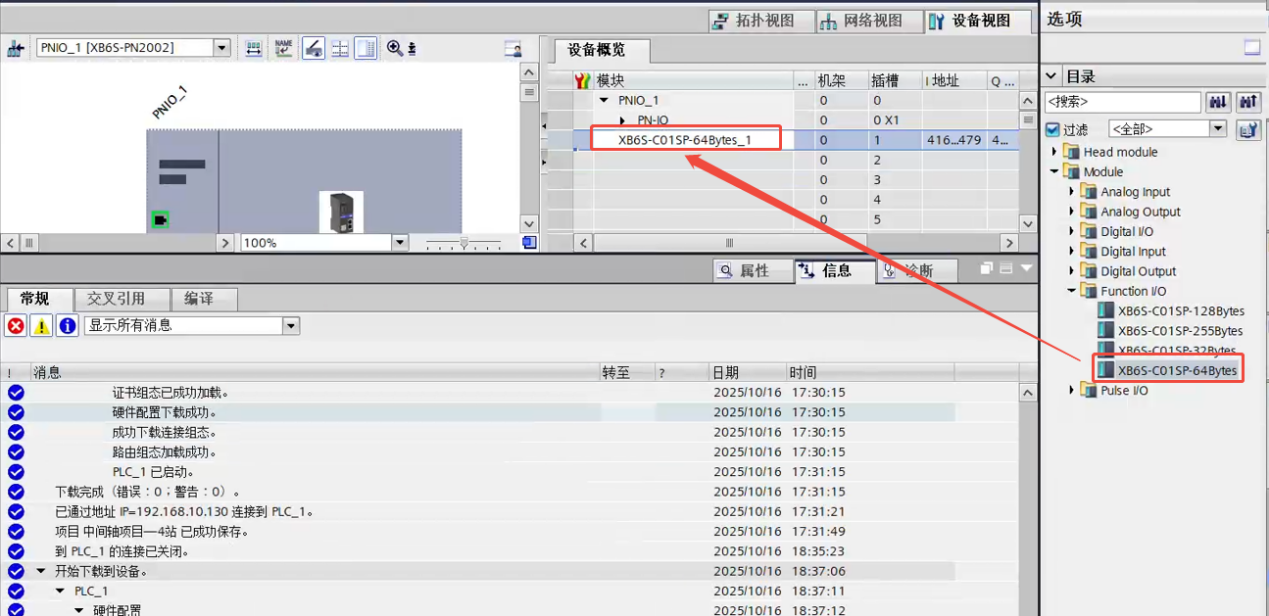
7.Download the hardware configuration again. The connection should now be successful.
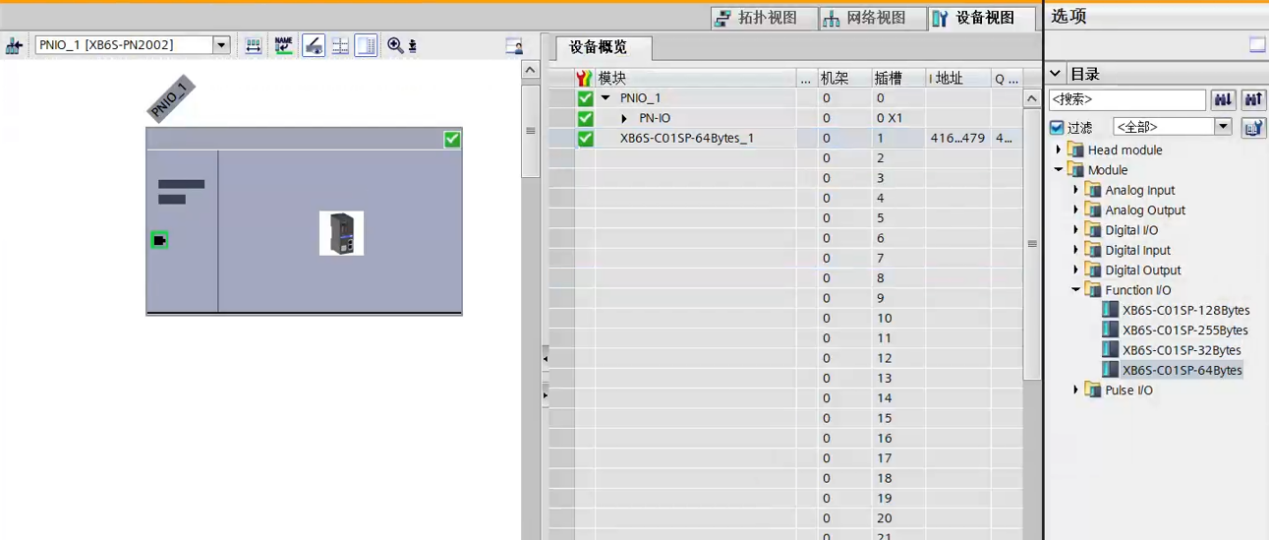
The switch from XB6S-C01SP-32Bytes to XB6S-C01SP-64Bytes is now complete.
The above is the detailed explanation on how to switch the byte length for the Solidot remote I/O XB6S serial communication module in TIA Portal. Thank you for reading.











