
 Knowledge

Solidot XB6S Remote I/O Module EtherCAT Coupler: Step-by-Step Configuration Guide Across Multiple Platforms
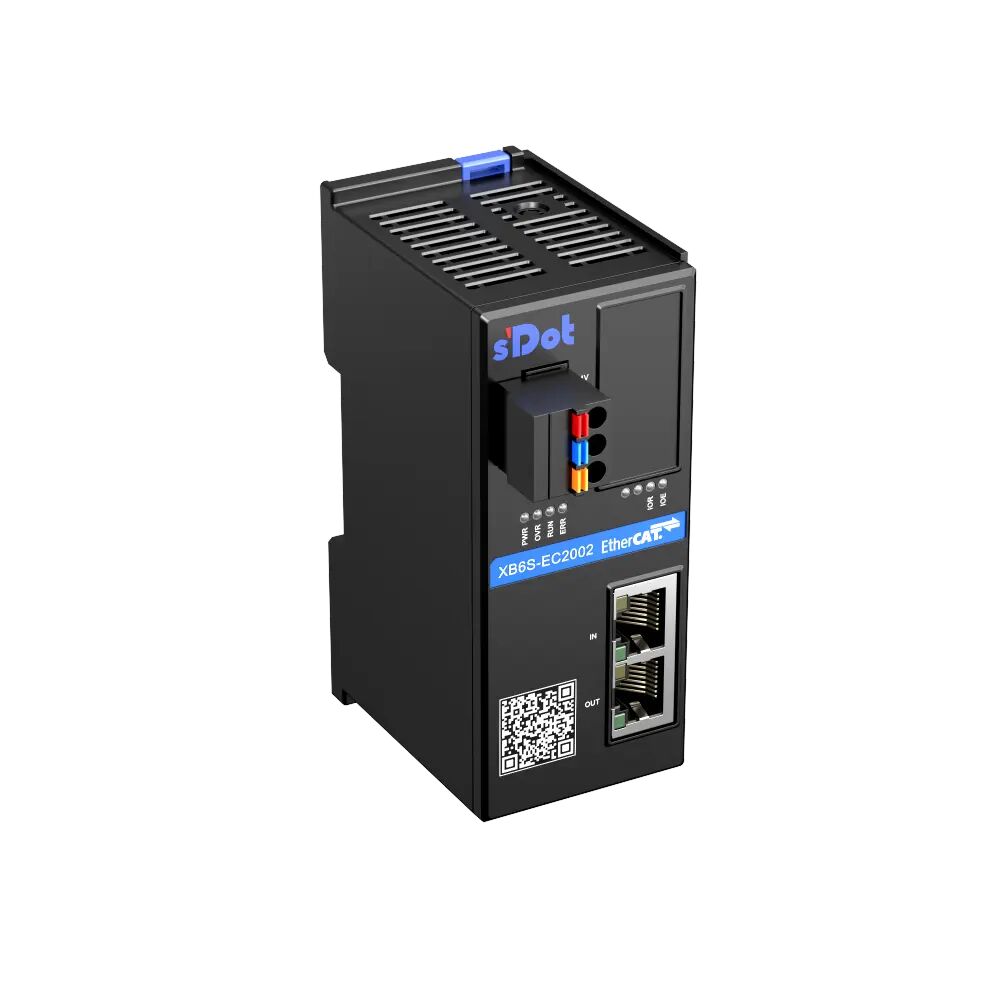
The XB6S-EC2002 is Solidot's remote I/O module, specifically an XB6S EtherCAT protocol coupler. In practical applications, customers sometimes need to modify its relevant configuration parameters. Although the method for adding and configuring parameters varies across different PLCs, the general procedure is similar. This article details the key steps.
I. Omron Sysmac Studio (Using NX1P2 as an example)
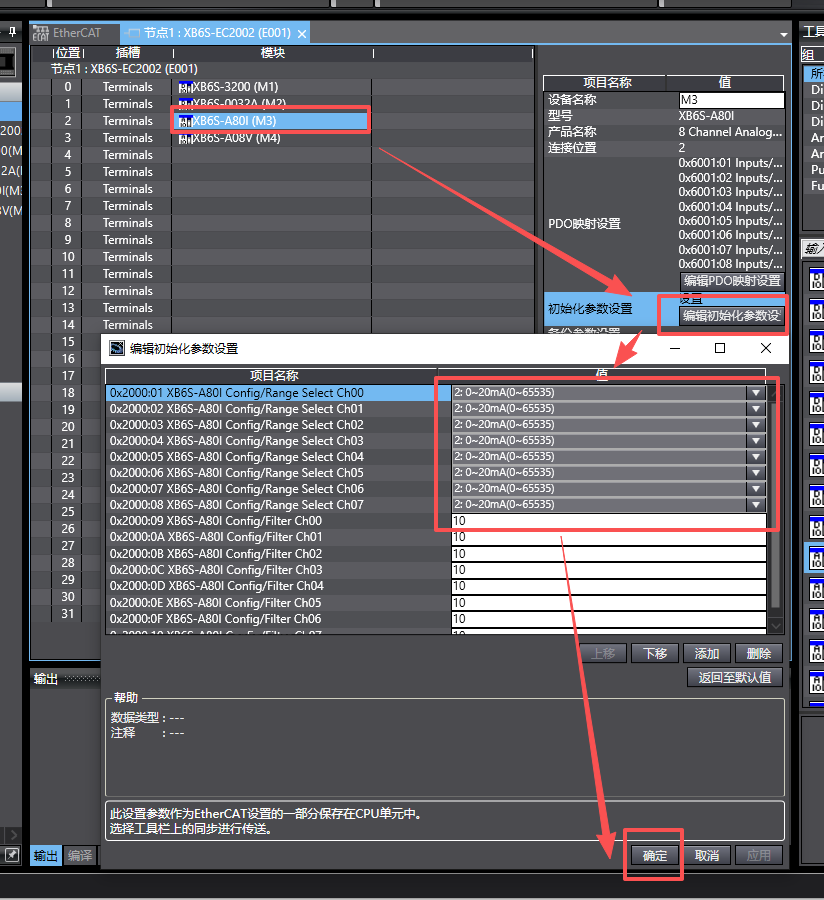
In the configuration module interface for the coupler, select the corresponding module and click the "Edit Initial Parameter Settings" button on the right. This will display the module's relevant configuration parameters. Make your selections and modifications, click OK, and then download the changes for them to take effect.
Note: The "Edit Initial Parameter Settings" button requires the Omron PLC firmware version to be higher than 1.40 to be visible.
II. Keyence KV STUDIO Ver.12G (Using KV-X as an example)
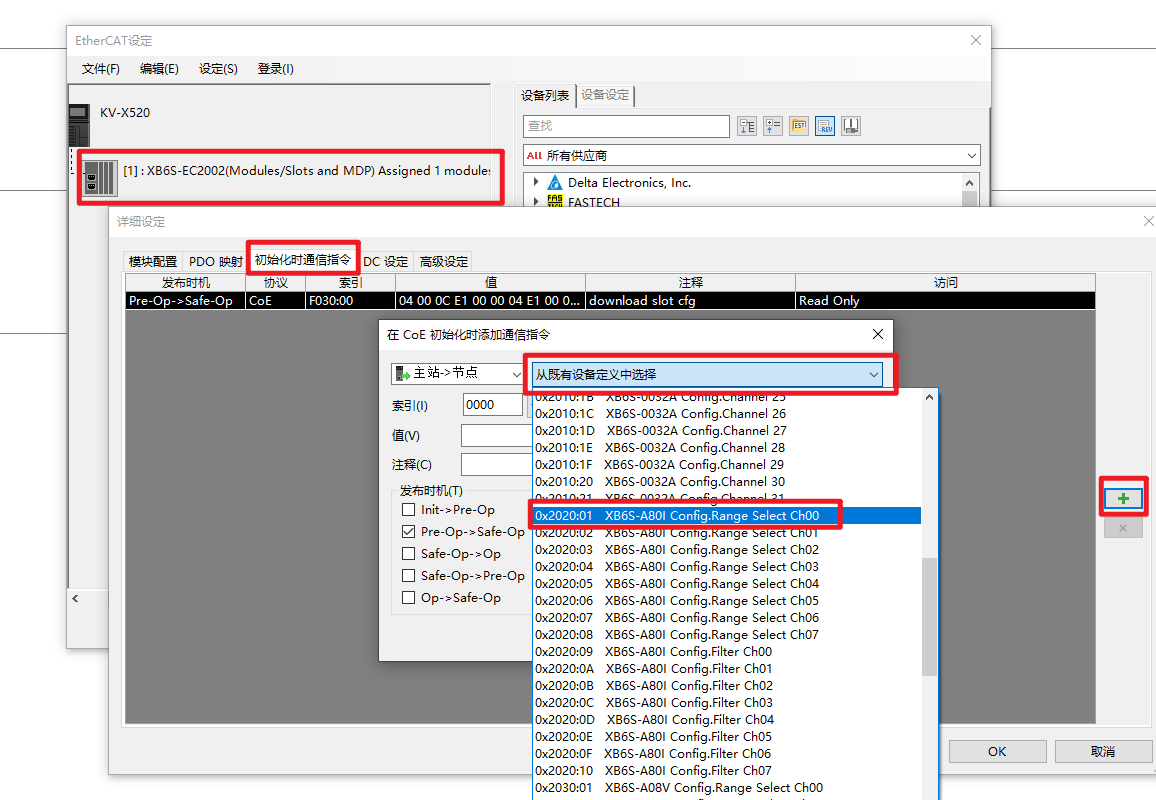

In the module configuration interface, find the "Communication Command at Initialization" button, then click the "+" button on the right, which will pop up a dialog box. Select the corresponding module's Config parameter from the drop-down menu, change the value to the desired configuration, and click "OK". After confirming, download the program to the PLC. Once completed, the Keyence PLC requires a power cycle for the parameters to take effect.
III. Beckhoff TWINCAT
1. Online Modification
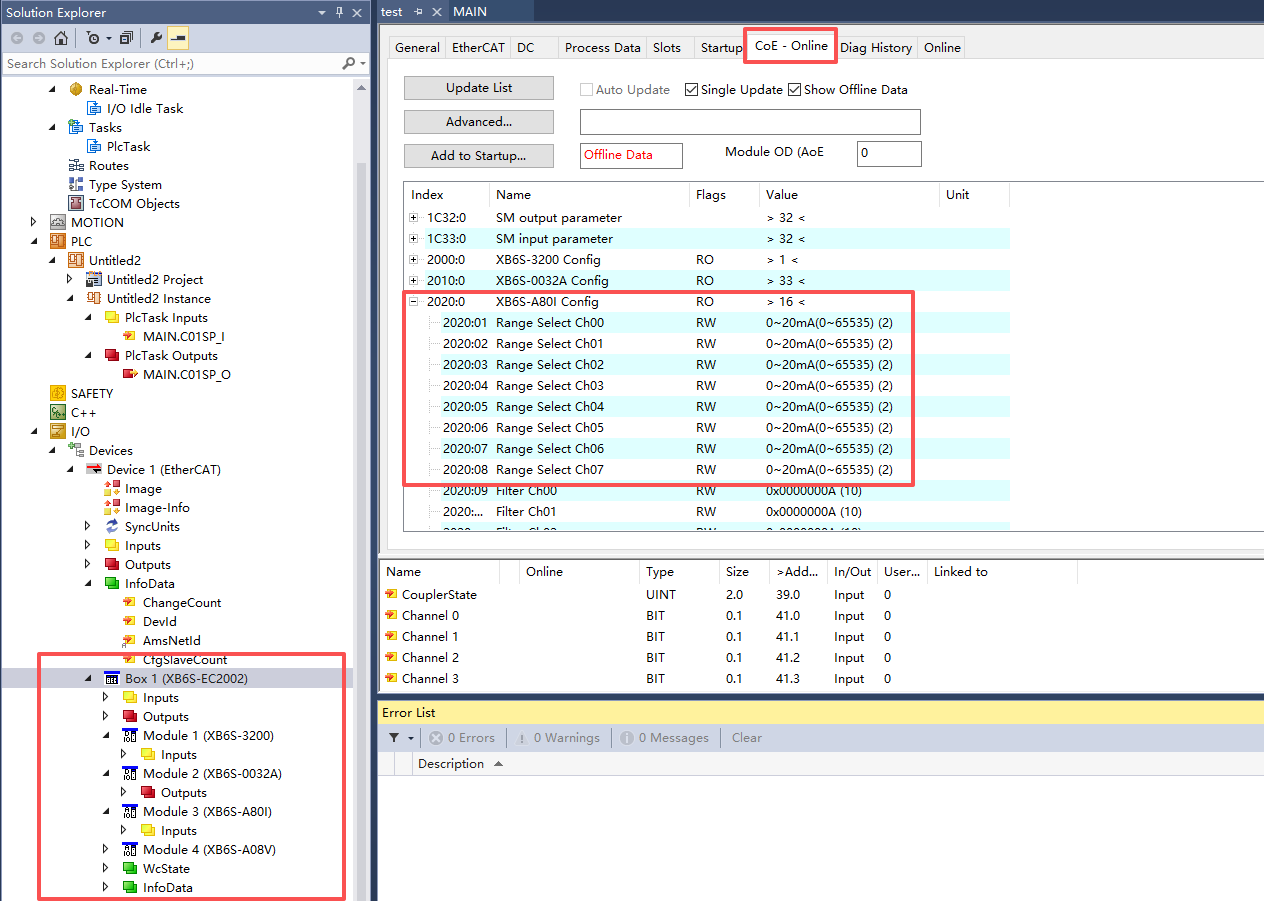
When the coupler is in OP (Operational) communication status, click the "COE-ONLINE" button, find the corresponding module's Config parameter, select the configuration parameter that needs modification, and the change takes effect immediately.
2. Adding Startup Parameters
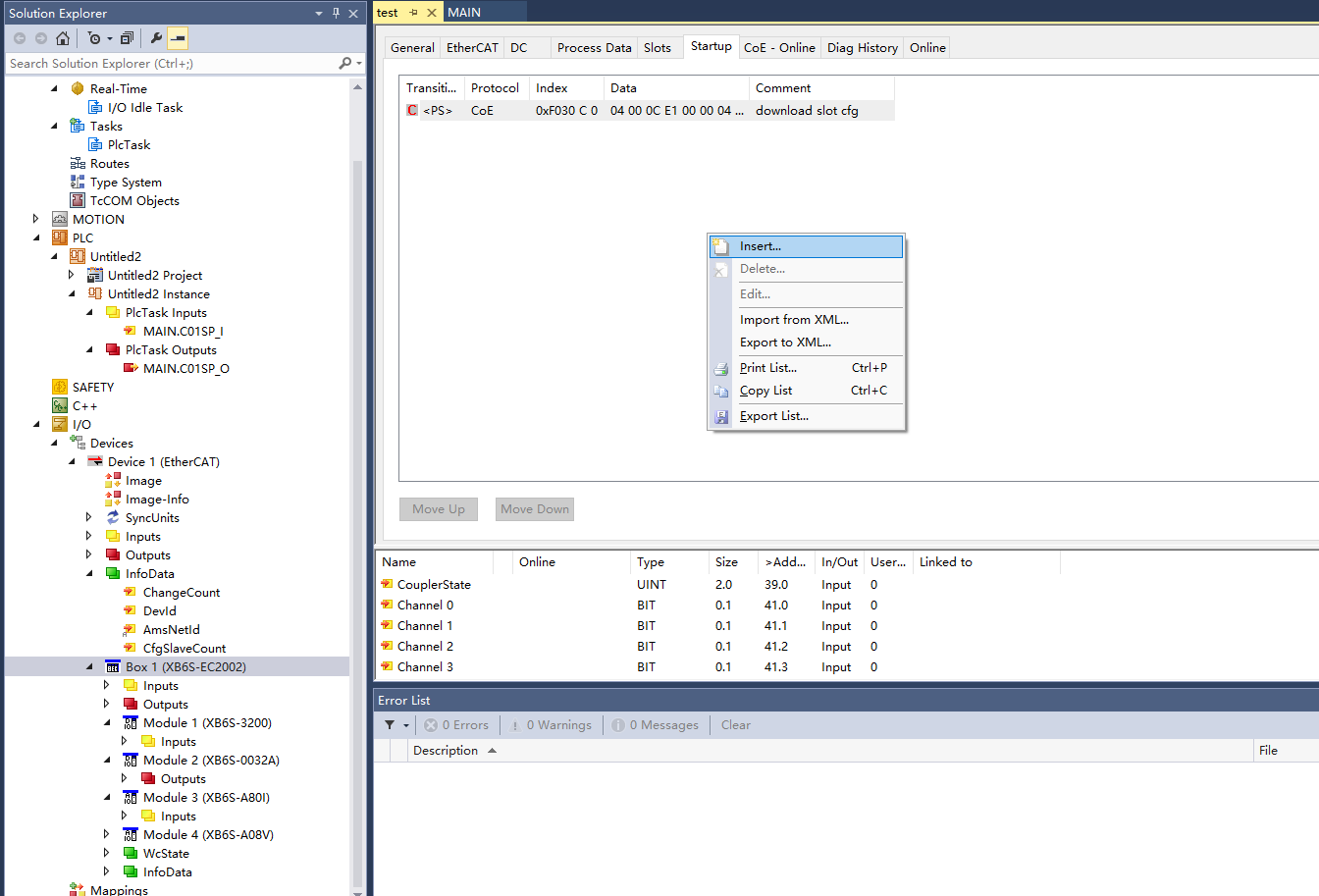
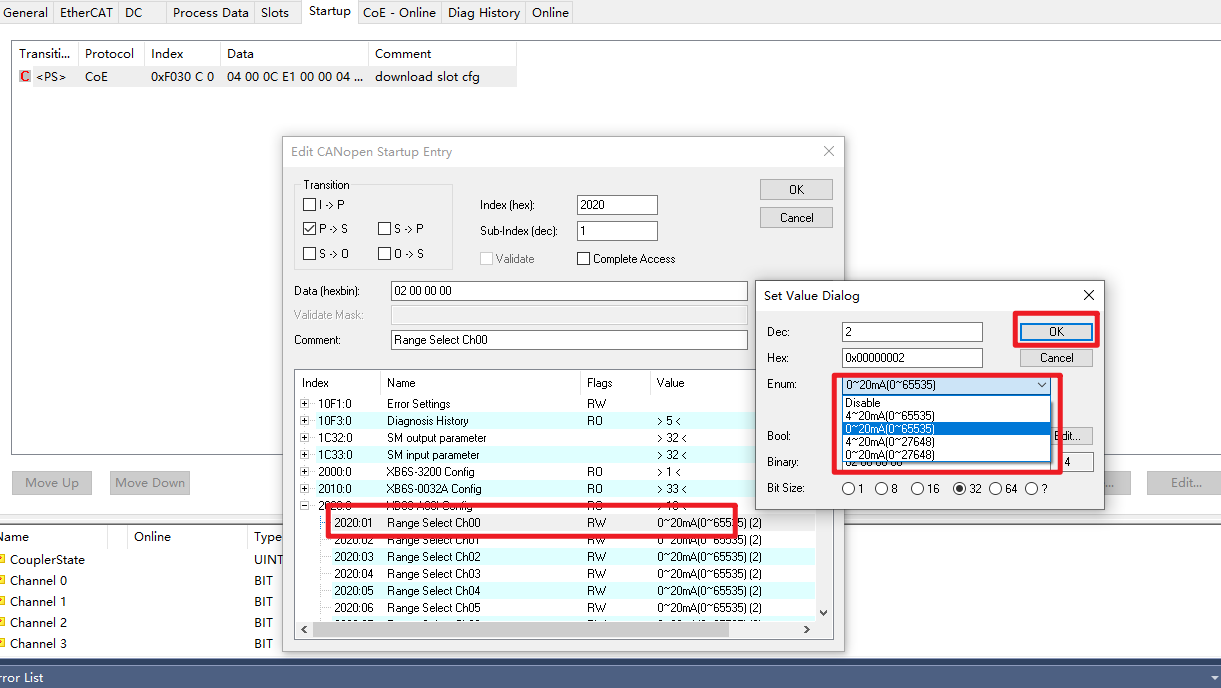
Parameters added in the startup parameters are sent once when the bus starts. Right-click in the 'startup' empty package interface and select "Insert". An SDO parameter window will pop up. Select the corresponding module's Config parameter, change the value to the desired configuration, click OK to complete, and download for the changes to take effect.
IV. Codesys (Including other PLC platforms developed based on Codesys)
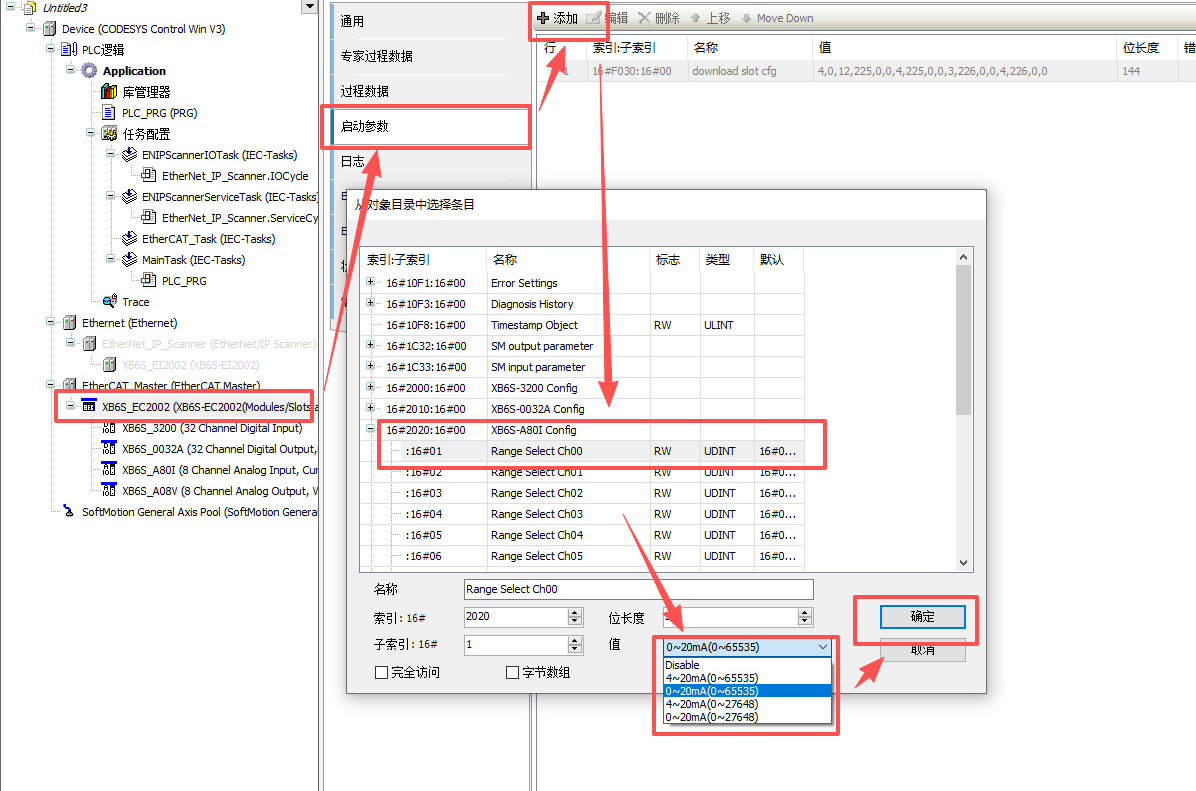
Double-click the "XB6S-EC2002 Coupler Icon" and select the Startup Parameters (SDO) option. Click the "+ Add" button at the top, select the corresponding module's Config parameter, change the value to the desired configuration, click OK, and download for the changes to take effect.
V. Inovance Autoshop (Using Inovance H5U as an example)
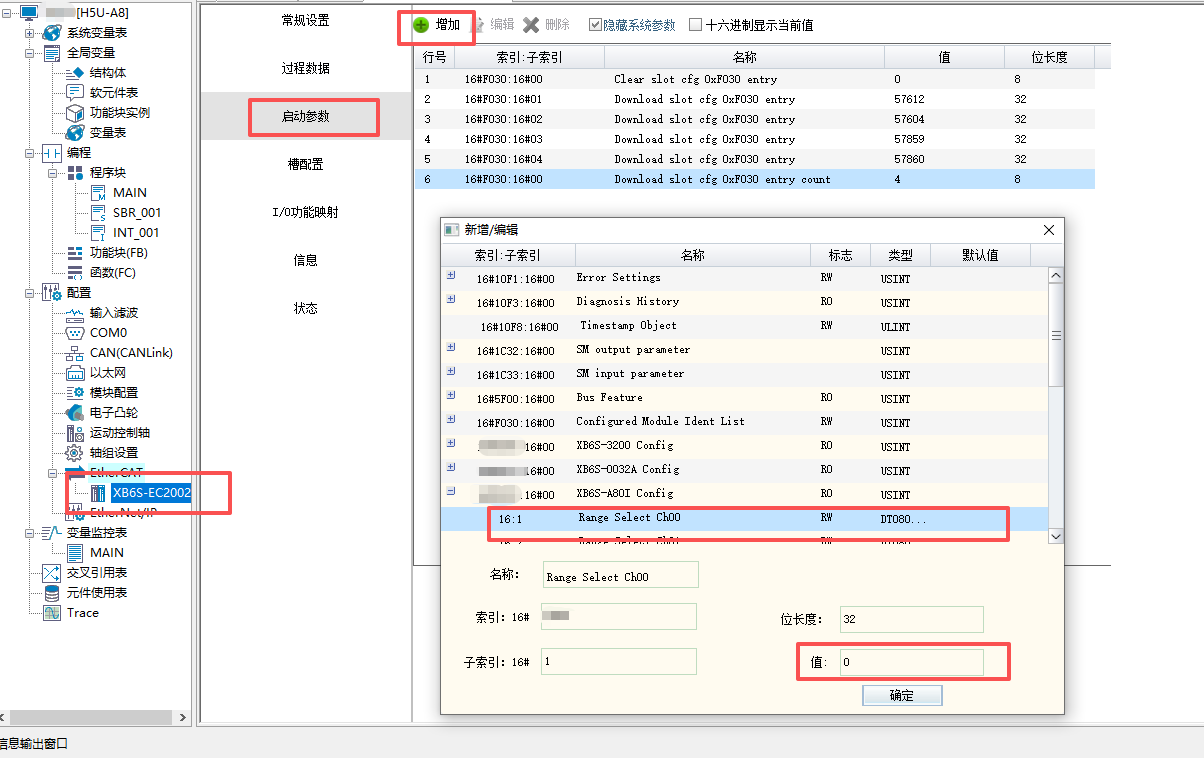
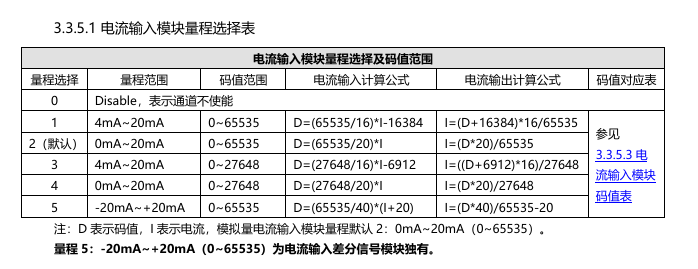
In the EtherCAT settings interface, double-click the "XB6S-EC2002 Coupler Icon". In the "Startup Parameters" section, click the "+" on the upper left side to add a startup parameter command. The startup parameter command corresponds to the module's SDO parameter configuration. Refer to the manual as shown above to adjust the range of the XB6S-A80ID module to the desired configuration. After adding the command, download the program. The sub-modules take effect immediately after the download is complete.
VI. Leisai Card (Using DMC-E5032-0 as an example)
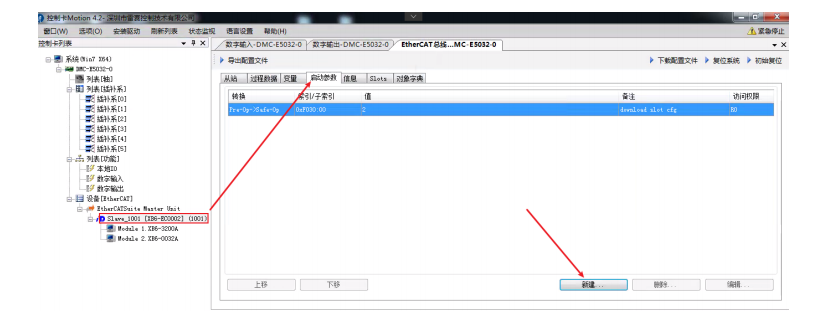
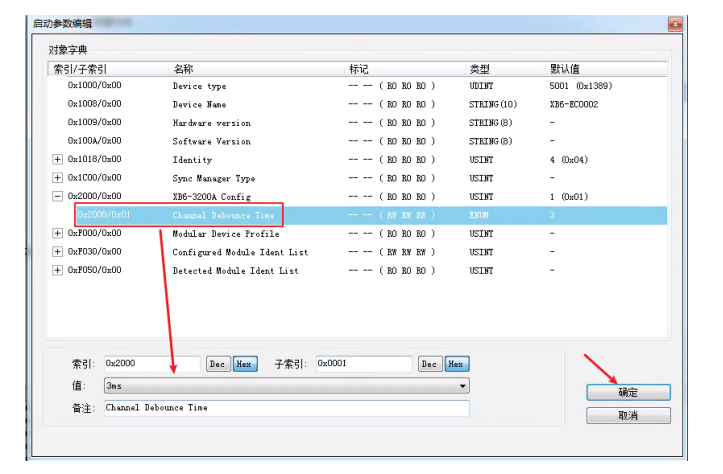
Double-click the "EC Coupler", select the startup button parameters, click the "New" button below, find the corresponding module's Config parameter, change the value to the desired configuration, click OK, and download for the changes to take effect.
VII. ACS
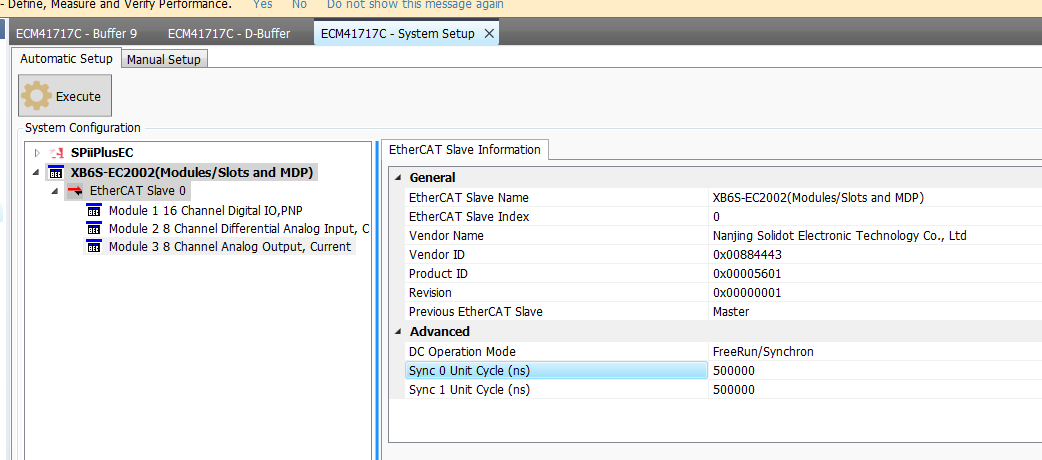
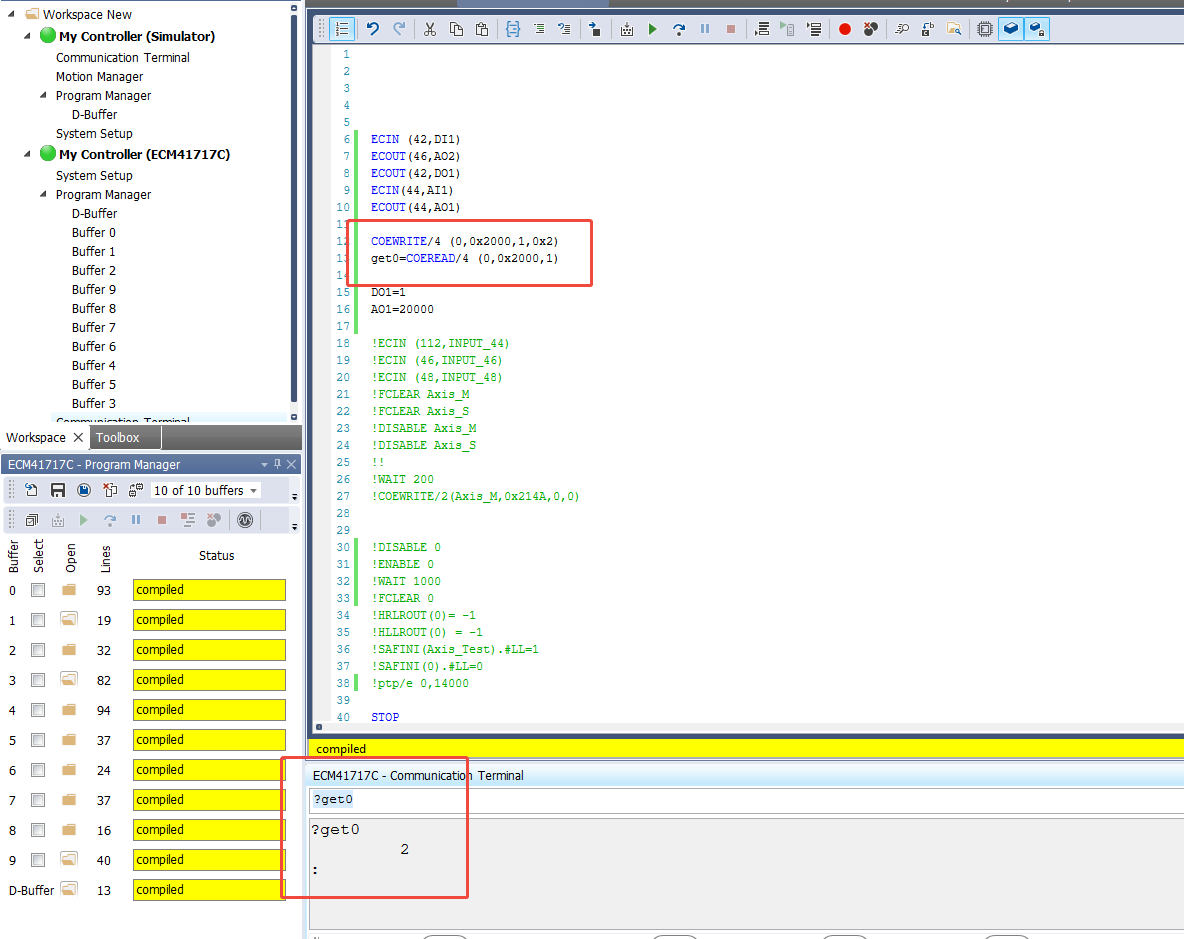
Modifying SDO parameters on the ACS platform is different from configuration. It requires calling the index and sub-index to send parameters (this method also applies to most PLCs that lack a startup parameter button or where startup parameter delivery fails). This usually needs to be paired with the SDO write program command COE_WRITE.
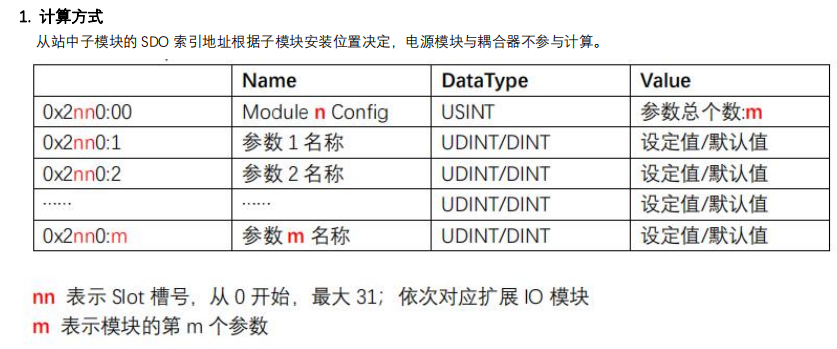
Index calculation method: 2nn0:mm
Index 2nn0: 'nn' represents the Slot number, starting from 0, maximum 31; corresponding to the expanded I/O modules sequentially.
Sub-index mm: Defined differently for various modules; commonly it's filter for digital input modules, disconnect retention parameters for digital output modules, and range selection for analog modules.
The above details the process of adding configuration parameters for the Solidot remote I/O module XB6S EtherCAT protocol coupler across various platforms. Thank you for reading.











