Knowledge

CC-Link IEF Basic automatic detection and IP sorting
In actual industrial field applications, many devices using the same protocol are often connected, such as connecting remote I/O devices, servos, AD/DA devices, etc. via the CC-Link IEF Basic protocol. The IP address of Zhendian Technology's remote I/O module must be adjusted via the DIP switch and matched with the IP address in the host software before a normal connection can be established.
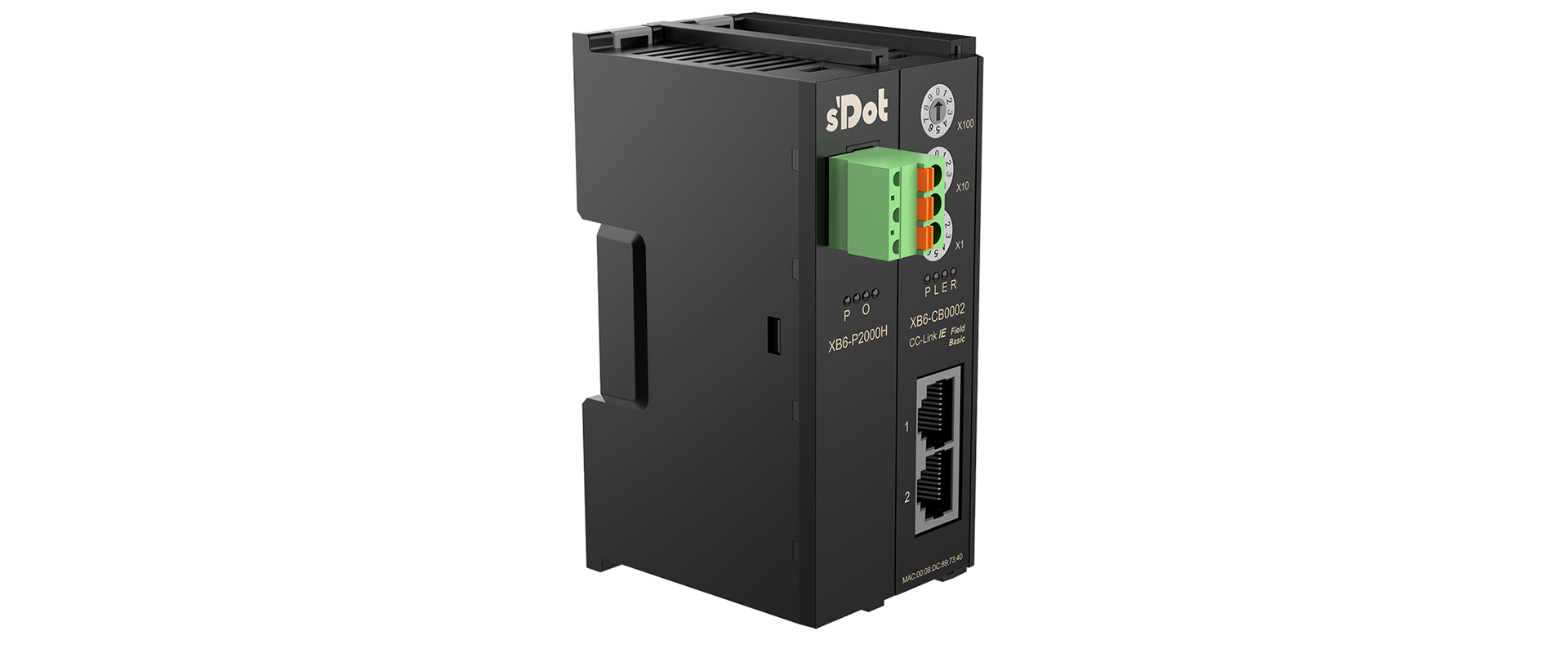
↑ Zhendian Technology CC-Link IE Field Basic protocol coupler kitXB6-CB2002ST
1. When you need to quickly view the configuration information of all connected devices (such as IP, subnet mask, mapping address, etc.), you can use "Auto Detect Connected Devices" to perform batch viewing and editing.
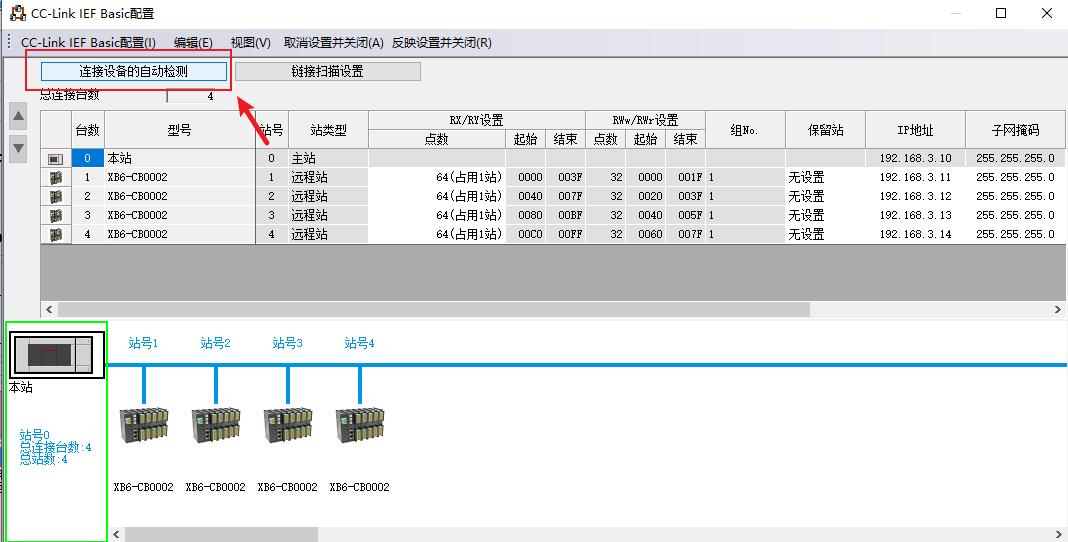
2. Because different slaves respond to the CC-Link IEF Basic communication module (or master station) at different response times, and since this protocol communicates via IP, devices with shorter response times may be listed first, as shown in the figure below. Such an out-of-order IP arrangement affects the distribution of mapped I/O points.
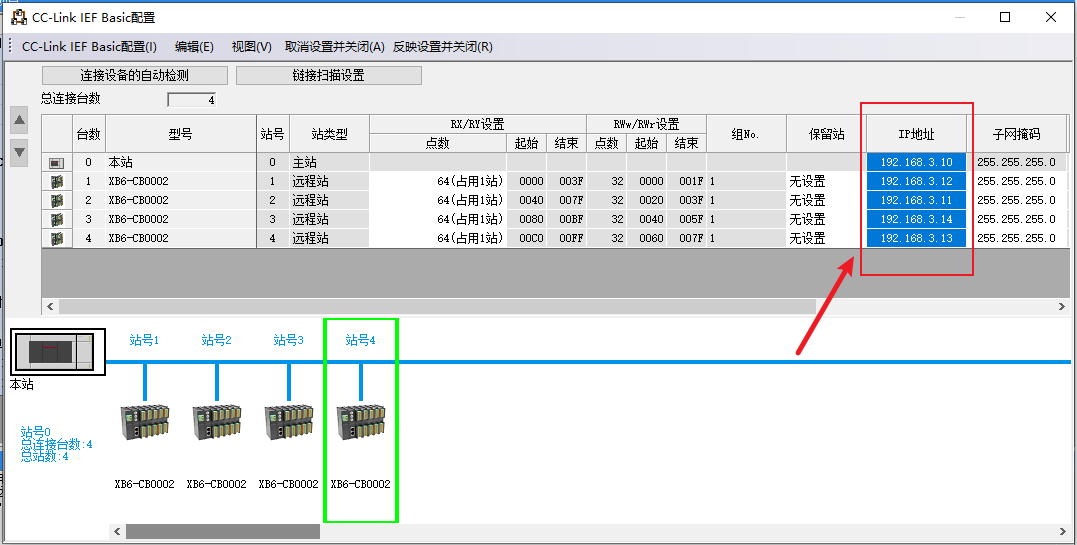
3. In this case, the issue cannot be resolved by copying and pasting, because the copied slave can only be placed at the end of the list, which does not fundamentally solve the problem. To resolve this, manually drag the slave and then modify its IP address.
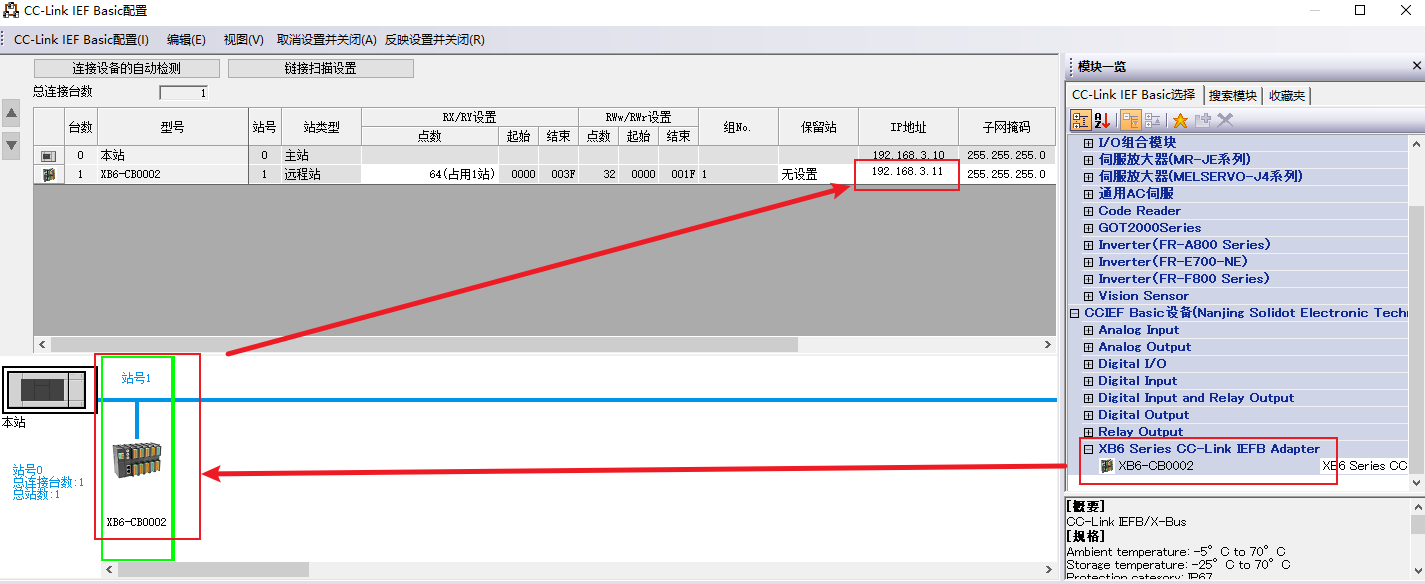
Drag Zhendian Technology's XB6-CB0002 into the device tree for configuration, and set the IP address corresponding to the device connection order (or I/O mapping order). Repeat the same steps for the subsequent slaves to arrange the IP addresses in sequence.