
 Knowledge

Overview
1. Applicable Products
2. Configuration Tool
InoProShop
3. Core operations
Scan slaves -> write station alias -> power cycle and verify -> Switch to alias mode -> download the program and communicate
4. Key Prerequisites
Alias addressing mode requires that the alias address configured in the software match the alias actually written to the slave
5. Important Notes
After the station alias is written, the slave must be powered off and restarted for it to take effect; before scanning, the PLC must first be switched to the STOP state
In InoProShop, how do you assign a station alias to the Solidot Slice EtherCAT protocol Coupler XB6S-EC2002 and switch EtherCAT communication to alias addressing mode?
InoProShop supports both position addressing and alias addressing. Alias addressing mode requires that a station alias be written to the slave device in advance, and that the alias address configured in the software match the actual value in the slave. Taking the XB6S-EC2002 as an example, this article describes in sequence the basic rules of alias addressing, the alias write operation, write verification, and the complete workflow for communication in alias mode.
Differences Between Alias Addressing and position Addressing
The two addressing modes of InoProShop are compared below. Before use, select the mode that suits your application:
Comparison item | Position Addressing | Alias Addressing |
Identification Basis | Physical topology position of the module in the network | Station alias value pre-written to the slave |
Application scenario | Scenario with fixed topology and unchanging module positions | Scenario requiring flexible identification of slaves by alias |
Prerequisites | No additional write operation required | The alias must be written to the slave in advance, followed by a power cycle and restart |
Scanning slave devices
In InoProShop, right-click "EtherCAT" and select "Scan Devices". After the scan is complete, XB6S-EC2002 and the I/O modules connected under it can be identified normally.
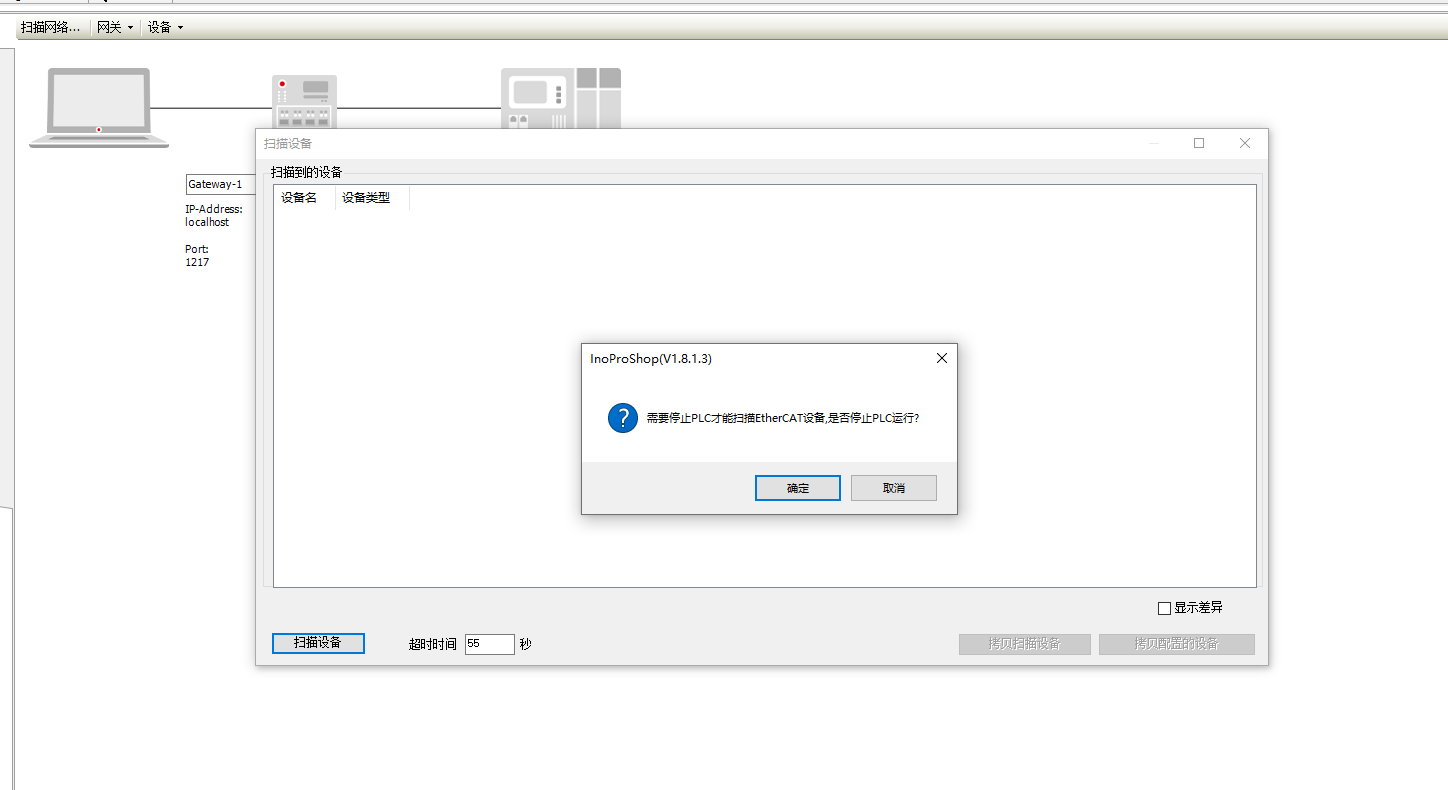
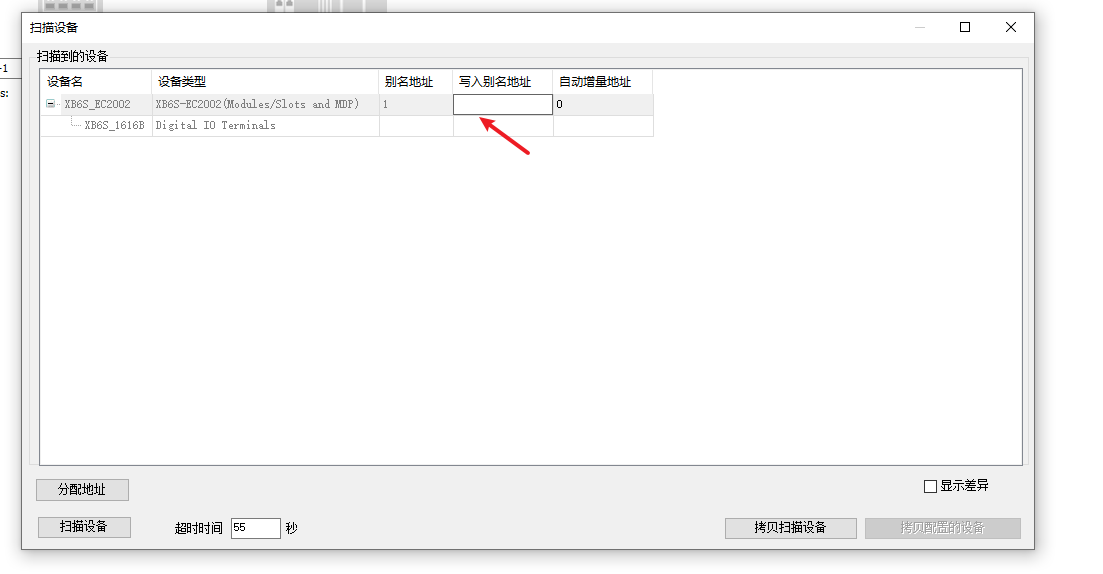
Note: Before performing the scan, switch the PLC to the STOP state (stop PLC) and confirm that the equipment is in a safe state.
Writing the station alias
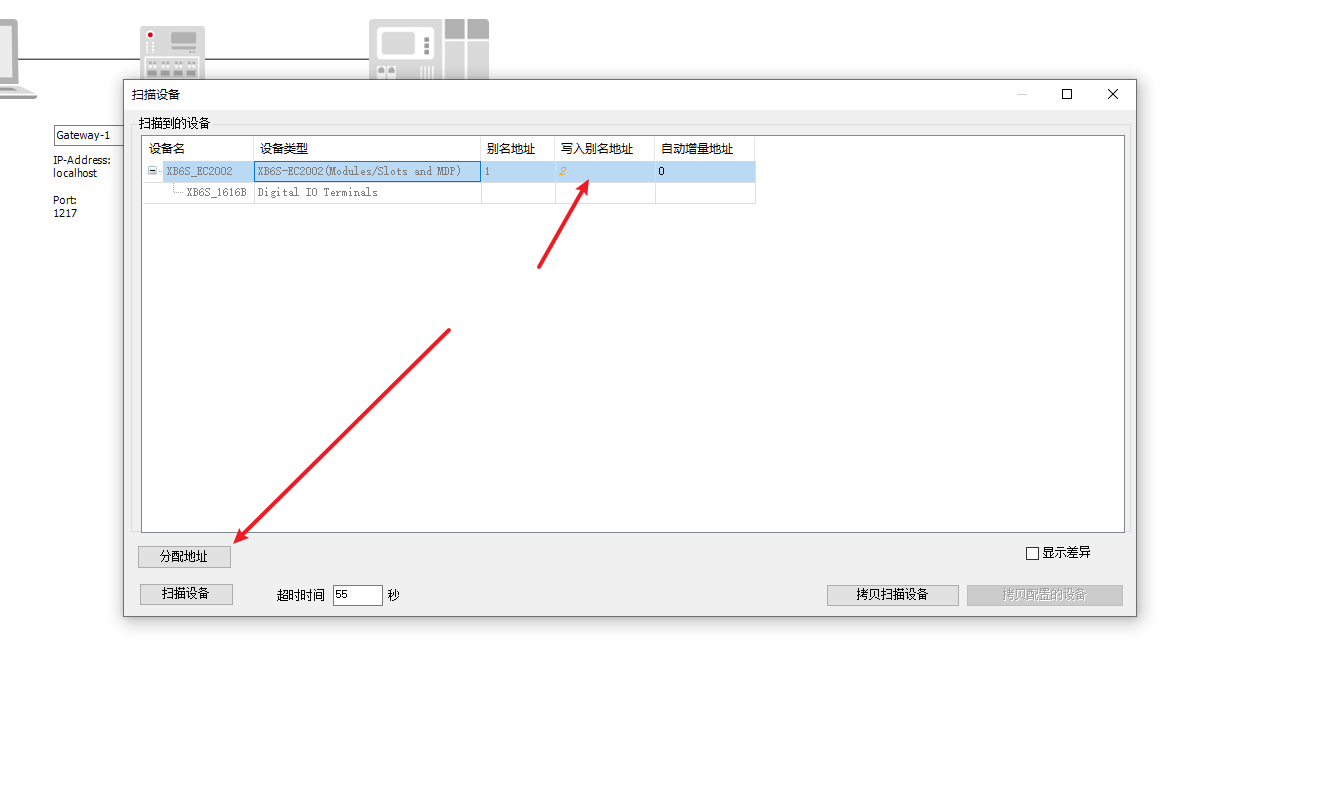
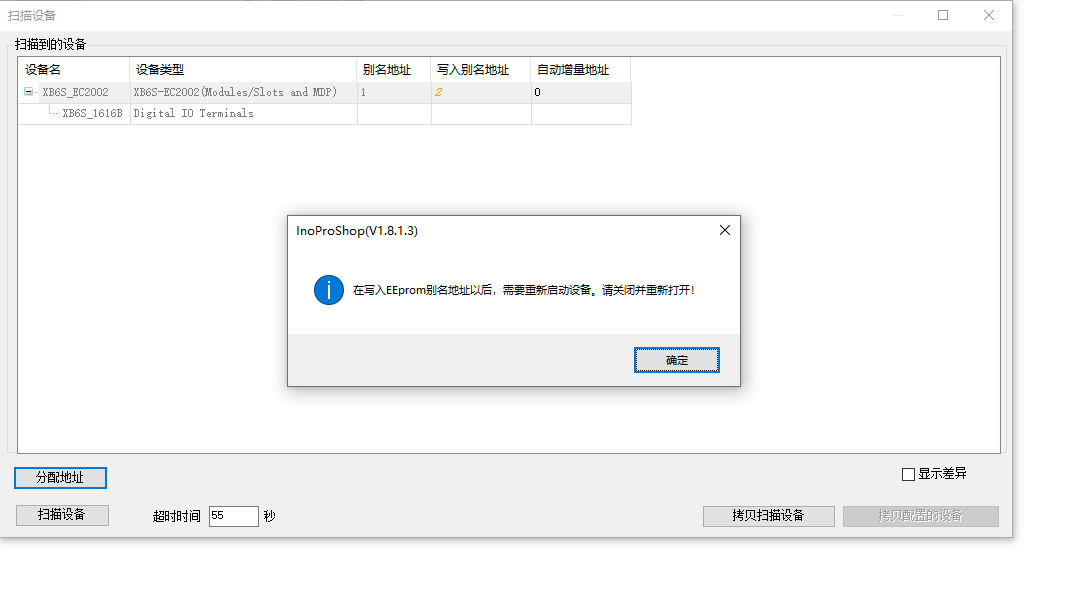
Locate XB6S-EC2002 in the scan result, enter the target alias value in the "Write Alias Address" input field (in this example, enter 2), and click the "Assign Address" button. When the software displays a success message, the station alias has been successfully sent to the slave.
Power cycle and verification of the alias
After the station alias is written, the XB6S-EC2002 slave must be powered off and restarted for the alias setting to take effect.
After the restart, scan the slave again in InoProShop and confirm that the station alias in the scan result has been updated to 2, verifying that the write was successful.
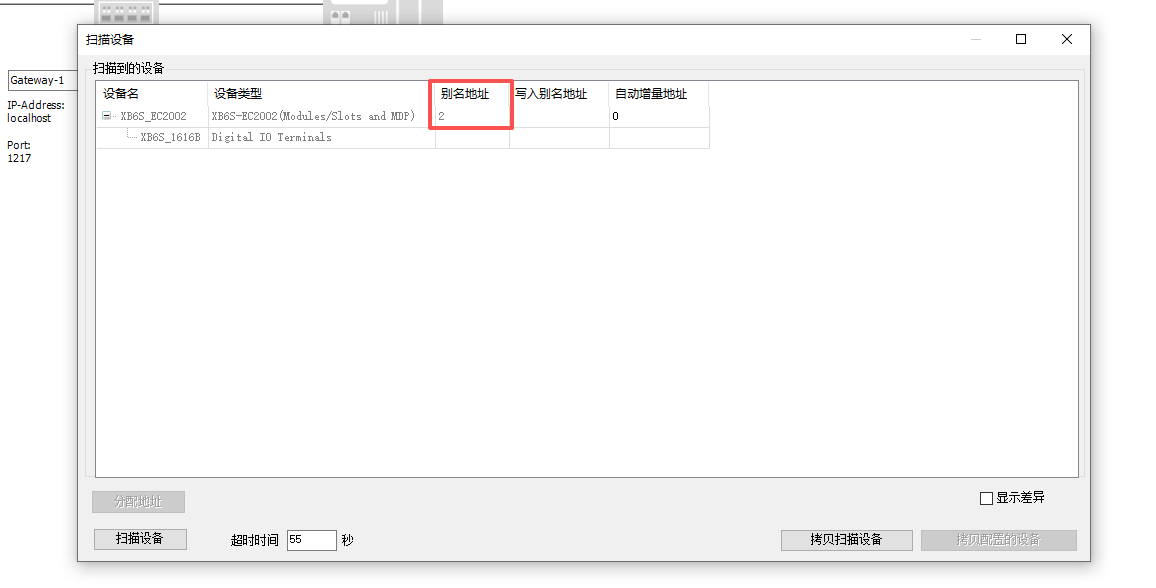
Note: If the station alias is written but no power cycle is performed, the new alias will not take effect, and subsequent communication will fail when switching to alias mode.
Switching to alias mode and establishing communication
Double-click "EtherCAT", change the Addressing mode from position mode to "alias mode", and change the alias address of the Coupler to 2 (it must match the alias value actually written to the slave).

After logging in and downloading the program to the PLC, confirm that EtherCAT communication is normal; the complete configuration of alias mode is now finished.
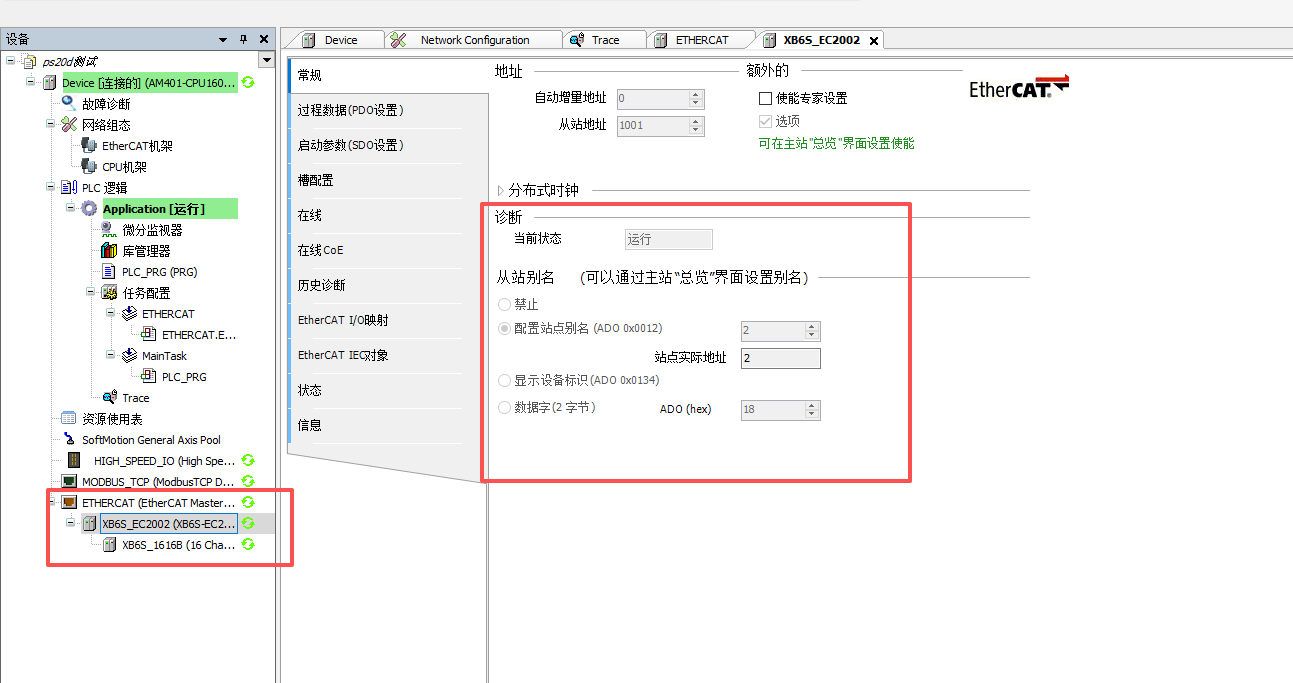
Note: The alias address configured in the software must match the station alias value actually stored in the slave device exactly; otherwise, communication cannot be established.











