Knowledge

XB6-EI2002ST module communication common problems
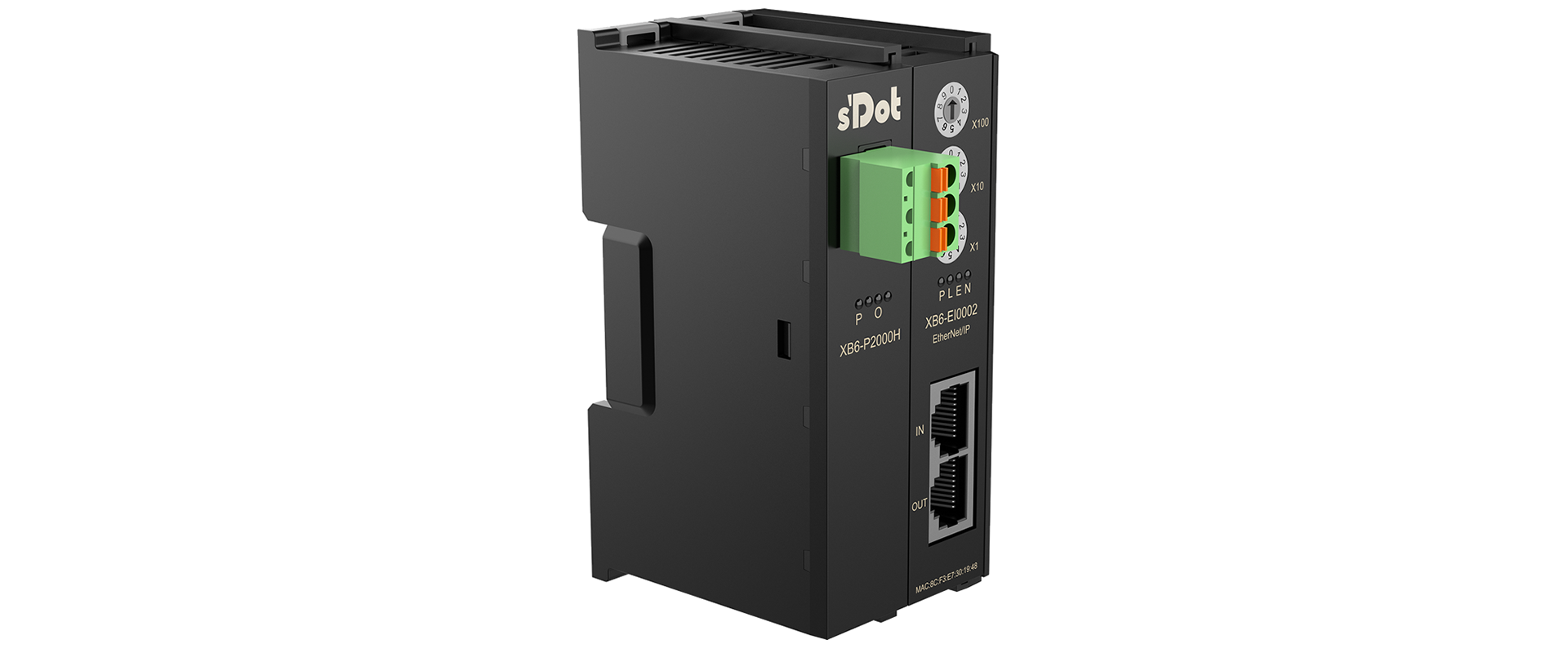
As a Shidian Technology EIP Slice Coupler slave module, XB6-EI0002 works with Digital, Analog, and Function Modules, and is commonly used for communication adaptation with master PLCs such as Keyence, Omron, Inovance, and Panasonic.
During use, if communication issues occur, troubleshooting can be carried out from the following aspects:
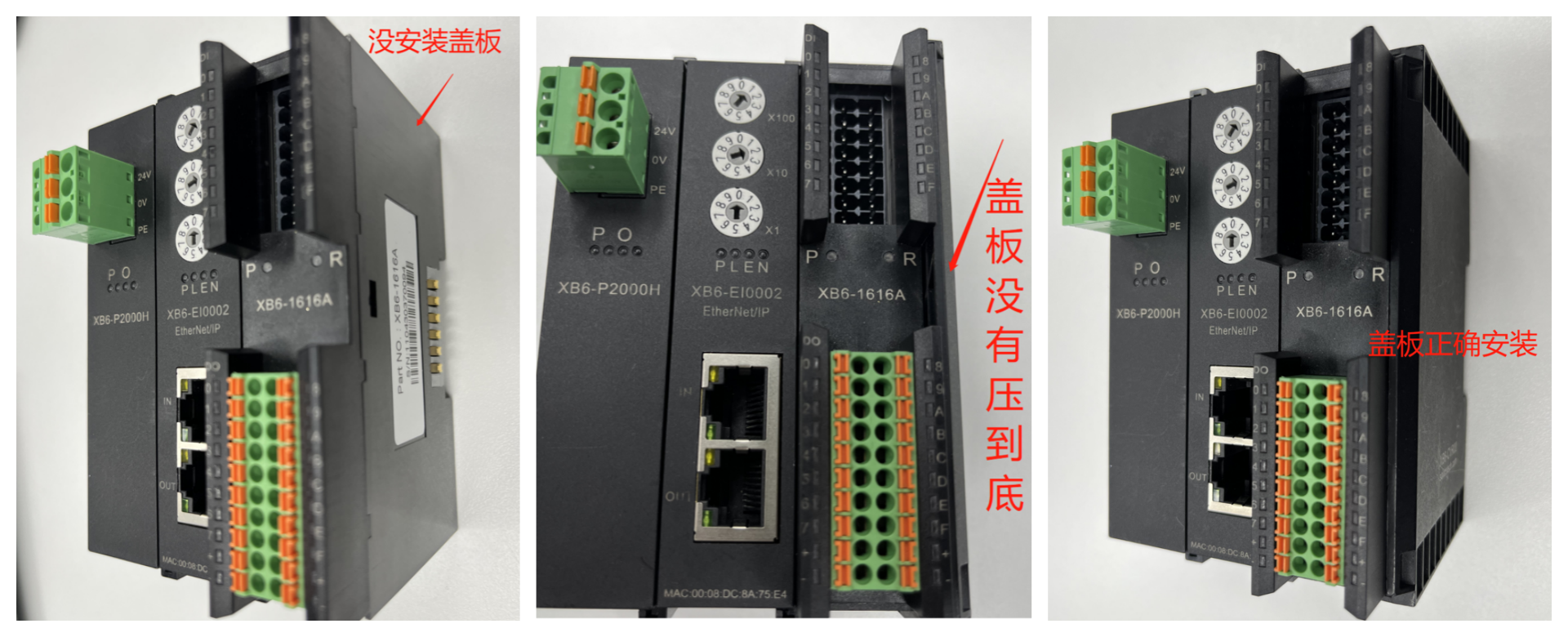
I. The End Cover at the rear of the module is not installed or not tightened
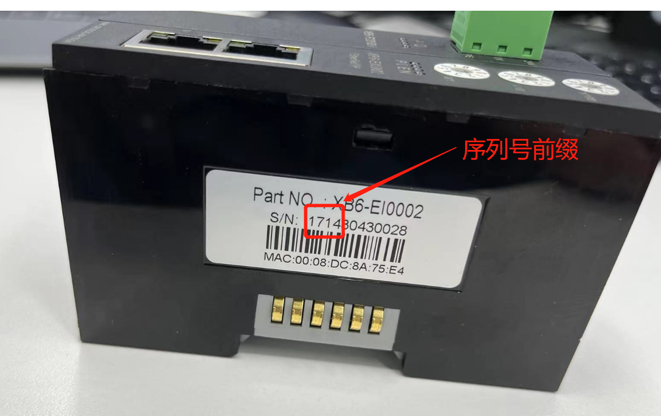
II. EDS file version does not match coupler hardware
Remove the XB6-EI0002 coupler module, check the S/N Serial Number on the side of the coupler module, and select the corresponding EDS file according to the serial number prefix (the EDS file can be downloaded from the official website or obtained by contacting technical support).
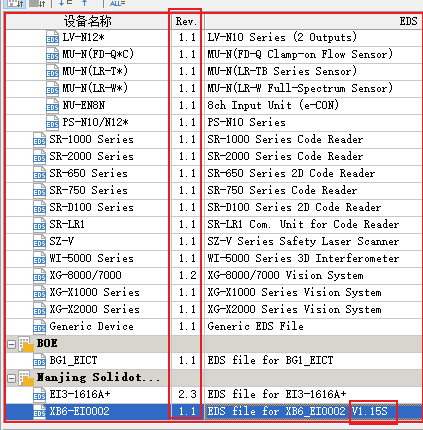
Since the Rev version displayed in the master software is always 1.1 after importing the EDS, it is recommended to add the relevant EDS version information in the comment after importing the EDS, for ease of later maintenance.
III. Incorrect calculation of upstream and downstream byte length, I/O Module not configured
1. Incorrect calculation of upstream and downstream byte length
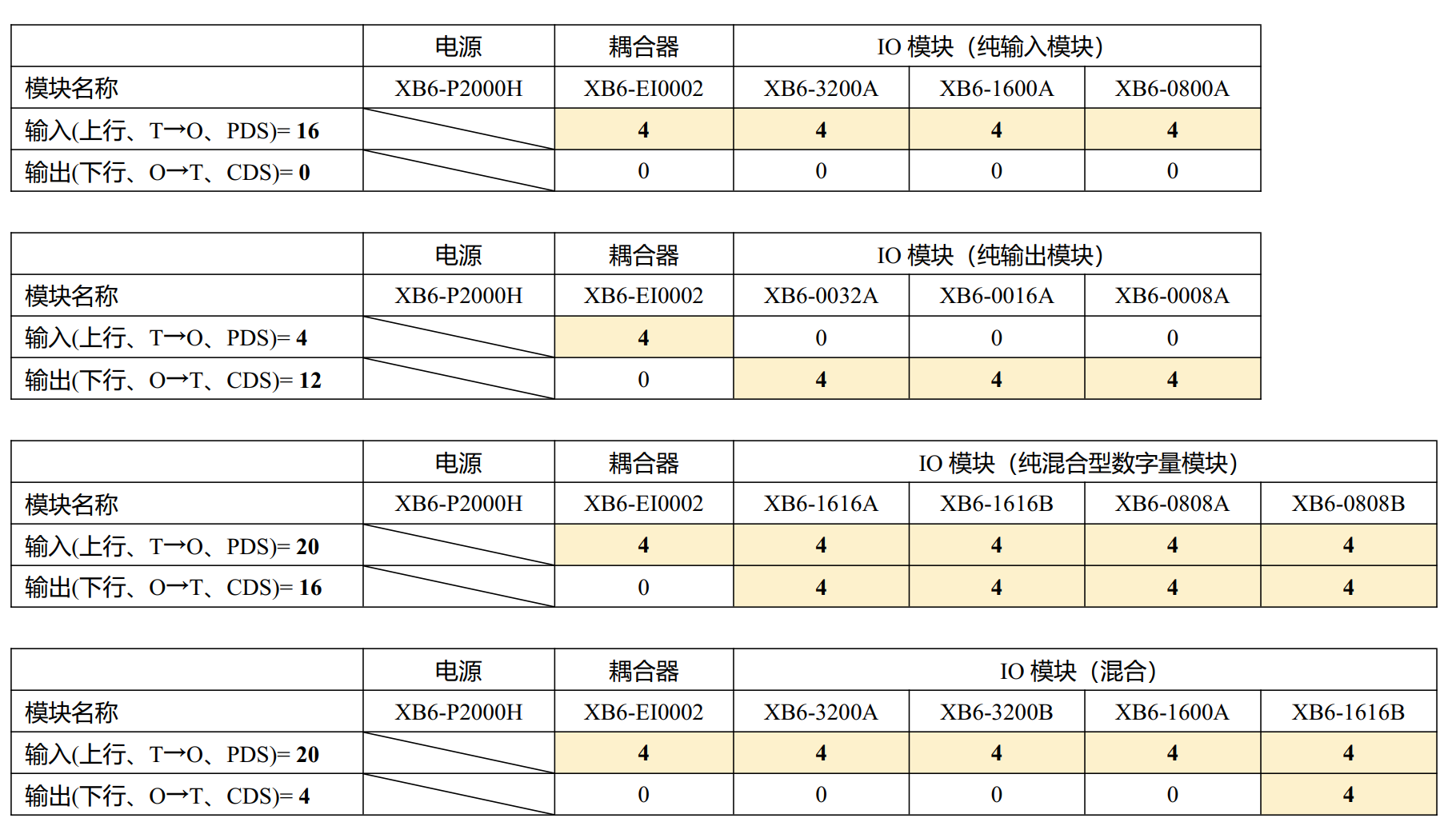
(Note: Calculated according to the assigned value, the XB6-EI0002 coupler itself occupies 4 bytes of input)
The coupler occupies 4 bytes of input as the status feedback word, defined as follows:
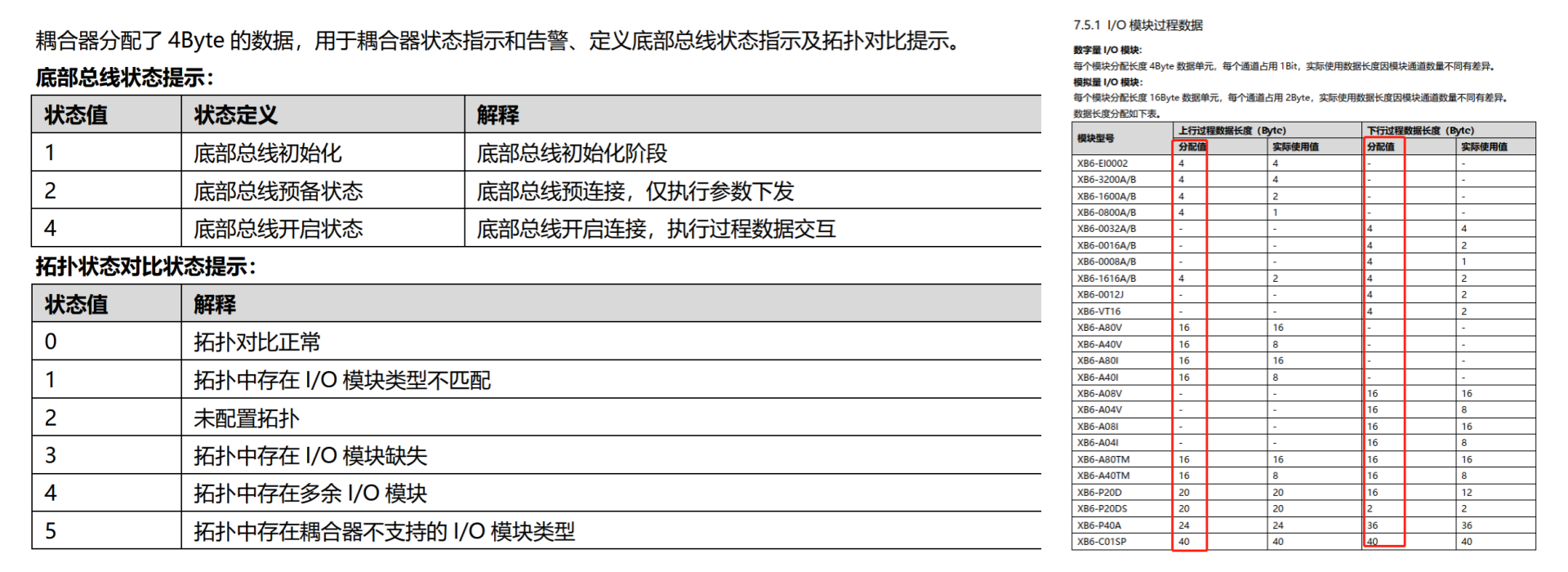
Produced Data Size (input byte length/upstream byte length/T->O)
Consumed Data Size (output byte length/downstream byte length/O->T)
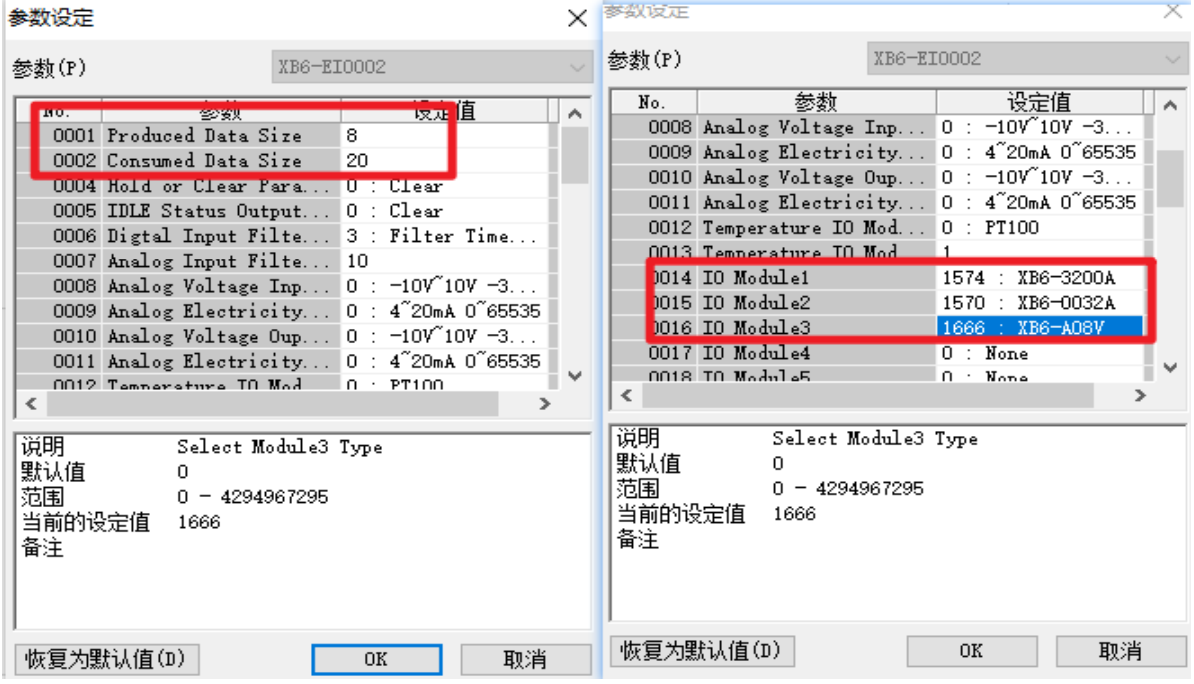
Example of upstream and downstream byte length calculation:
2. I/O Module not configured or configured incorrectly
(Note: The configuration order and module model of I/O Module1 to I/O Module32 must be consistent with the actual hardware!)
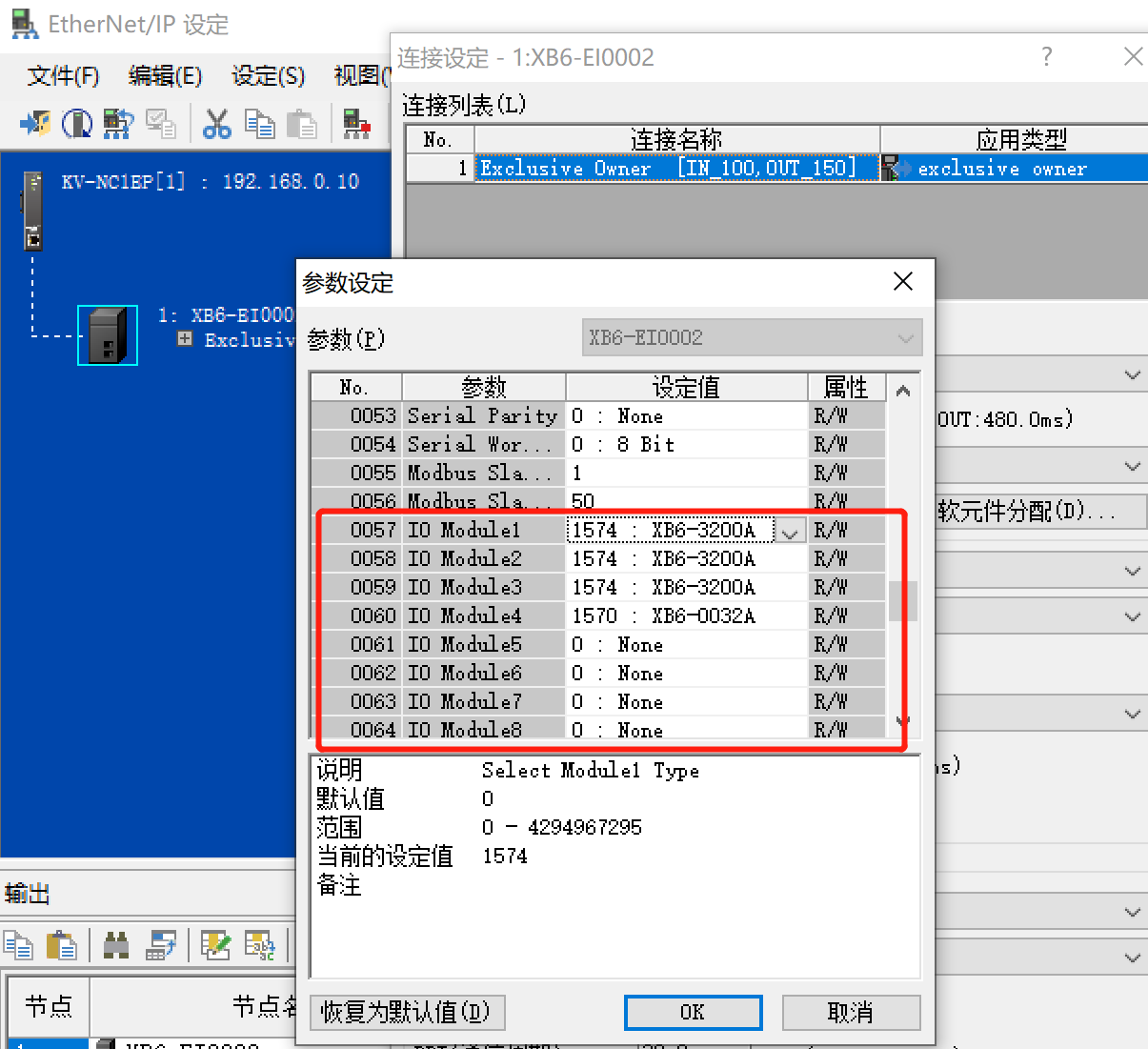
Following the above operation, when the monitored coupler status feedback words are 4 and 0, the coupler's P, L, N indicators are Steady On, the E indicator is off, and the I/O Module's P and R indicators are Steady On, communication is successful!