Knowledge

Common Problems and Precautions for Using XB6-EC Module in Omron Controller SysMac Studio Software
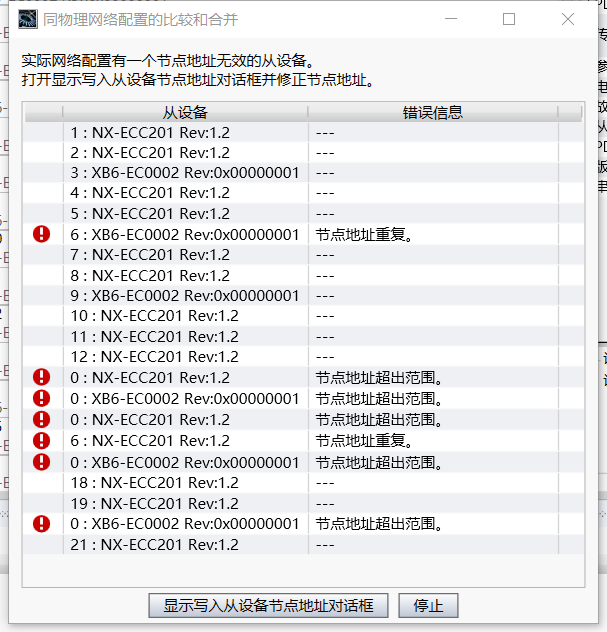
01 After writing the node in the multi-slave I/O module configuration, the node is compared and merged with the physical network configuration, and errors are reported, such as node address duplication errors and node address out of range errors. This phenomenon is that the slaves are not all powered off after writing the node, resulting in abnormal node writing. After the node is successfully written, the controller and all slave modules need to be powered off at the same time.
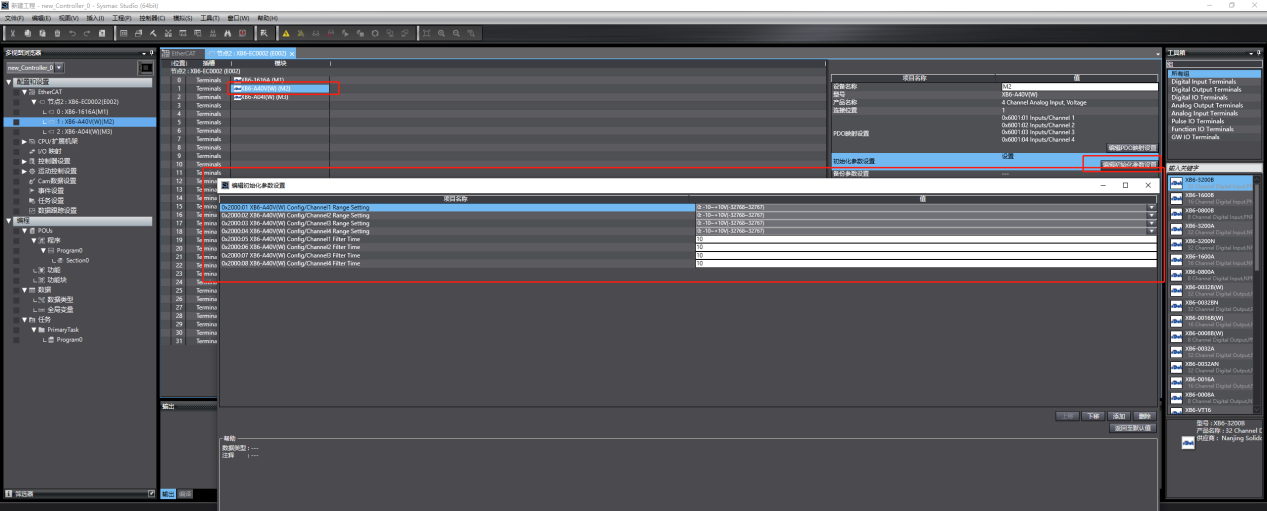
02 When the module needs to configure the module parameters, it can be configured at the Omron edit initialization settings, but some users may have Omron firmware that is too low, resulting in no "Edit Initialization Parameter Settings" option. In this case, you need to use the SDO read and write instructions "EC_CoESDOWrite" and "EC_CoESDORead" on the Omron software to configure the parameters, as shown in the figure below. For details, please refer to our company's "XB6-EC Series Module SDO Index Calculation" user manual.
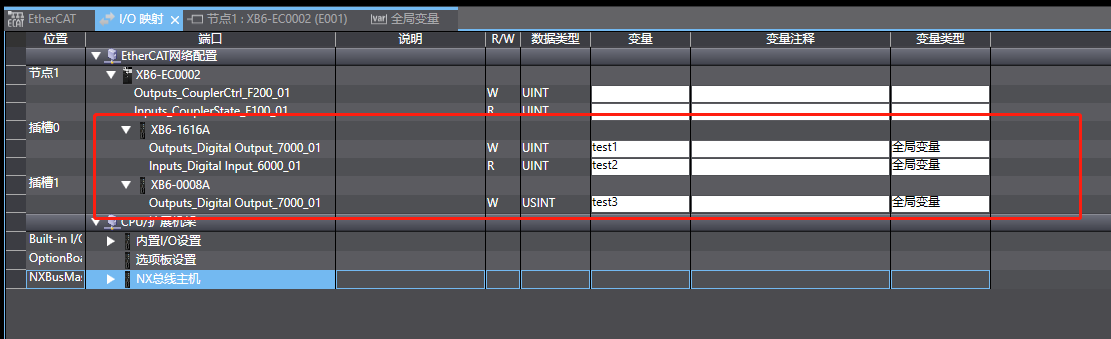
03 When customers perform digital module I/O mapping, if they want to use an array of BOOL data type, they need to use the "EcatTerminal-XB6_V3.16_For_UINT" type xml file, and the input and output array size must correspond to the number of I/O points. As shown in the following figure: