Knowledge

How to set the mapping address of CC-Link IE TSN remote IO module separately
Many customers require that the mapped address of individual modules be at a specific location when using remote modules. Using the CPU-side refresh target of the master cannot specify the slave address; this issue can be resolved through the network module configuration of the PLC.
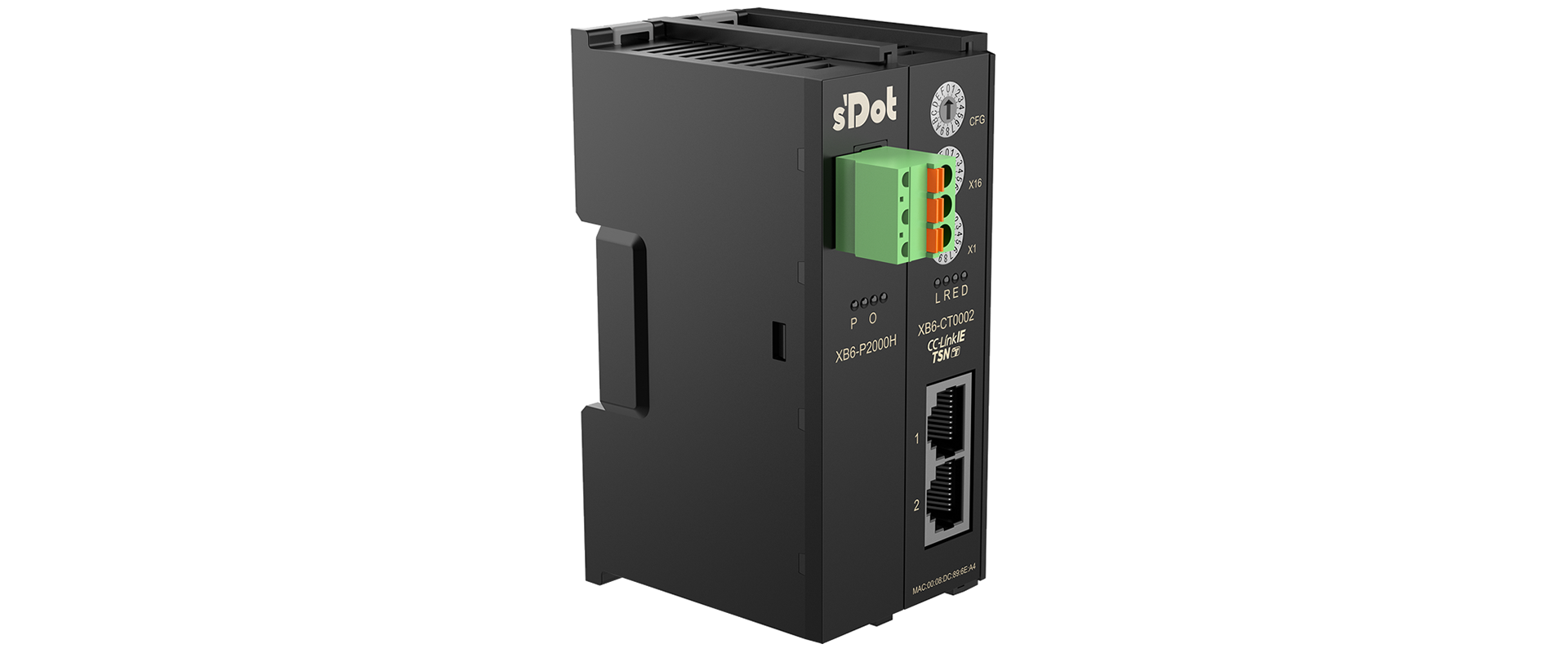
↑Real Point TechnologyCC-Link IE TSN Couplercan be used together with other XB6 modules
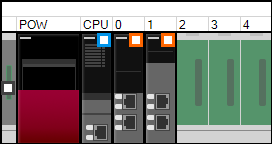
This case uses R04ENCPU paired with RJ71GN11-T2 (CC-Link IE TSN)
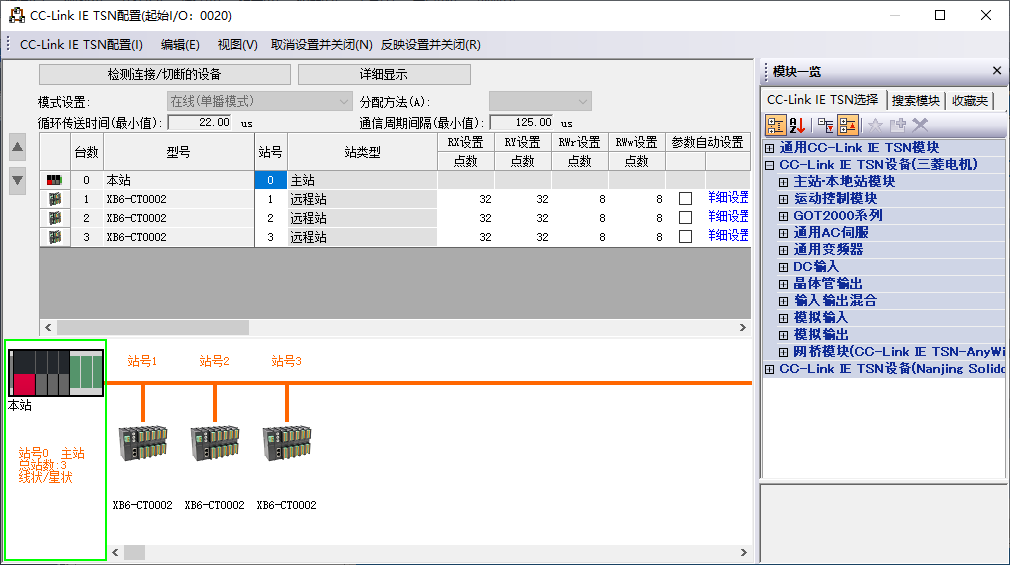
1. Open the TSN network configuration page, scan the slave devices, and the addresses are automatically arranged
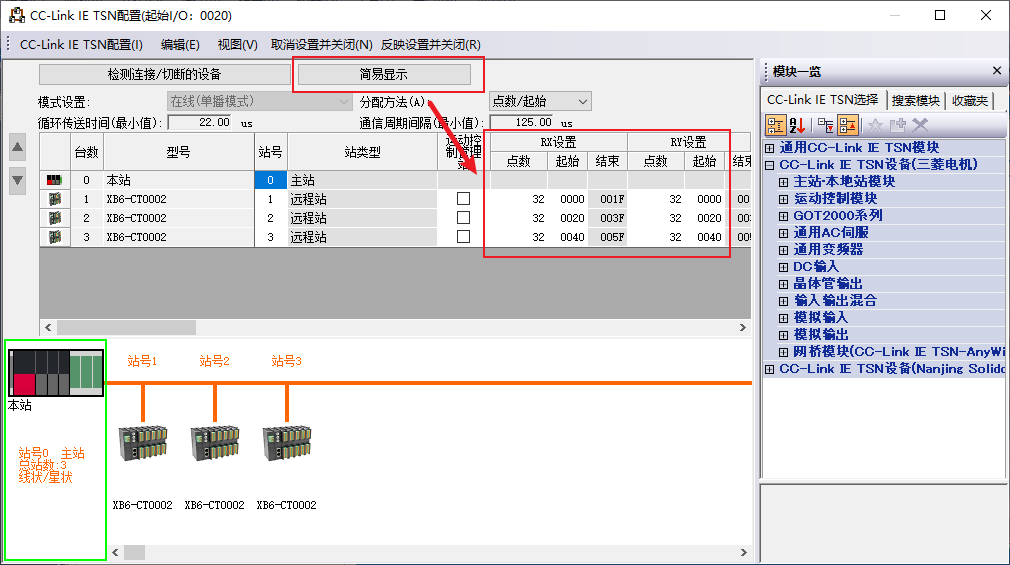
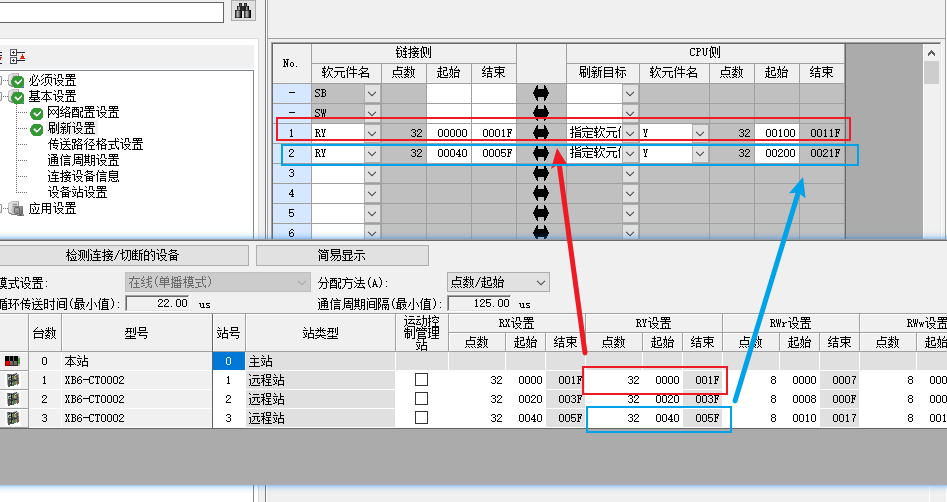
2. Click Detailed Settings to convert to address details. You can see that RX for station number 1 starts at 0000 and ends at 001F. Note: when closing, click "Reaction Settings and Close", otherwise the parameters cannot be written normally.
III. Open Refresh Setting and enter the Device Address that needs to be Set.
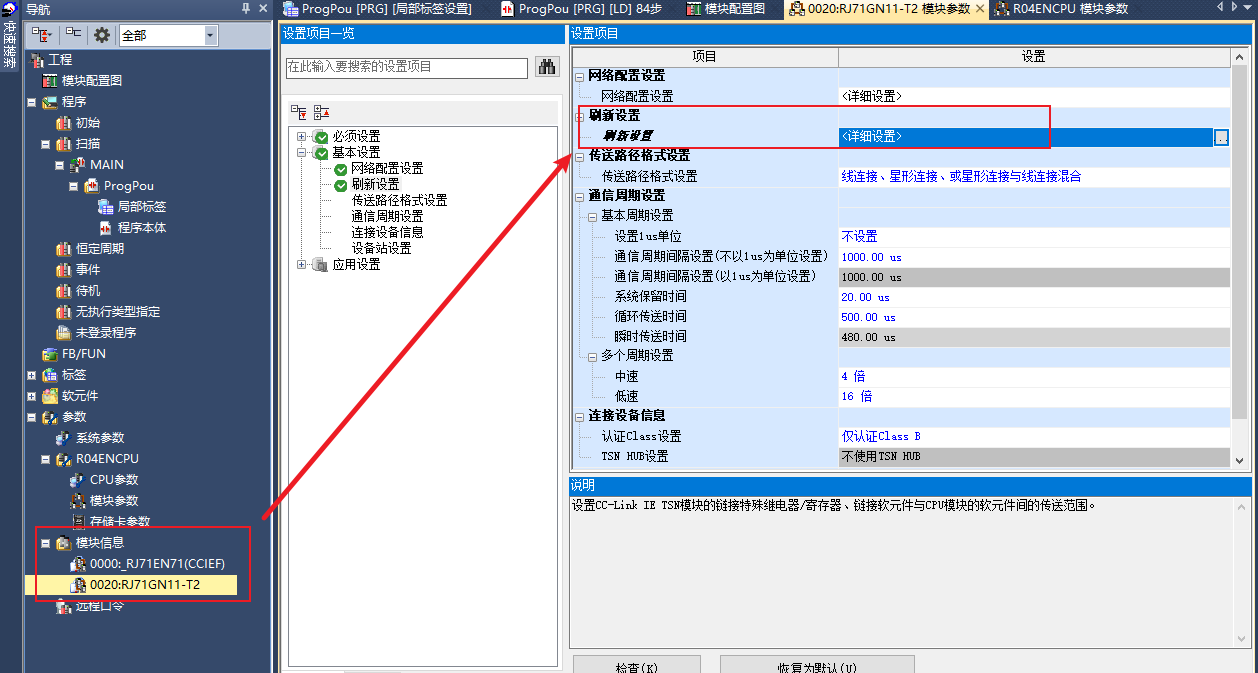
For example, to set the RY Address of slave station 1 to Y100 ... Y11F, enter 0000 as the start and 001F as the end of RY for station 1 on the link side, and enter Y and 100 in Device Name and CPU side start position respectively. If the RY Start Address of slave station 3 needs to be Y200, repeat the above steps; RX, RWr and RWw are similar.
IV. After the Set is completed, click "Apply", then Download, and finally reset the PLC to make it take effect; otherwise the Parameter cannot be Written correctly.