Knowledge

How to modify the IP address of the XB6S-PN2002 slice I/O module of Solidot Technology
XB6S-PN2002 is the PROFINET Protocol Coupler of the Point Technology Slice I/O Module XB6S series. When combined with other Slice I/O Modules, it is widely used in logistics warehousing systems, automated production lines, and other fields.
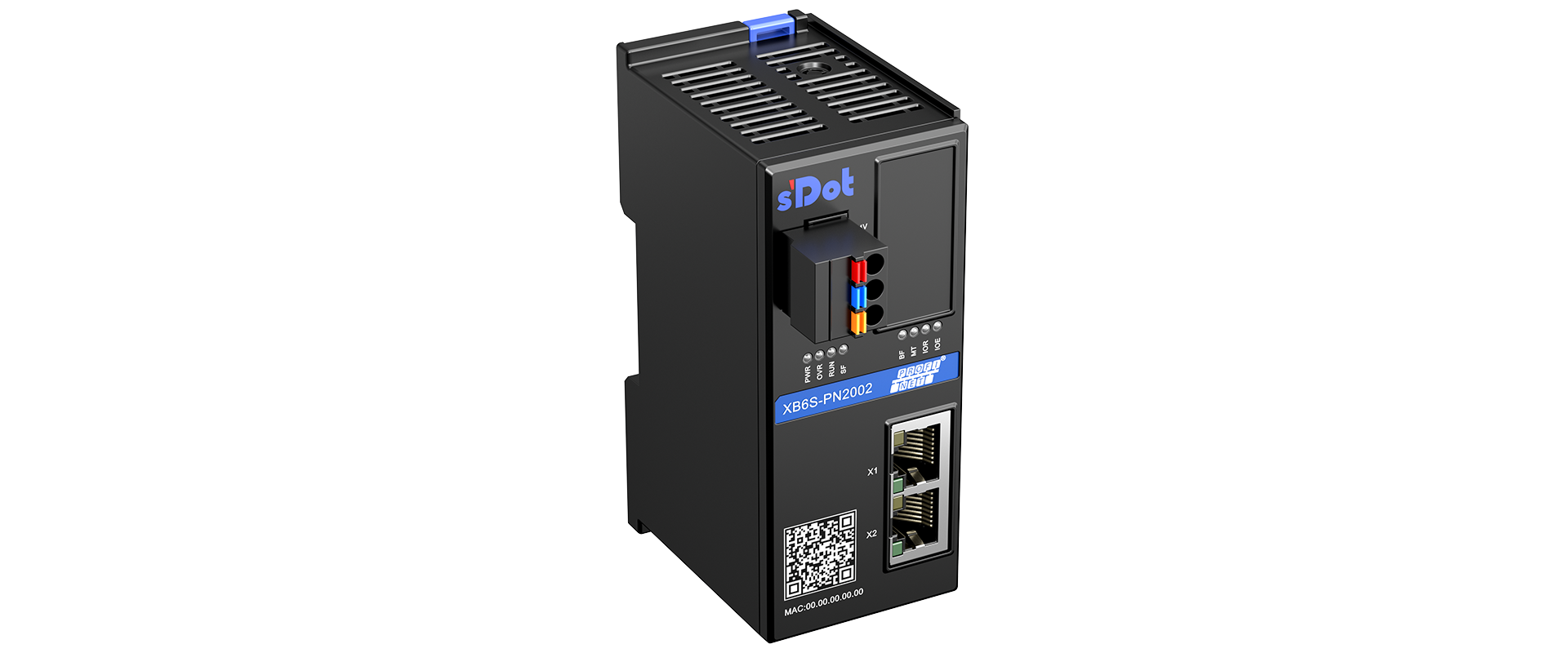
Point Technology Slice I/O Module PROFINET Protocol CouplerXB6S-PN2002
In actual use, customers set the Coupler IP address according to on-site conditions before normal communication can proceed. The method for modifying the Coupler IP is detailed below—
I. Pre-operation check items
Whether the communication cable wiring is correct
Whether the TIA Portal software version is compatible
Whether the power supply to the PLC and Coupler is normal
II. Coupler IP modification methods
Method 1: Modify the IP online via TIA Portal software
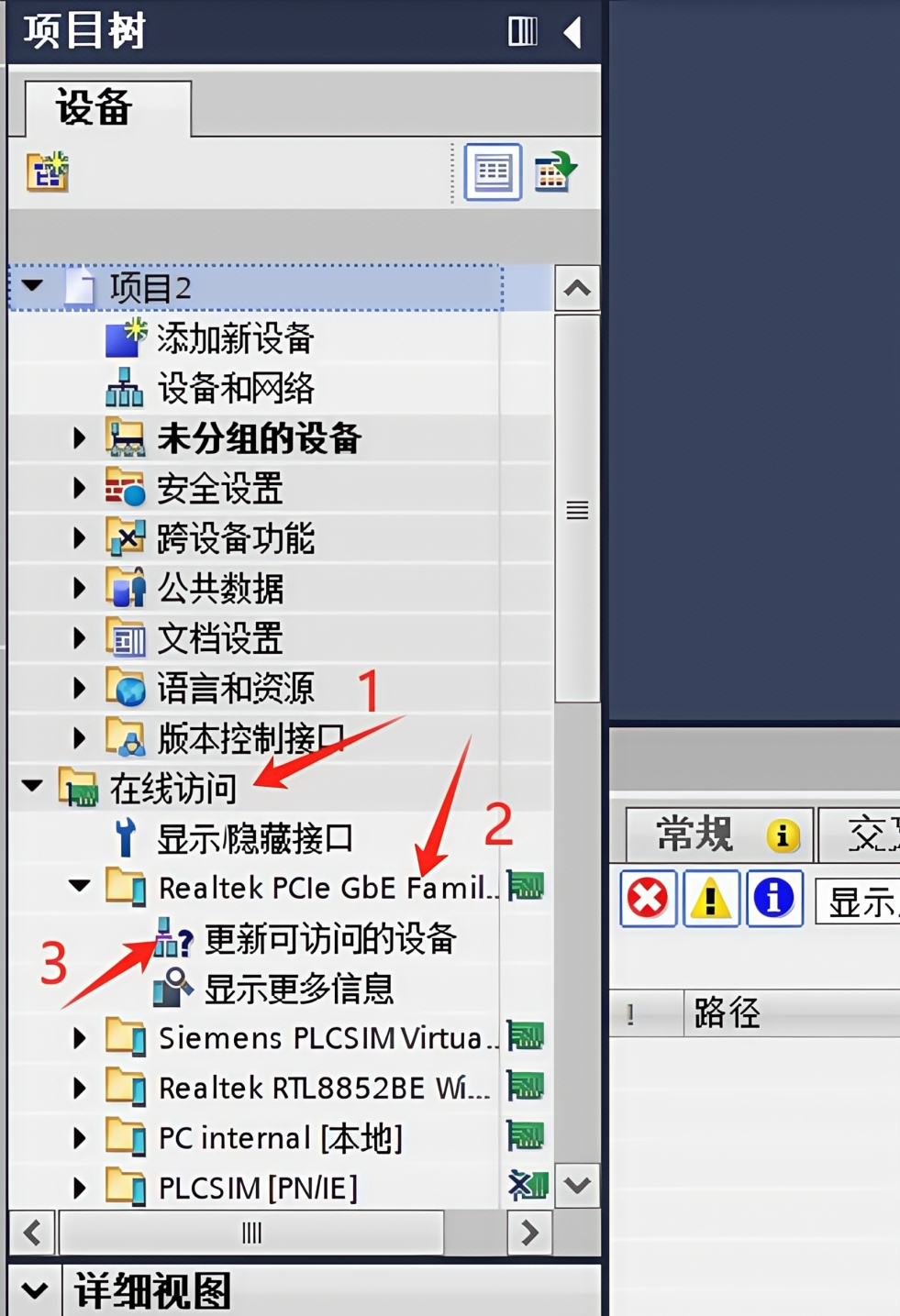
01 After creating the project, find "Online Access", select the corresponding Network Interface Card (NIC), and double-click "Update Accessible Devices":
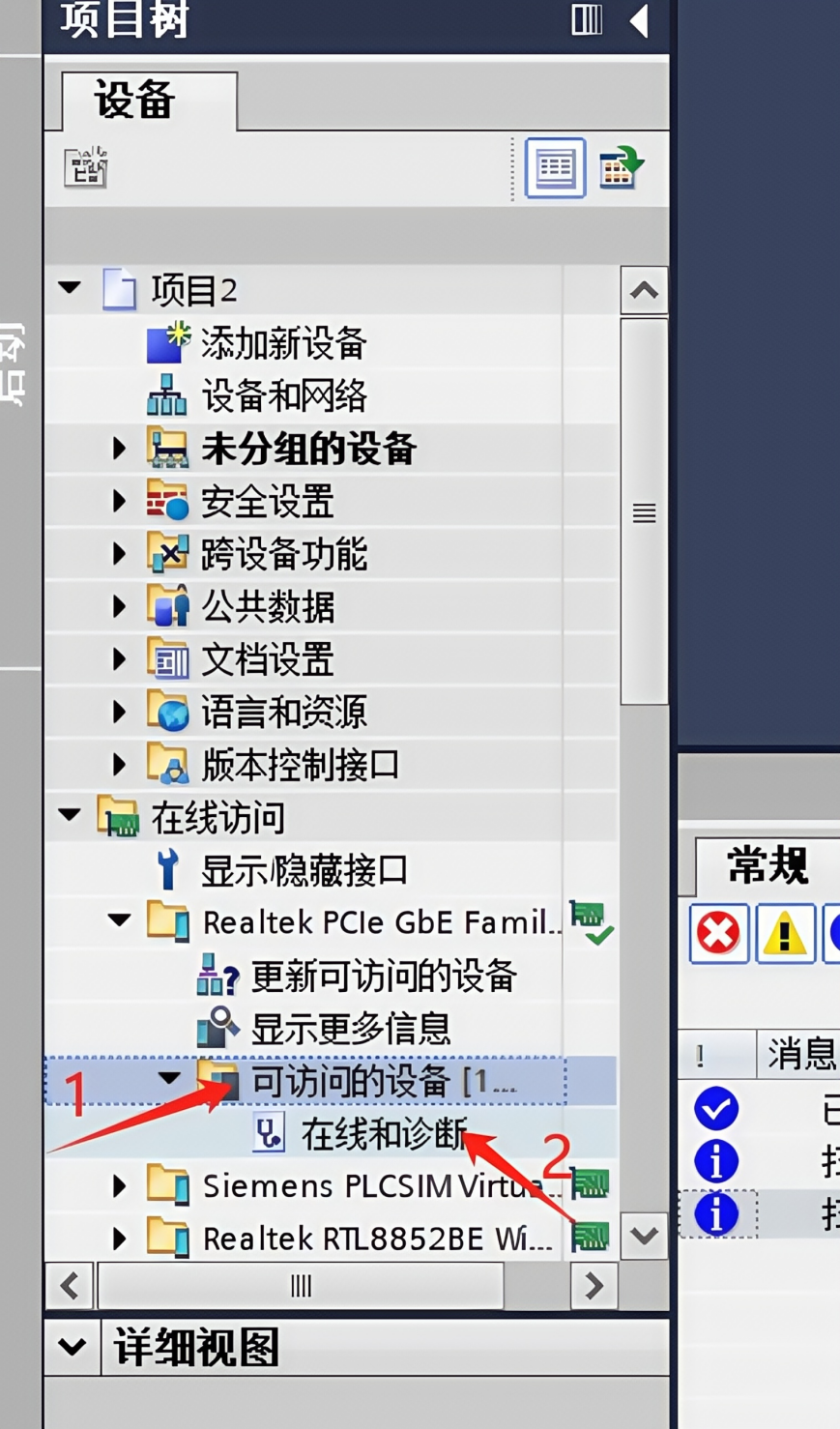
02 Find "Accessible Devices" and select "Online & diagnostics"
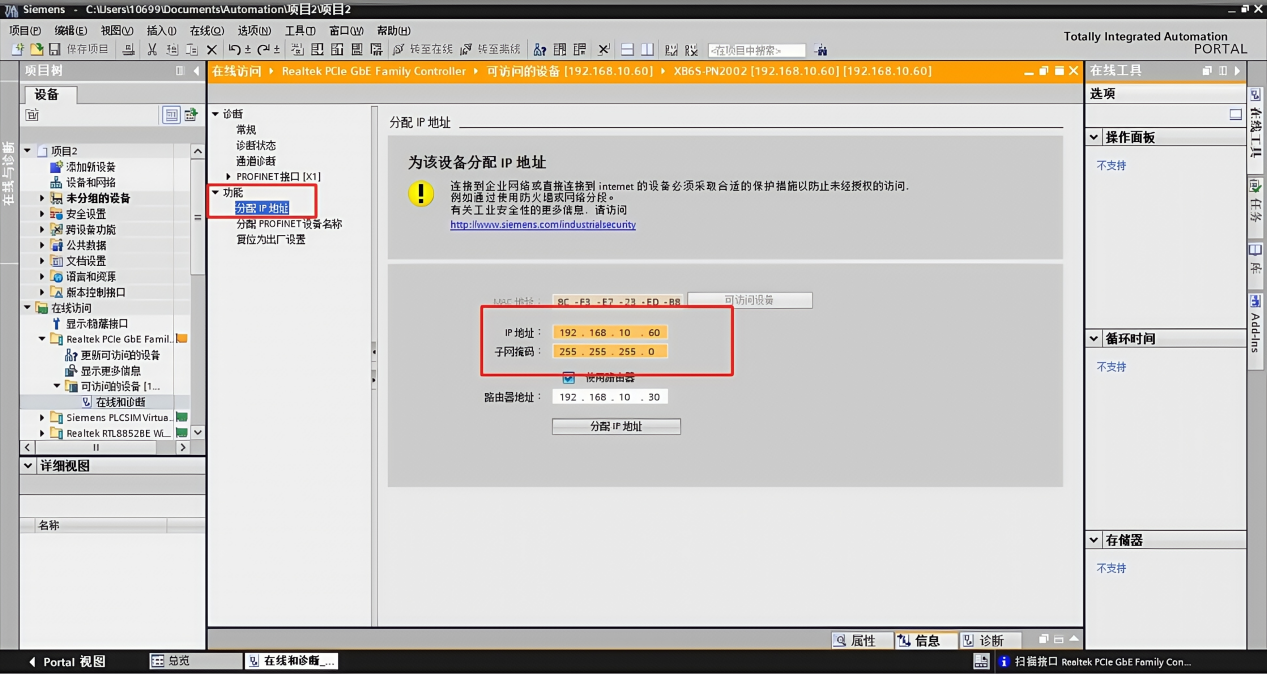
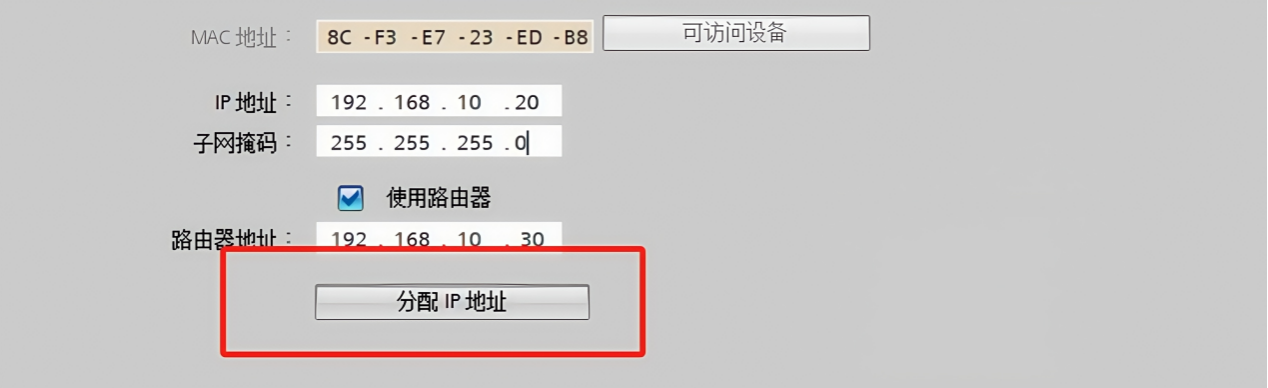
03 In "Functions", select "Assign IP address", modify the required IP, and do not forget to click the "Assign IP address" button
Method 2: Modify the IP online via PRONETA
01 Double-click the installed PRONETA software
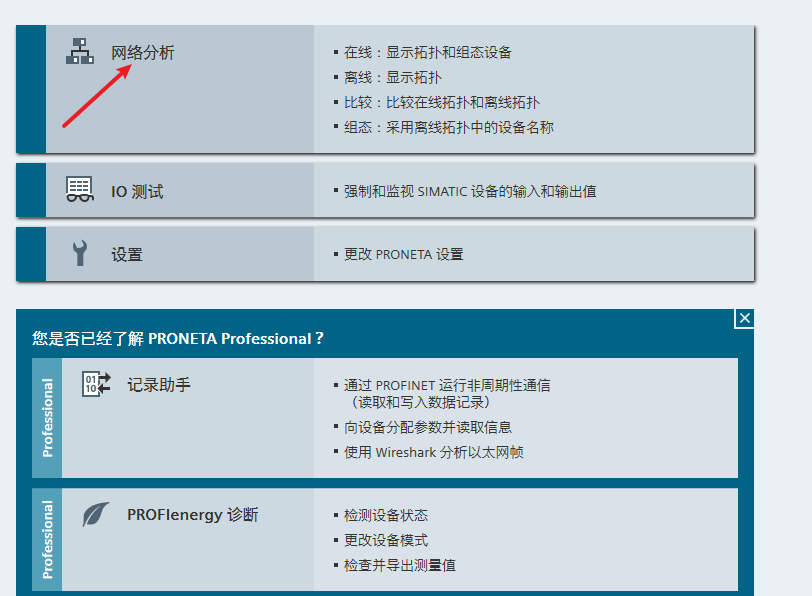
02 After opening the interface, select "Network analysis"
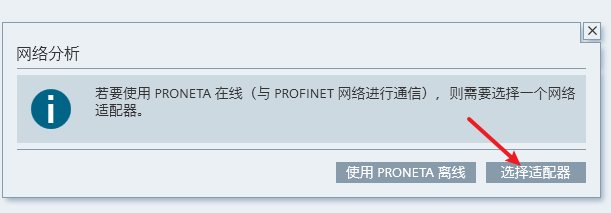
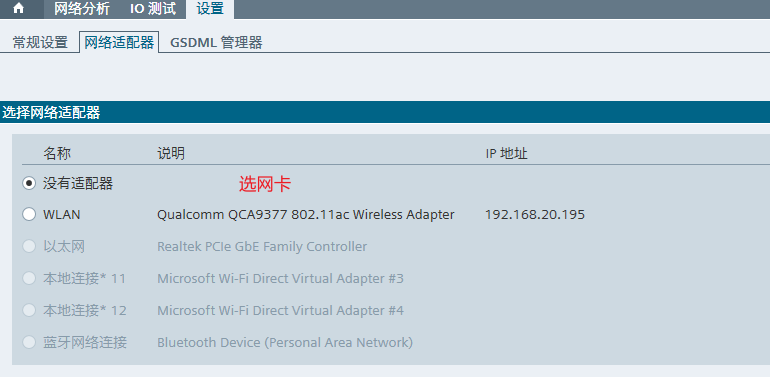
03 Select the adapter and its Network Interface Card (NIC)
04 After clicking the "Refresh" icon, modify the IP below and press Enter to confirm, and do not forget to click the "Yes" button
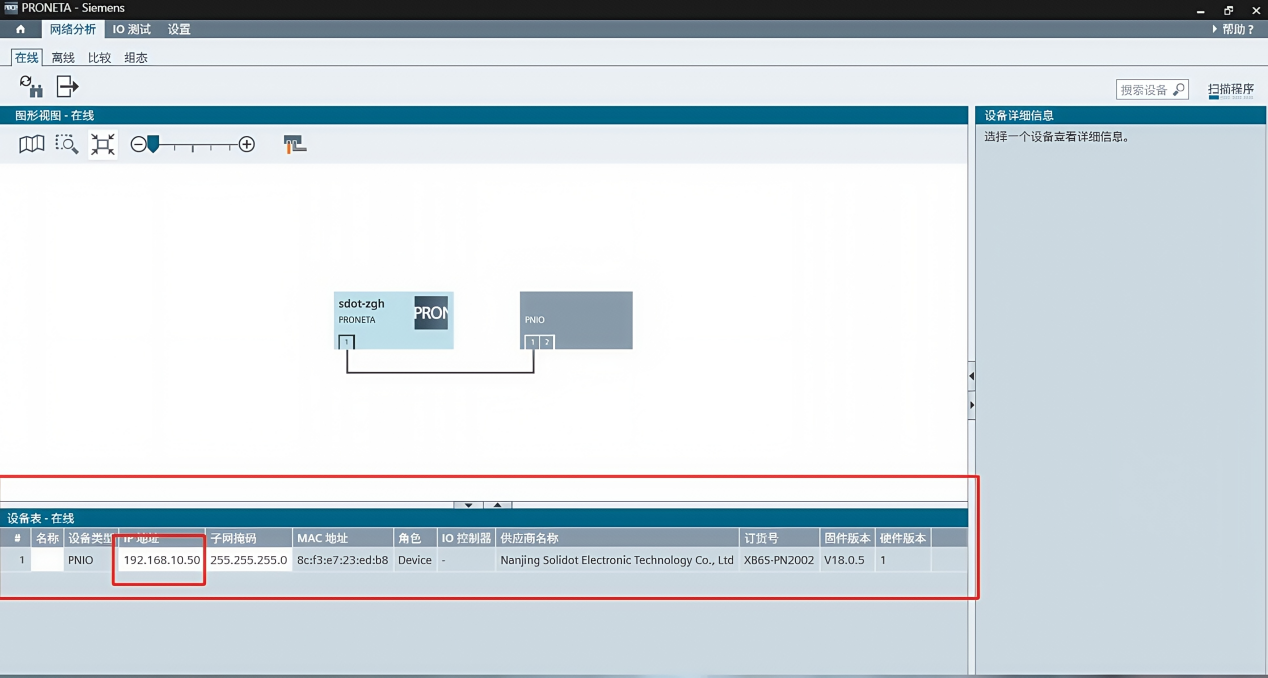
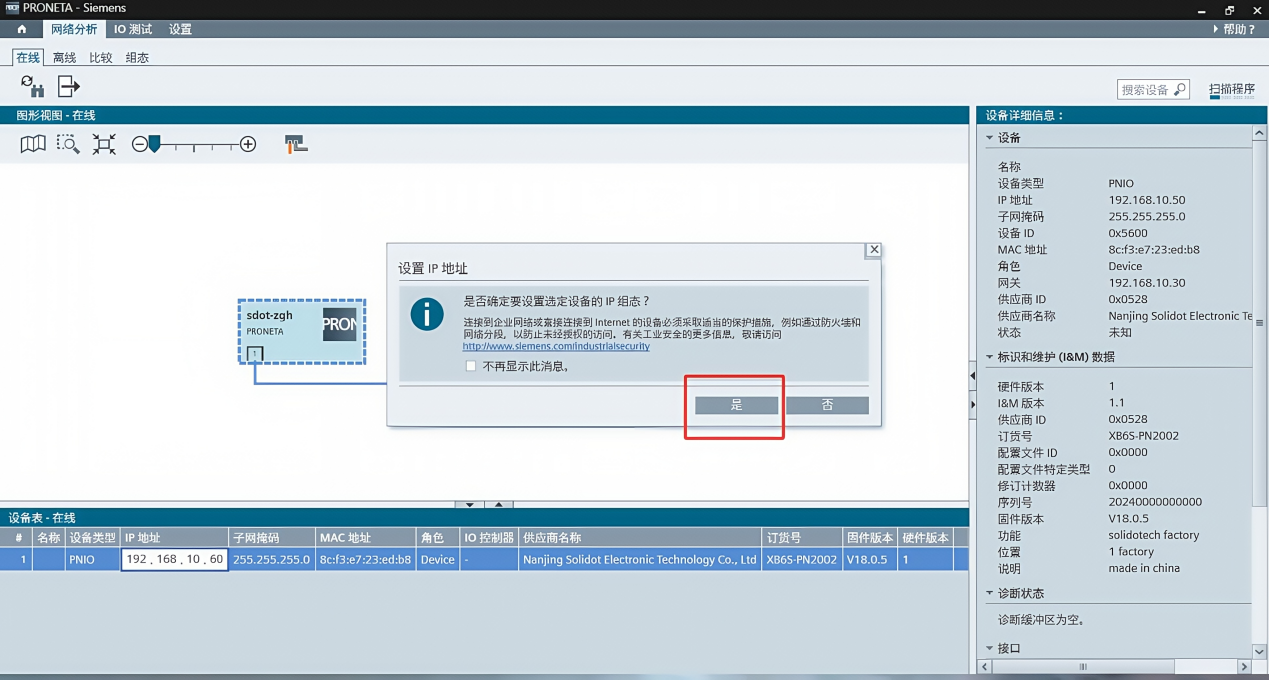
Note: If IP configuration fails, right-click "PNIO", restore the module to factory settings, and then repeat the above operations.
The above is the IP address modification method for the Slice I/O Module XB6S-PN2002 from Shidian Technology. Thank you for watching.