Knowledge

How to read the firmware version of XBF4-PN04 via TIA Portal RDREC function block?
Article Overview
1. Applicable Product
Solidot Discrete I/O PROFINET Protocol Coupler XBF4-PN04
2. Platform
Siemens S7-1500 PLC + TIA Portal V18
3. Function
Read the current firmware version of the coupler via the RDREC function block
4. Operation Steps
New project → Create DB data block → Call RDREC function block → Configure pin parameters → Download program and test
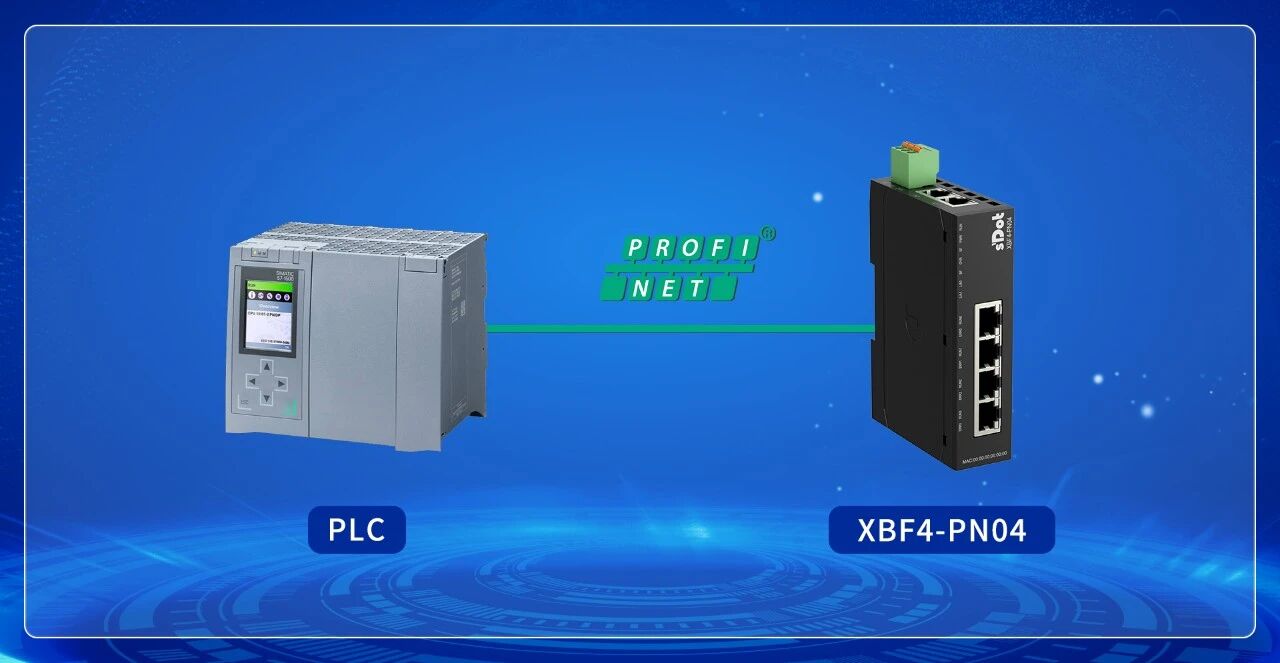
In actual projects, how can you confirm the current firmware version of the Solidot discrete I/O PROFINET protocol coupler XBF4-PN04? This can be achieved by using the RDREC function block in Siemens TIA Portal to send a record read request to the XBF4-PN04 coupler to obtain the current firmware version information. This article uses the Siemens S7-1500 PLC as an example, based on TIA Portal V18, and introduces the complete operation steps.
1. Create a New Project and Confirm Normal Communication
Create a new project in TIA Portal, complete the network configuration between the S7-1500 PLC and the XBF4-PN04 coupler, and confirm that normal PROFINET communication has been established between the PLC and the coupler.
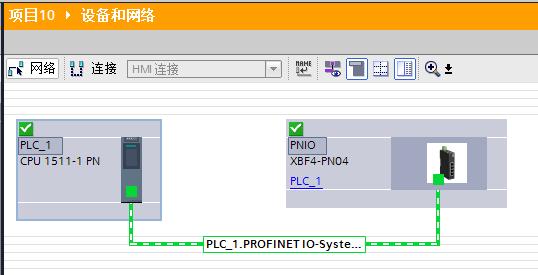
Tip: It is recommended to first check the online view to confirm that the coupler device status is normal before proceeding to subsequent steps.
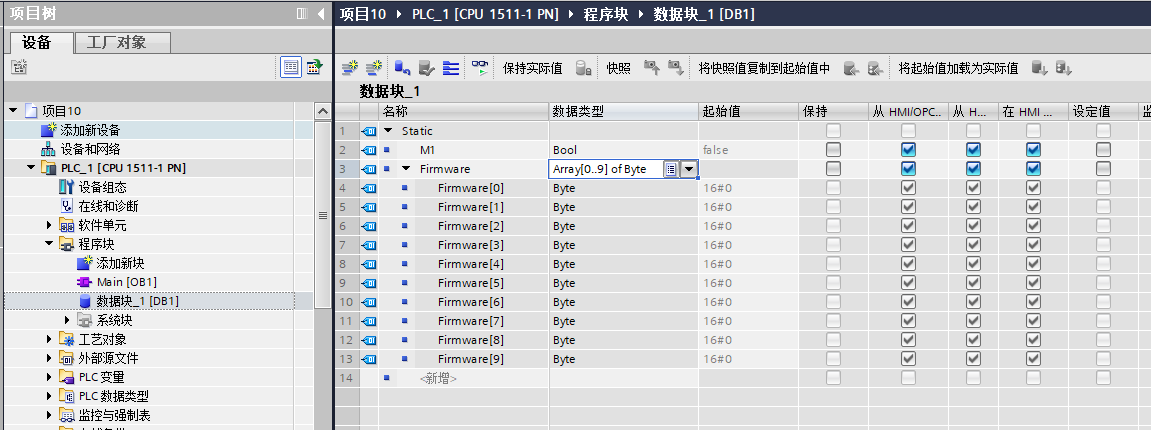
2. Create a DB Data Block and Define the Required Variables
Create a new global data block (DB) and define the following two variables for driving the function block and receiving data:

3. Call the RDREC Function Block in the Program Block
Find the RDREC function block from the instruction library and drag it into the program segment.
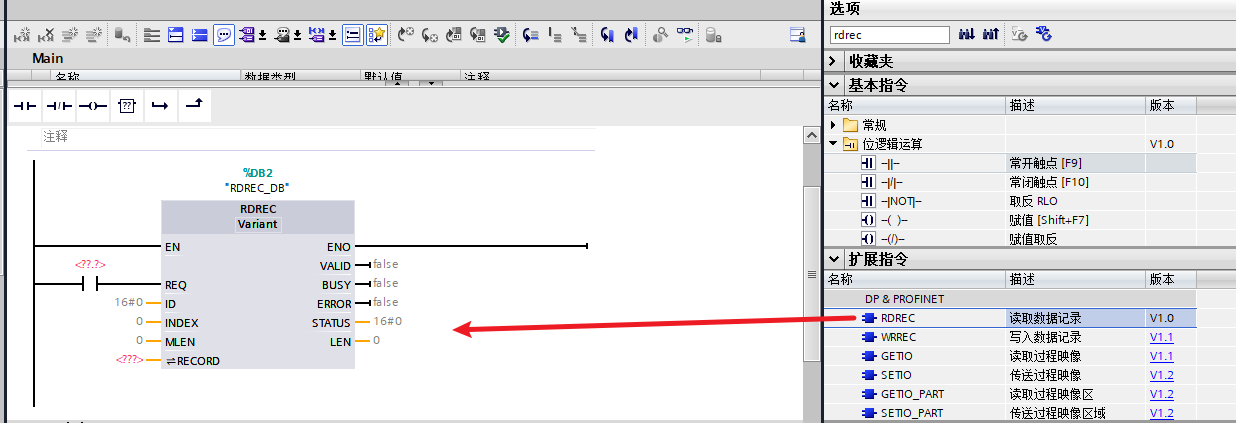
Select the function block and press [F1] to view the detailed definition of each pin.
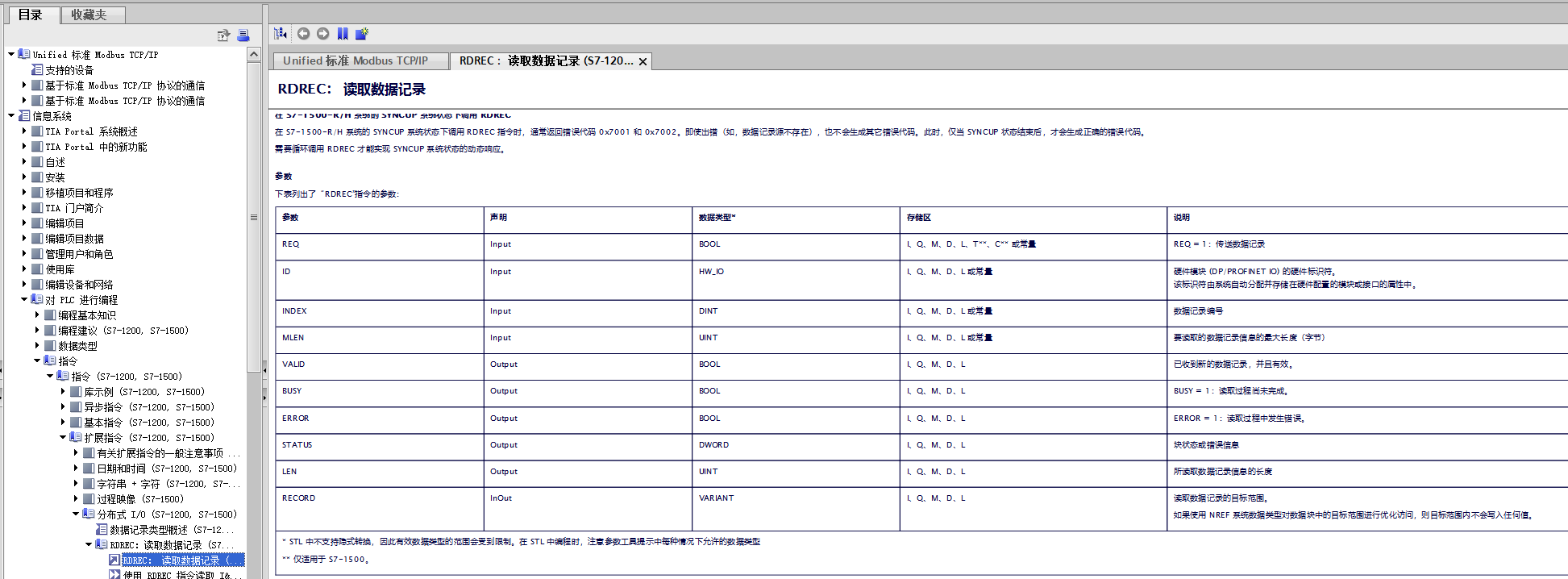
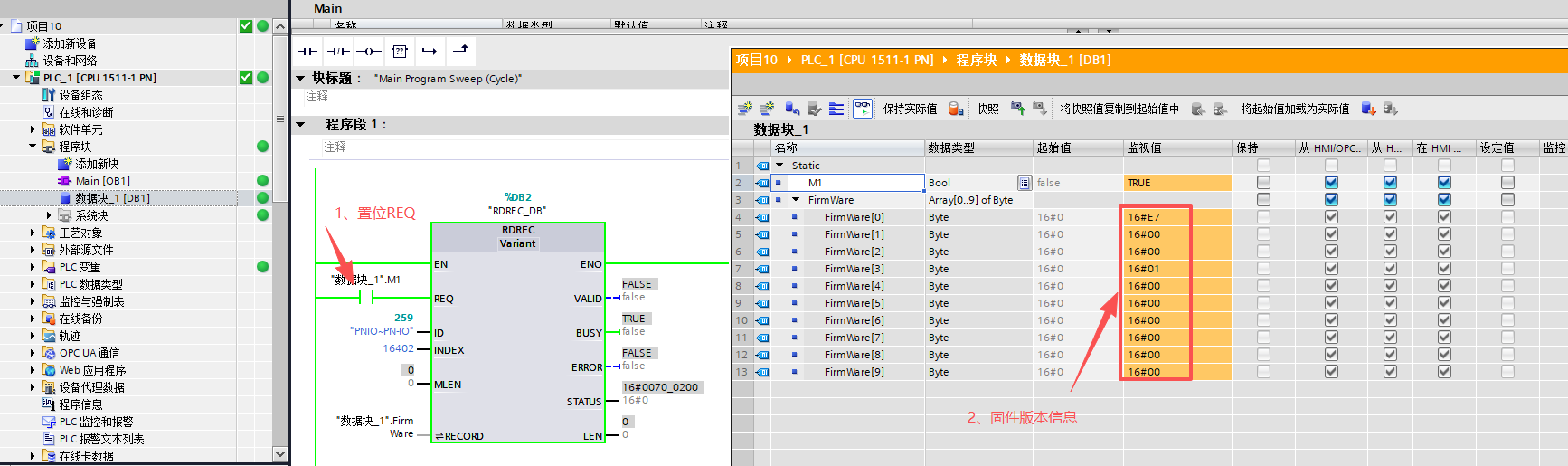
4. Configure the Pin Parameters of the RDREC Function Block
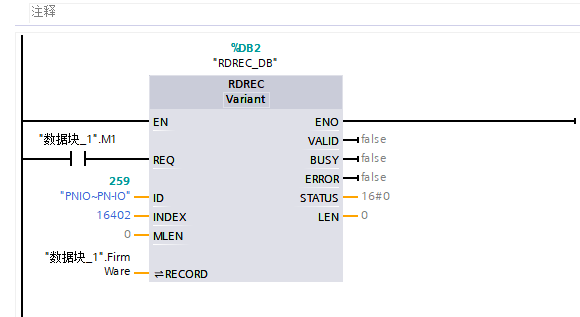
5. Download the Program and Test the Read Result
After completing the above configuration, download the program to the PLC. Monitor the FirmWare array in the DB block online. After assigning a value to M1, check the data returned by the RECORD pin, which is the current firmware version information of the XBF4-PN04 coupler.