Knowledge

How to use special relays to diagnose the operation of remote I/O under the CC-Link IE Field Basic protocol
In a Mitsubishi PLC using the CC-Link IE Field Basic protocol, special relays are mainly used to monitor and diagnose the communication status and operating condition of remote I/O. This issue explains how to use special relays to perform monitoring and diagnostics; the specific steps are as follows:
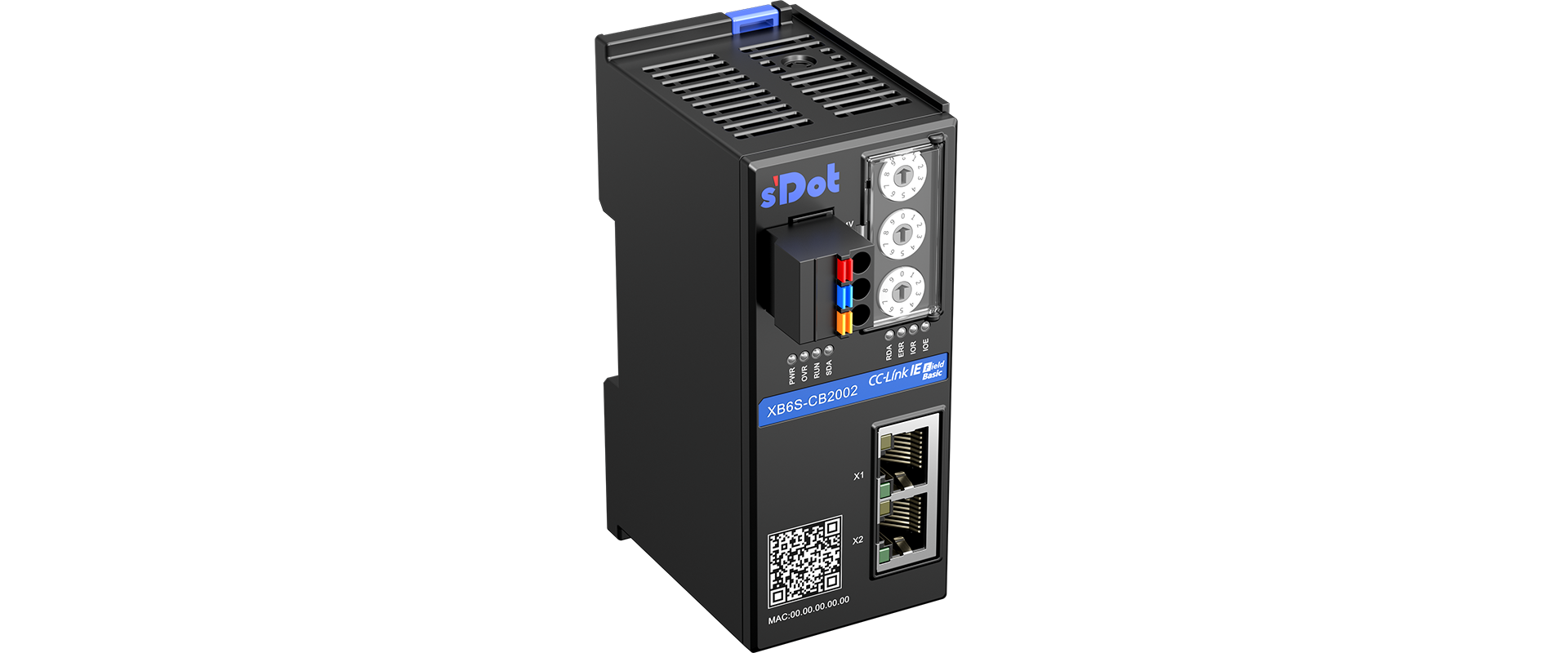
↑ Shidian Technology CC-Link IE Field Basic Bus Coupler ModuleXB6S-CB2002
I. Determine the relevant special relays
Different models of Mitsubishi PLCs may have different special relays for slave diagnostics. Depending on the Product Series and specific model of the Mitsubishi PLC, consult the corresponding programming manual to determine which special relays are suitable for remote I/O diagnostics. For example, relays such as M8000 (Run monitor) and M8121 (Send request flag) may be related to communication diagnostics, but the specific models must be determined according to the manual.
II. Configuration and use in the programming software
1. Open the programming software for the Mitsubishi PLC, such as GX Works3;
2. In the programming interface, you can find the list of special relays and their descriptions;
3. Based on the specific diagnostic requirements, use special relays appropriately in the program. For example, to determine whether communication is normal, the state of a specific special relay can be used to trigger the corresponding logic. As another example, when communication is normal, a certain special relay is in the ON state, at which point a specific operation can be executed or a status display can be performed;
4. Special relays can be combined with other instructions and function blocks to implement more complex diagnostic logic. For example, use a comparison instruction to determine whether the state of a special relay matches the expected value, and then process the result accordingly.
III. Precautions
1. Accurately understand the functional meaning of special relays: different special relays have different functions and trigger conditions. Be sure to read the programming manual carefully to ensure a correct understanding of their role in slave diagnostics;
2. Consider the real-time nature of the system: the state of special relays may change continuously as the system runs. When using them, take the system's real-time requirements into account to ensure the accuracy and timeliness of the diagnostic results;
3. Use in combination with other diagnostic methods: special relays are only one means of slave diagnostics. They can be combined with other diagnostic methods, such as the communication status word and error codes, to perform comprehensive slave diagnostics;
4. Perform thorough testing: in actual applications, thoroughly test the program that uses special relays for slave diagnostics to ensure that slave problems can be accurately diagnosed under all conditions.
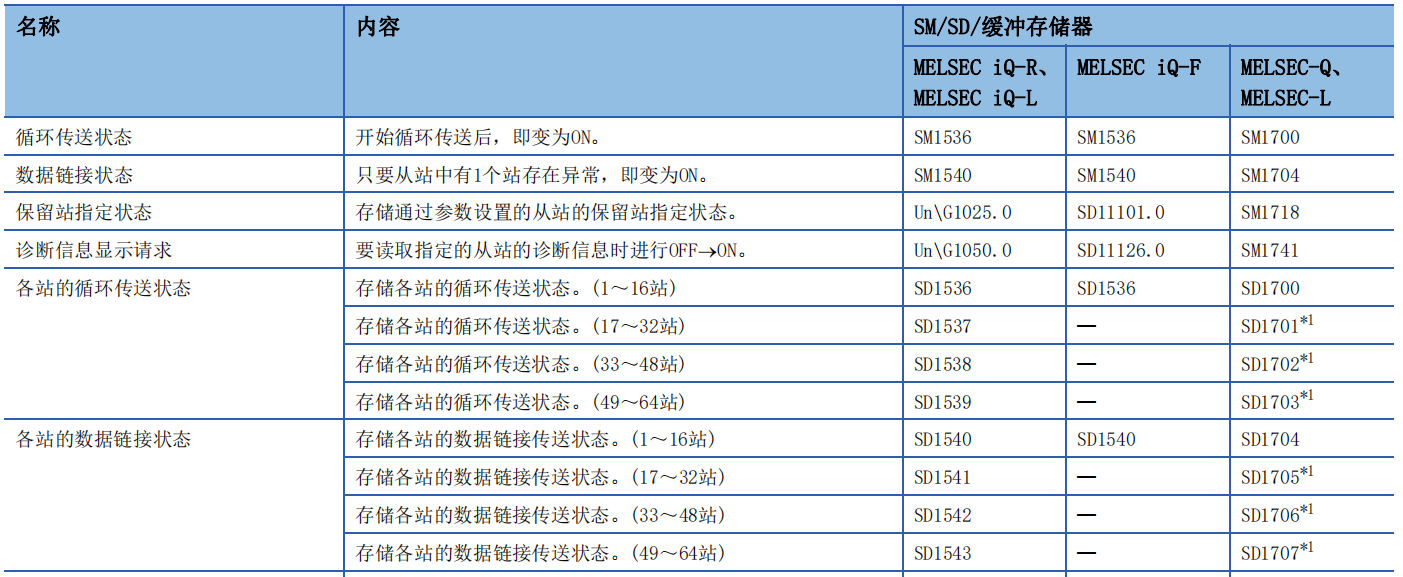
The figure below shows the relevant special relay addresses for the Q/R/FX/L series PLCs
That concludes the detailed introduction to "How to use special relays to diagnose the operating status of remote I/O under the CC-Link IE Field Basic protocol". If you have any questions, please feel free to contact us. We will be happy to serve you!