Knowledge

Solidot CC-link IE Field Basic coupler kit XB6-CB2002ST common communication issues
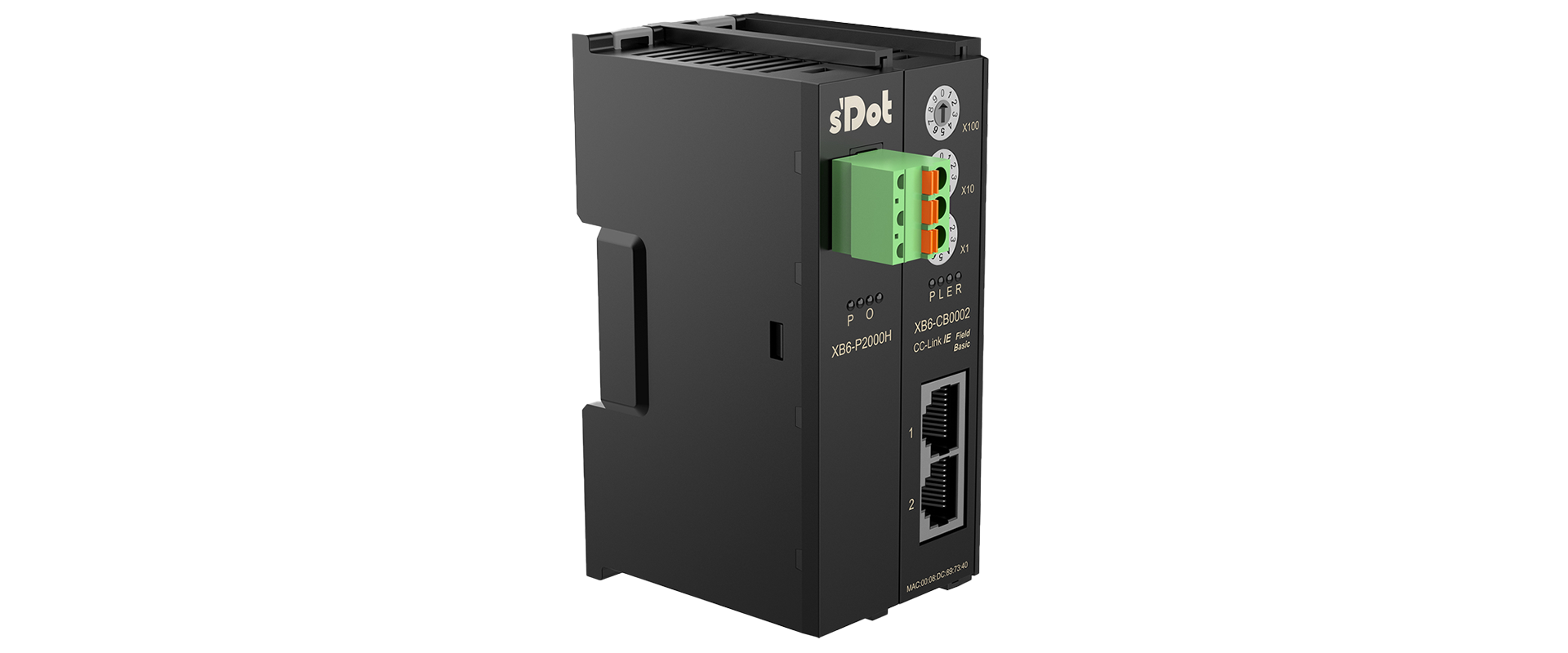
↑ Solidot Technology CC-Link IE Field Basic Coupler Kit XB6-CB2002ST
I. Cover installation problem
Missing the cover, reverse cover, or not fully inserted will cause communication abnormalities, and the master station and coupler cannot connect
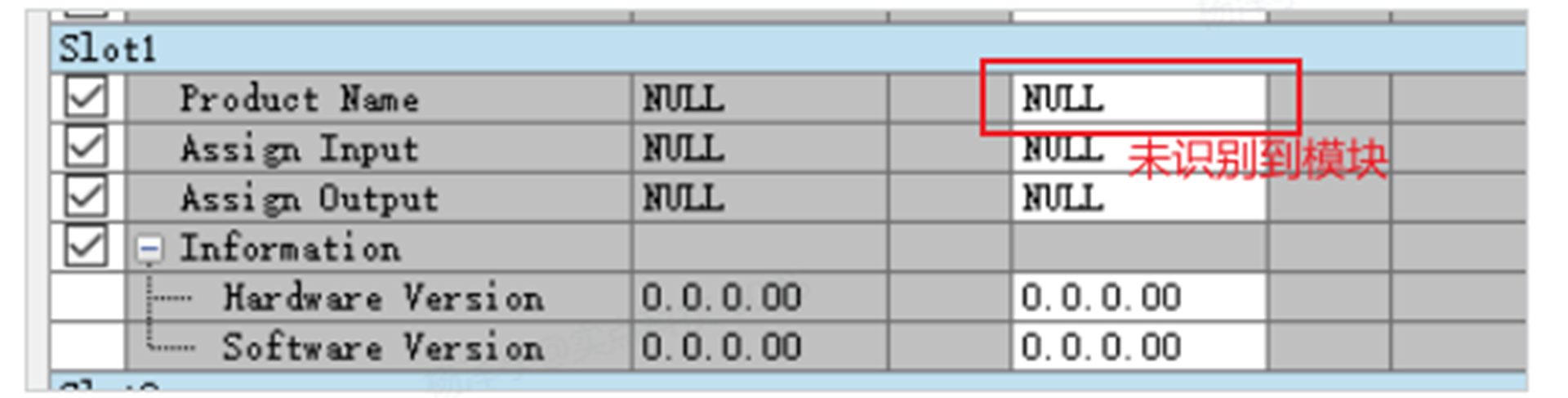
Note: There is a terminal resistor at the X-bus connection of the cover, which is equivalent to the end mark of the coupler scanning the I/O module. Therefore, when the cover is not in place, the coupler will not be able to read the I/O module
II. Configuration step error/not executed
【1】The read and write operations of the coupler are not executed
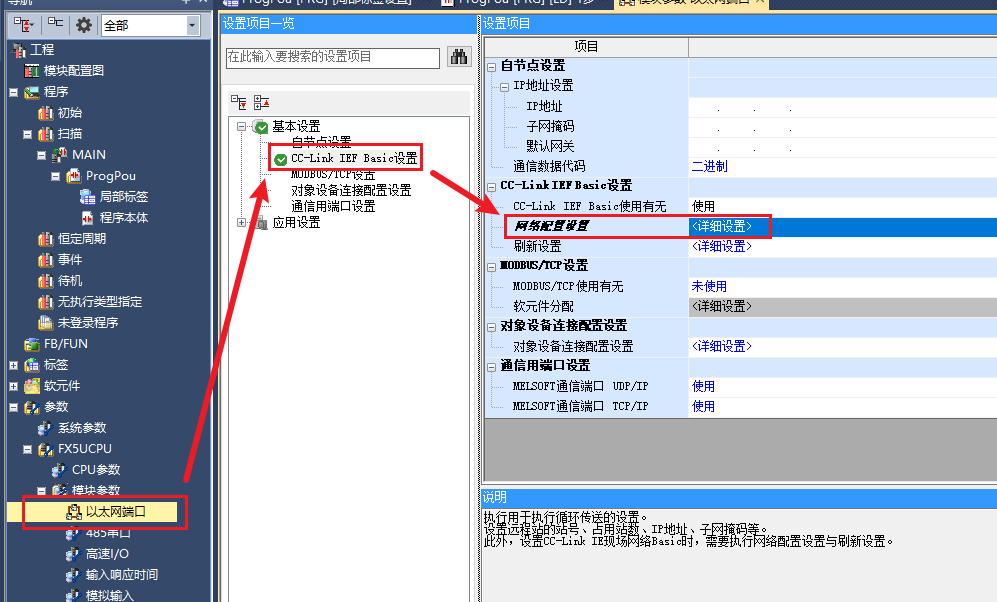
After entering GX Works, follow the following path to view the network configuration: "Navigation bar → Module parameters → Ethernet port → CC-Link IEF Basic settings → Network configuration settings <Detailed settings>"
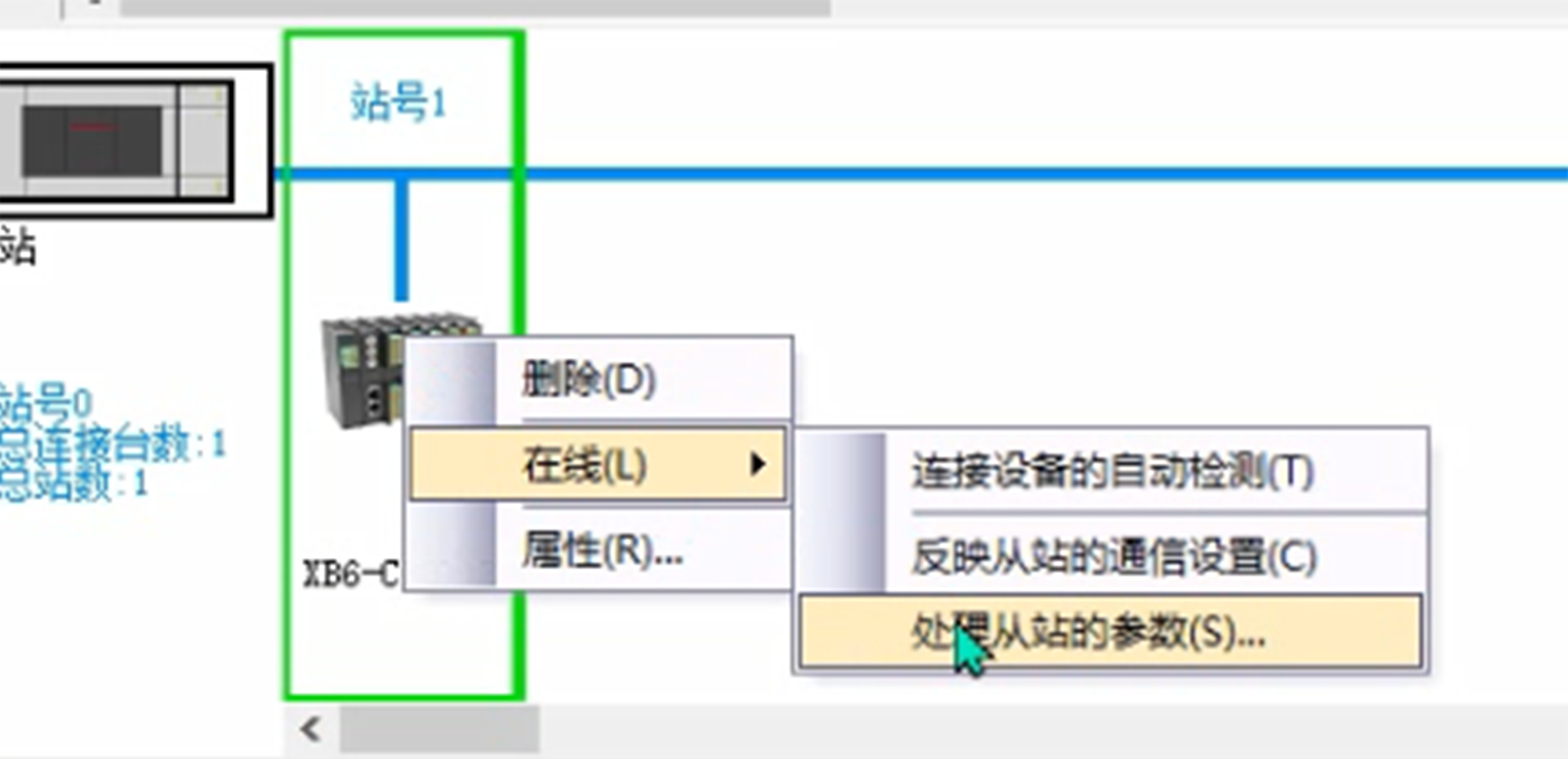
After opening <Detailed settings>, follow the following path to view the slave station parameters: "Station number 1 → Online → Process slave station parameters"
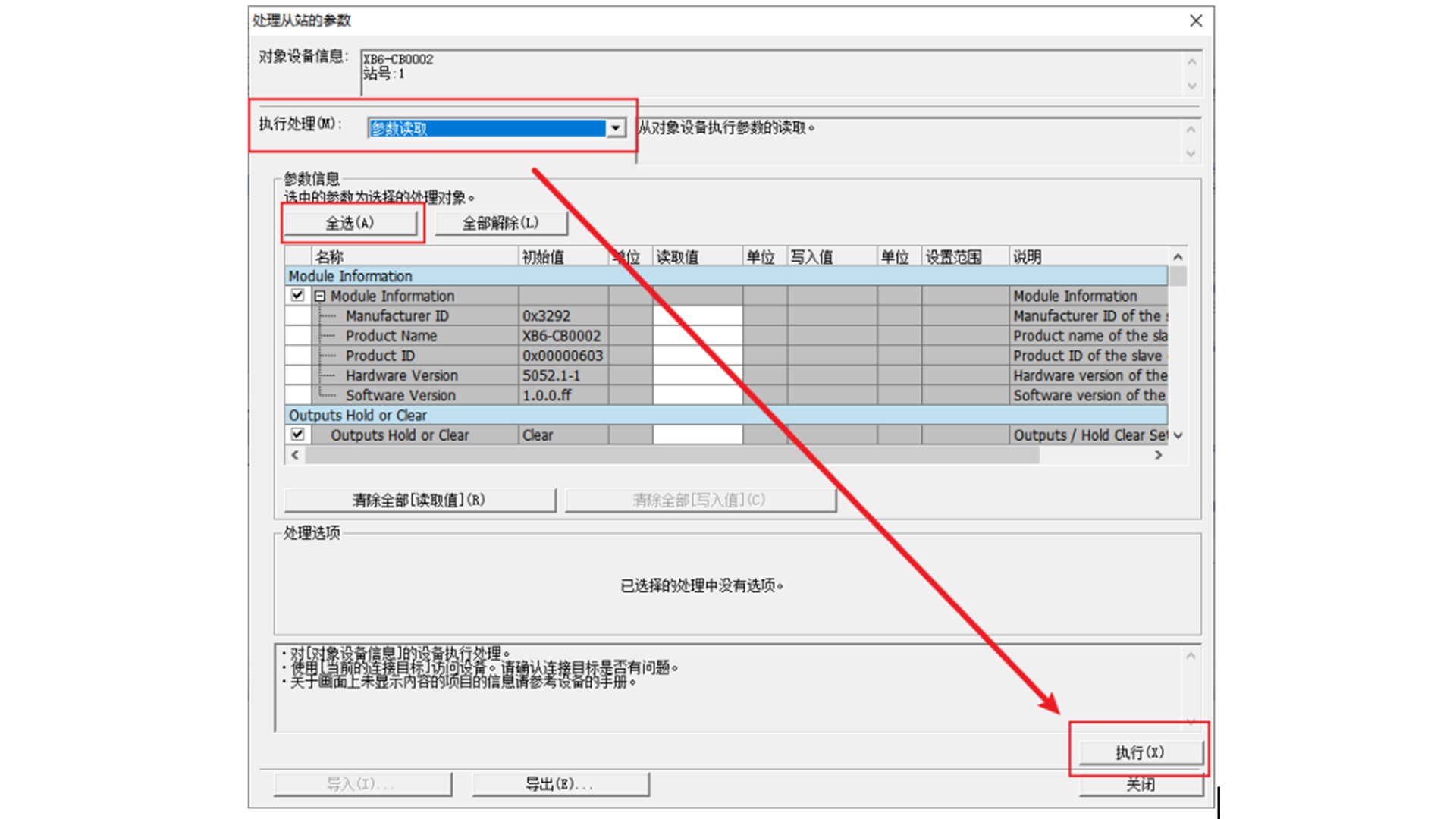
Select "Parameter read" in the "Execute processing" drop-down menu, and then the operation path is: "Select all → Execute"
Then select "Parameter write" in the "Execute processing" drop-down menu, and then the operation path is: "Remove all → Check Connect Total→Write read value→Execute"
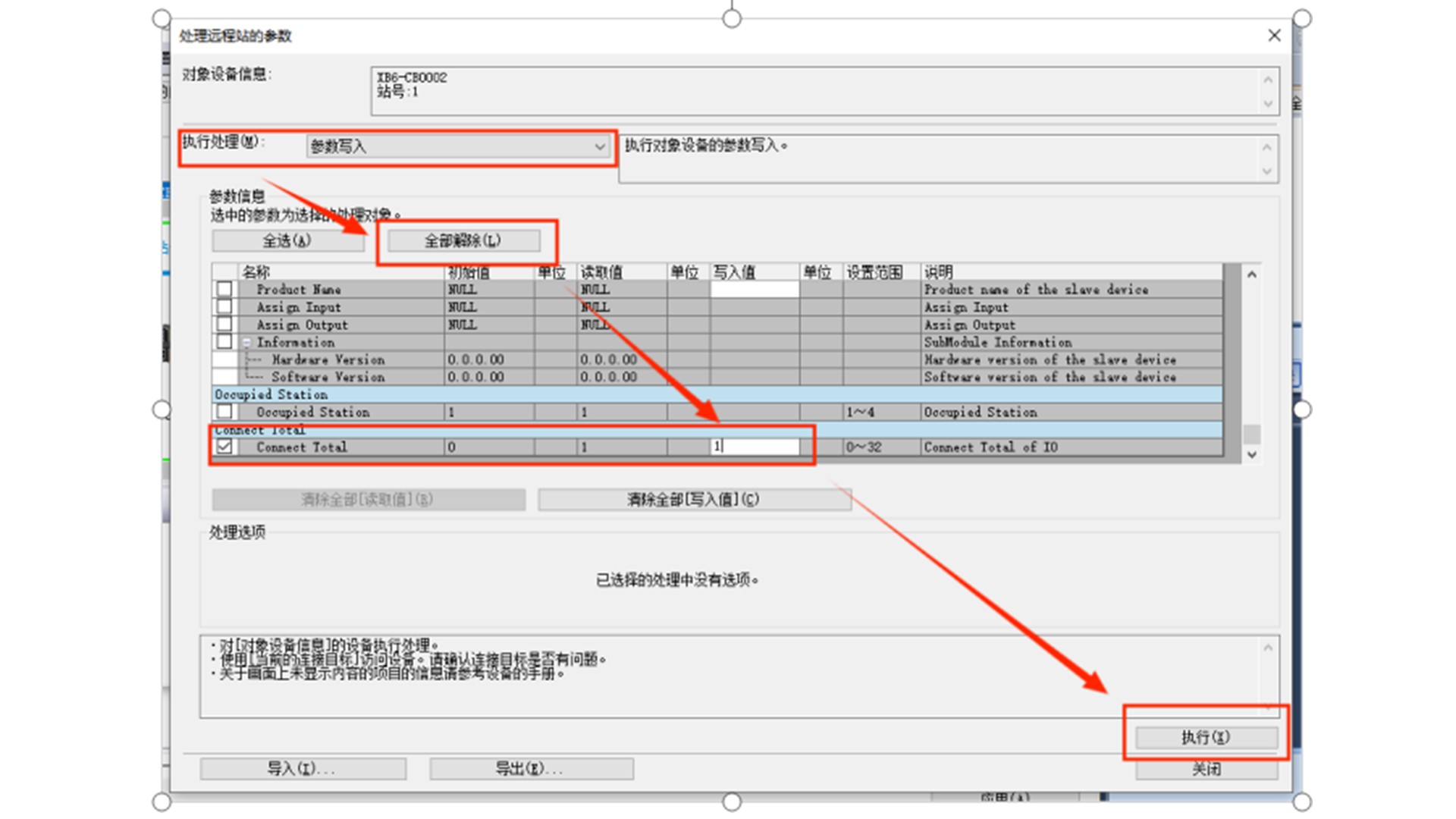
Note: Connect Total is the total number of I/O connections
Example: XB6-CB2002ST is connected to 3 XB6-3200A and 3 XB6-0032A, then the read value of Connect Total = 6
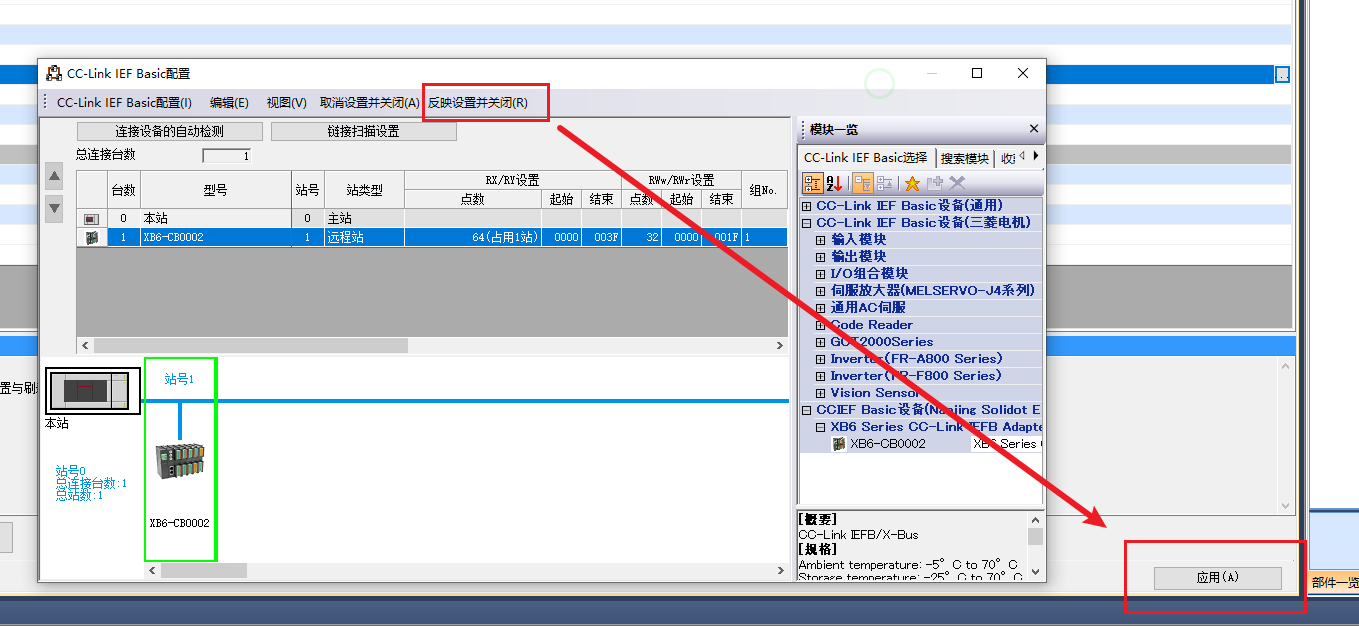
After the above execution, close the interface, click "Reflect settings and close" in the interface shown in the figure below, and then click "Apply"
【2】The number of occupied stations is not set
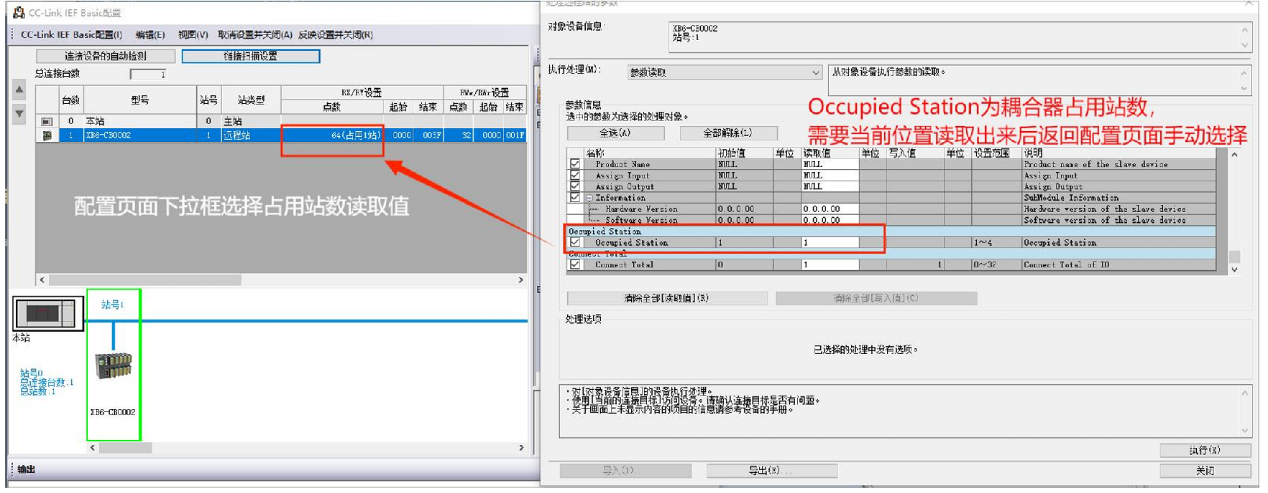
Note: The number of occupied stations here can only be an integer of 1234, which is determined by the Mitsubishi mechanism; the coupler reading parameters must be consistent with the station number setting, otherwise an error will be reported or the connection will not be able to connect
【3】The end setting step is not executed
Please return to the interface shown in the figure below. After the parameter configuration is completed, you must execute "Reflect settings and close" and "Apply"
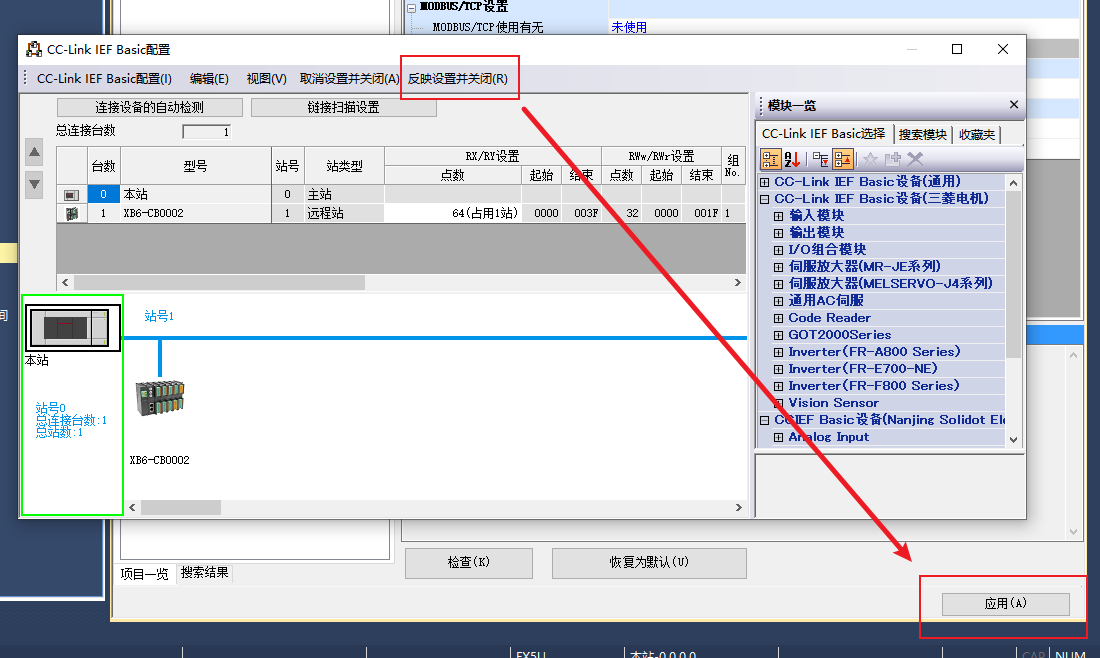
Note: The two instructions will make the modified parameters in the coupler effective. Missing points will cause the parameters to not take effect, resulting in communication abnormalities