
 Knowledge

Troubleshooting Method for No Response Output of Solidot Remote I/O Module XB6S PROFINET Coupler in TIA Portal Software
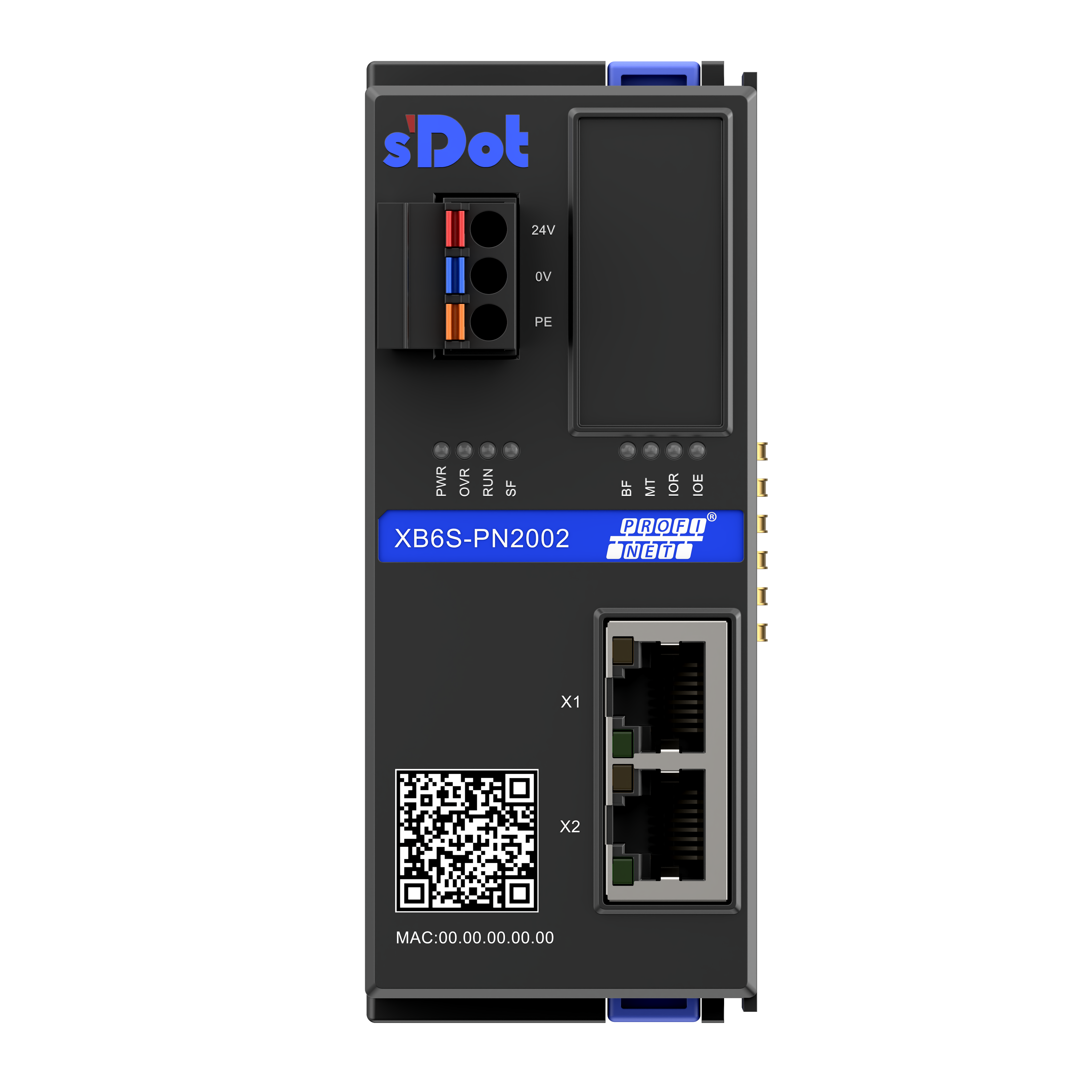
The XB6S-PN2002 is a PROFINET coupler from the Solidot XB6S series. In practical applications, you may encounter a situation where there is no response from the output in the TIA Portal software. This article provides a systematic troubleshooting approach to help users quickly locate and resolve the issue.
1. Check Diagnostic Information
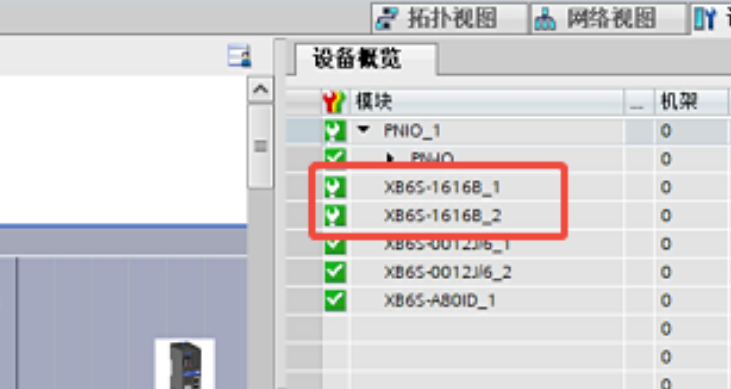
When a small green wrench icon appears on the module configuration, it indicates an anomaly.
Taking the XB6S-1616B as an example, opening the details will prompt system messages such as "Load power supply not connected".
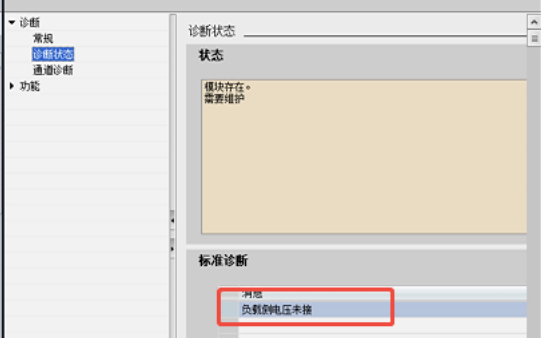
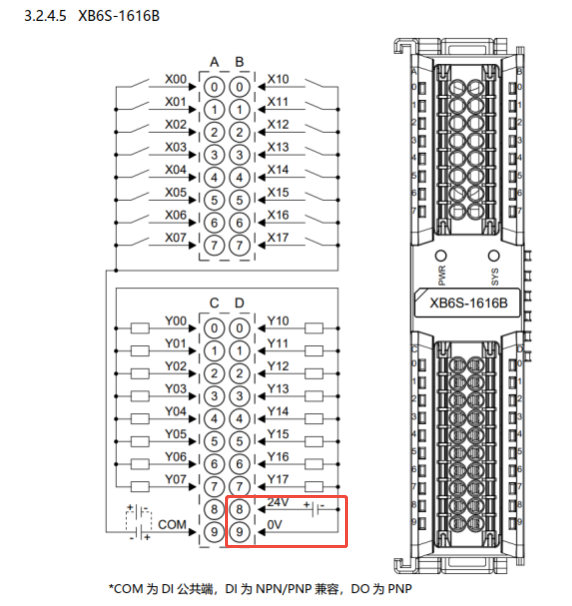
Referring to the wiring diagram, terminals D8/D9 need to be connected to 24V to power the output load. If they are not connected, even if the program has an output signal, the module channel indicator will not light up, and naturally, there will be no output voltage.
2. Check the Power Supply
Still using the XB6S-1616B as an example: If D8/D9 are wired but the output still does not respond, further checks on the power supply are required. At this point, use a multimeter to measure if there is 24V between D8/D9, and check for reverse wiring or loose connections.
3. Check if Output Points (Q) are Being Written to Multiple Times
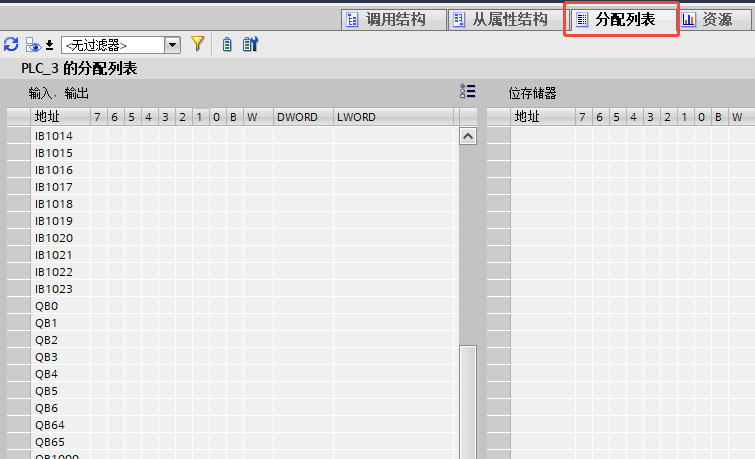
When troubleshooting Q0.0, it is necessary to simultaneously check larger address ranges such as QB0, QW0, QD0, as well as instructions that might perform batch assignments.
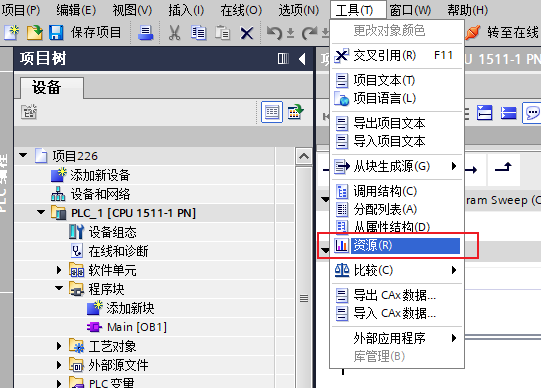
The "Resources" view in the TIA Portal software can assist in viewing variable occupancy.
This view displays the occupancy status of each bit within the program variables.
4. Check if the Process Image is Set to Automatic Update
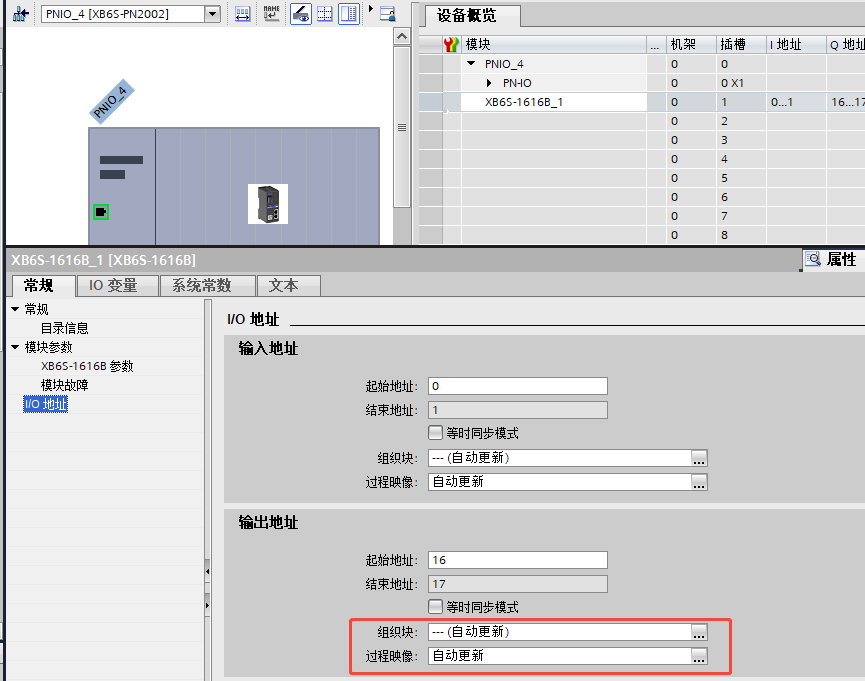
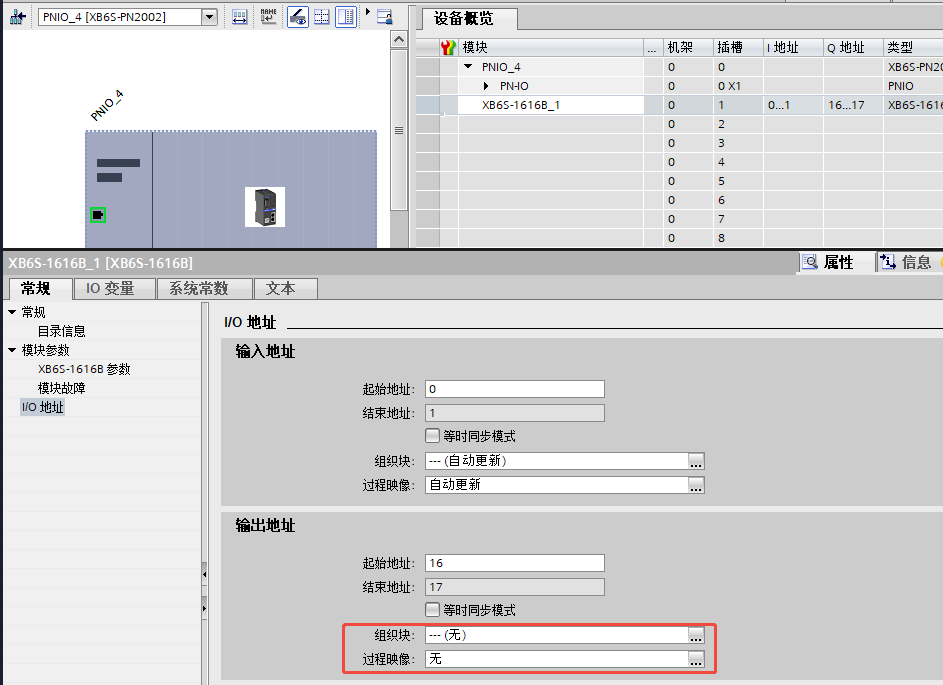
When adding a module, the process image is defaulted to automatic update. If it is mistakenly changed to "None", the program will be unable to control the Q-point outputs, and the configuration will show no error.
Taking the XB6S-1616B as an example, right-click the module in the device overview, select "Properties > I/O addresses", and check the current setting.
The description of the process image in TIA Portal is shown in the figure below.
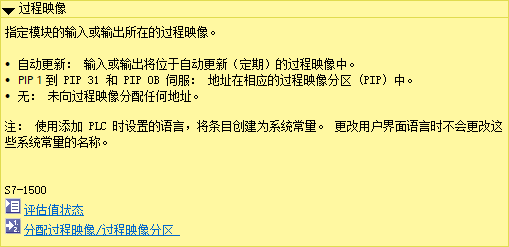
If it is set to "None", changing it back to "Automatic update" and downloading the configuration will restore normal control.
5. Using the Force Table
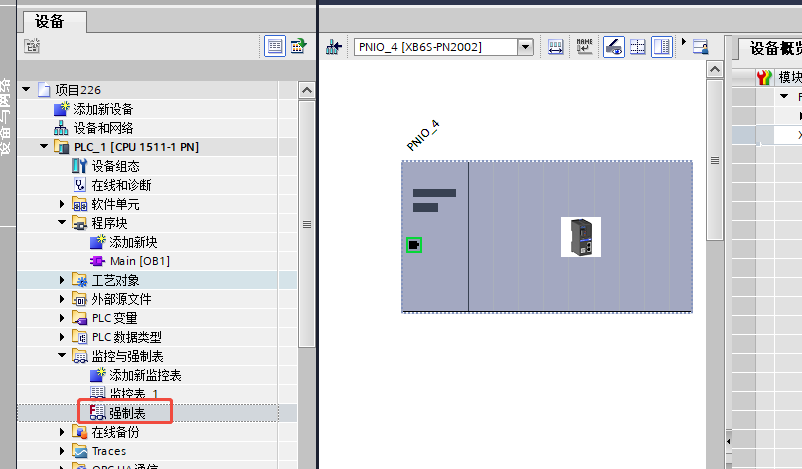
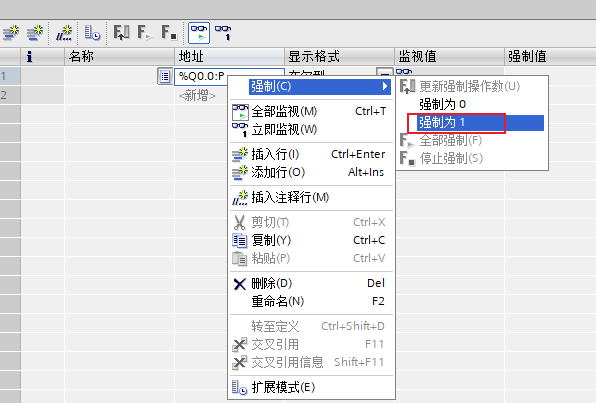
Force the output to 1 and observe its status. If the output functions correctly, the hardware is normal, and the issue lies within the program logic. Please troubleshoot according to the steps outlined above.
The above is the troubleshooting method for no response output of the Solidot remote I/O module XB6S PROFINET coupler in TIA Portal software. Thank you for watching.











