Knowledge

Configuration method of C3 valve island with discrete EtherCAT coupler on Sysmac Studio
Article Overview
1. Demo Product
Solidot Discrete I/O XBF4-EC04 + C3 Valve Island
2. Communication Protocol
EtherCAT
3. Compatible PLC
Omron NX/NJ Series
4. Configuration Tool
Sysmac Studio
5. Configuration Result
Valve island I/O data mapped to PLC variables, enabling valve on/off control
The Solidot C3 Series Valve Island can be connected to an EtherCAT network via the discrete coupler XBF4-EC04. This article pairs it with Omron NX/NJ series PLCs and explains the configuration method on Sysmac Studio in detail.

I. Software Configuration
1. Install XML File
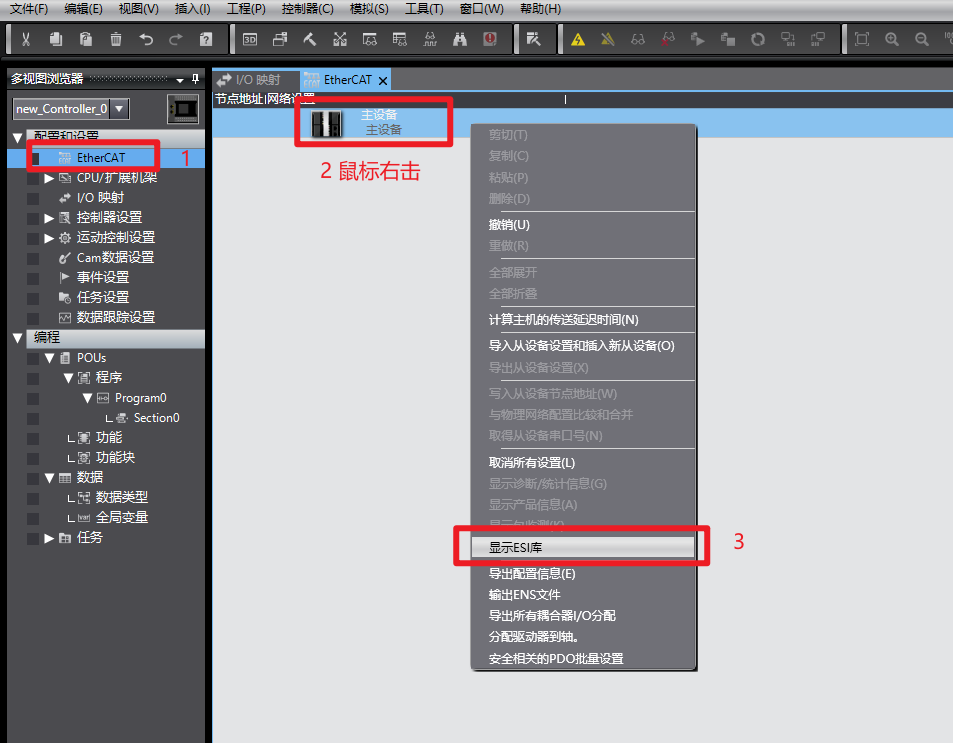
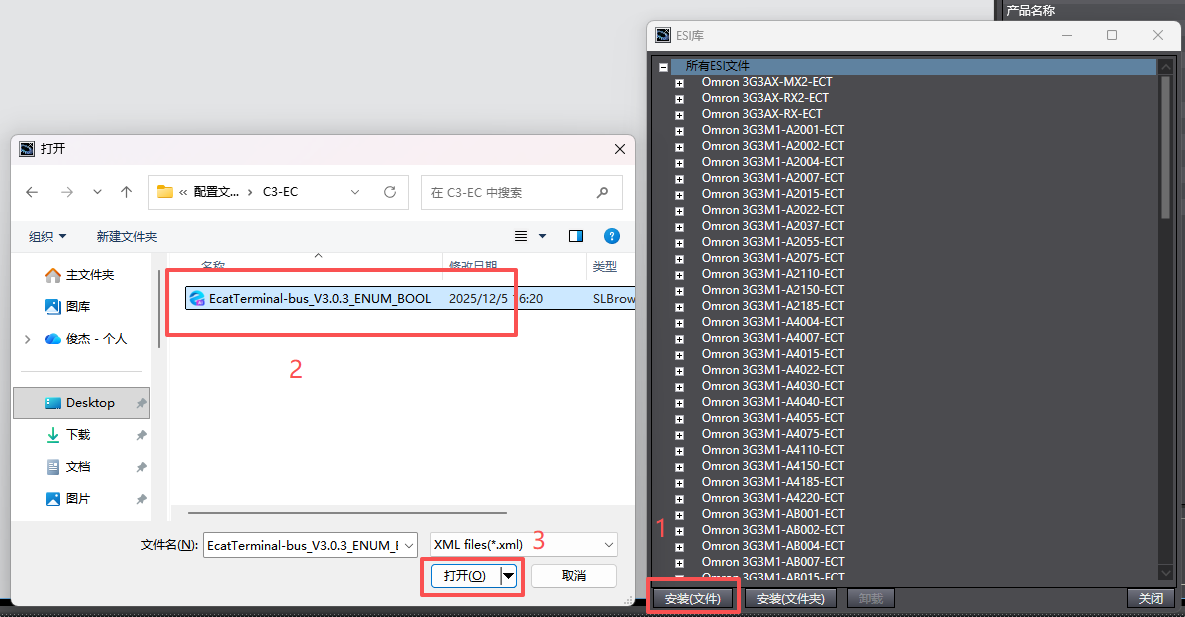
In Sysmac Studio, expand the "Configuration and Setup" node, double-click "EtherCAT" to enter the network settings screen, then right-click "Master Device" and select "Show ESI Library" → "Install (File)". Locate the downloaded XML file for XBF4-EC04, click "Open" to install.
2. Set Module Node Address
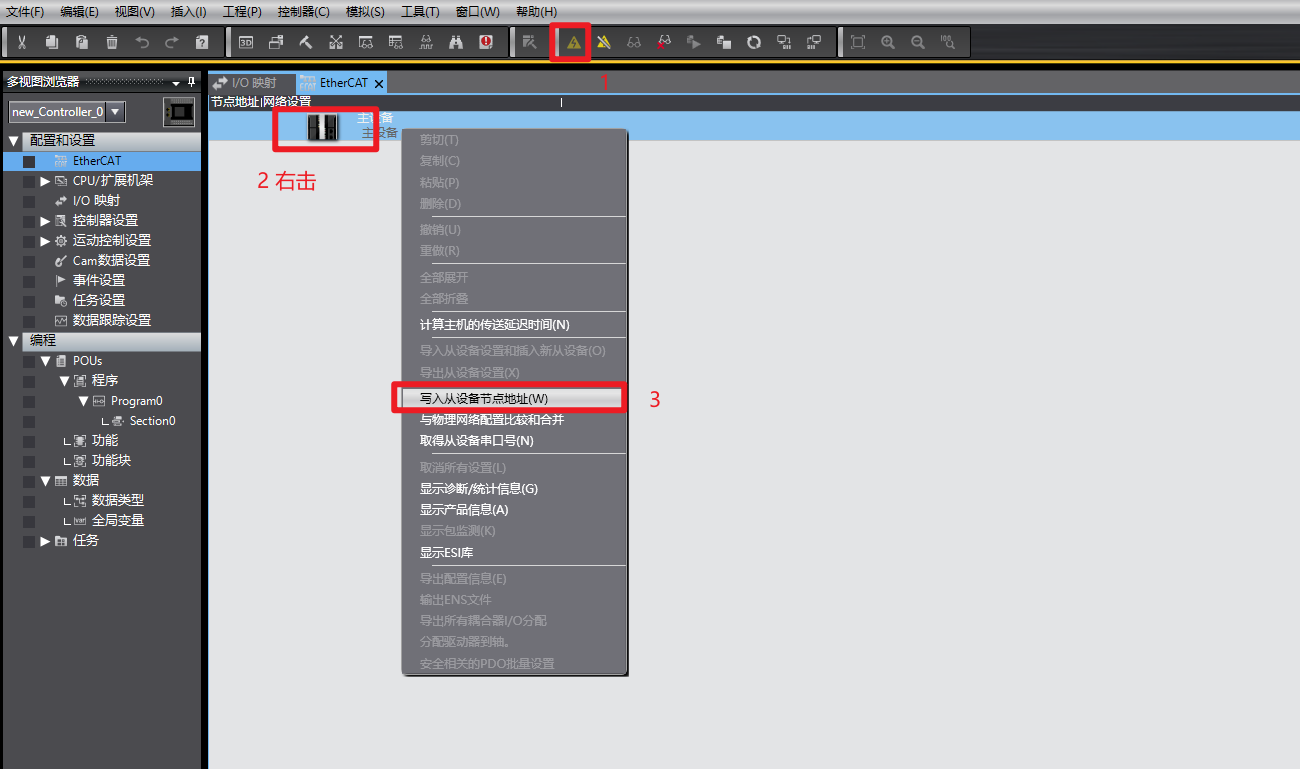
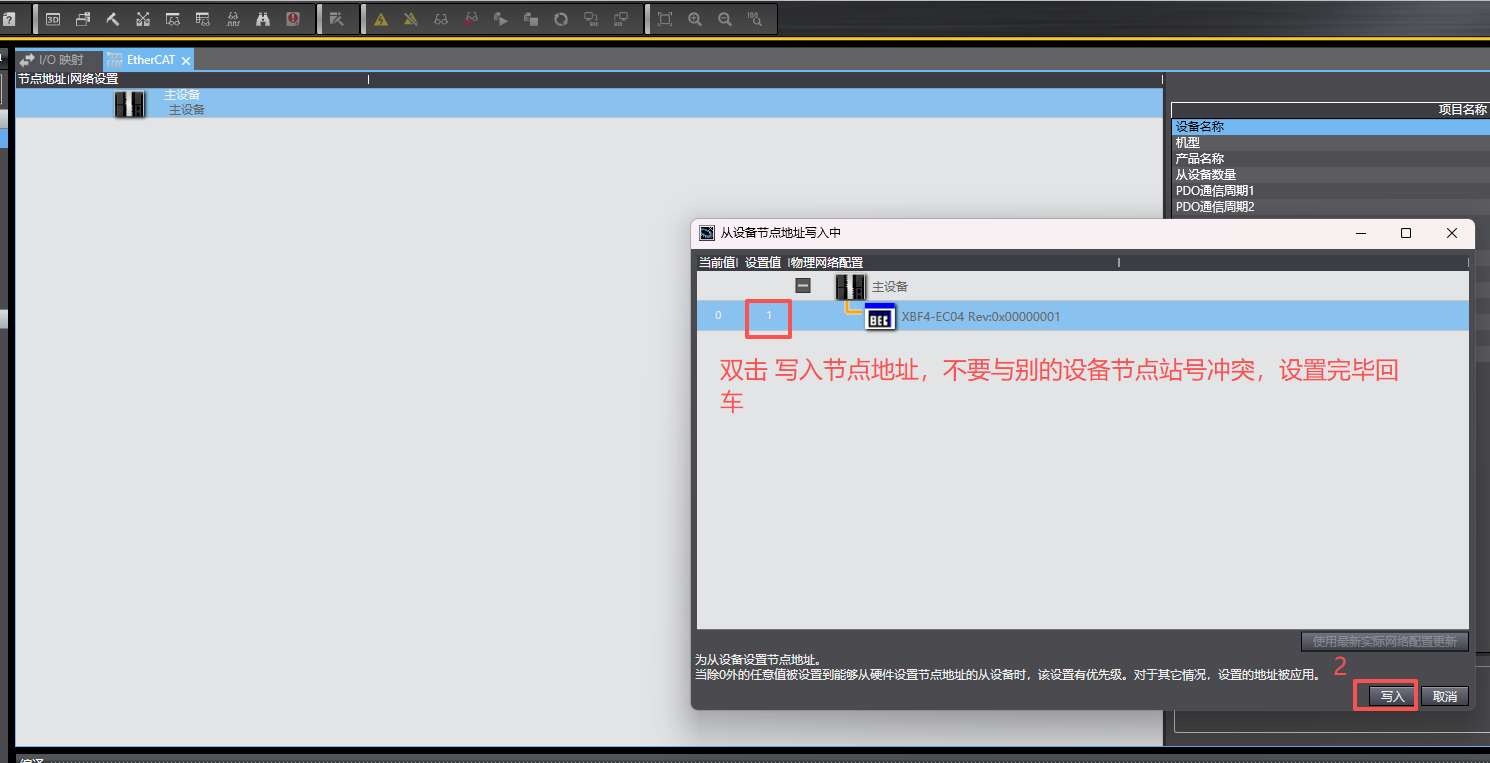
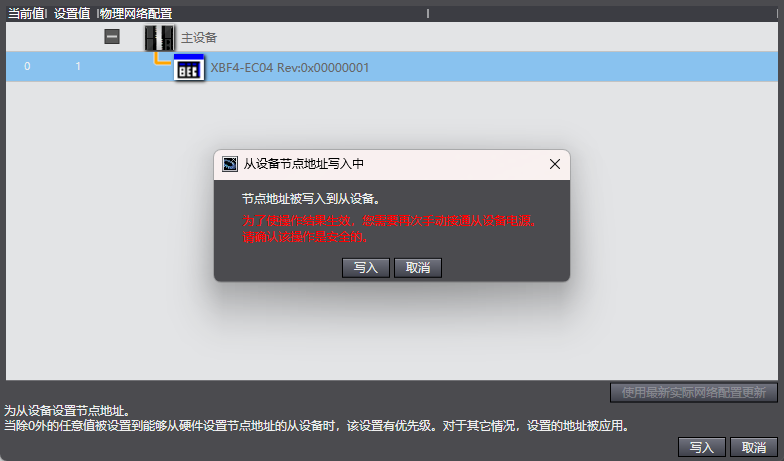
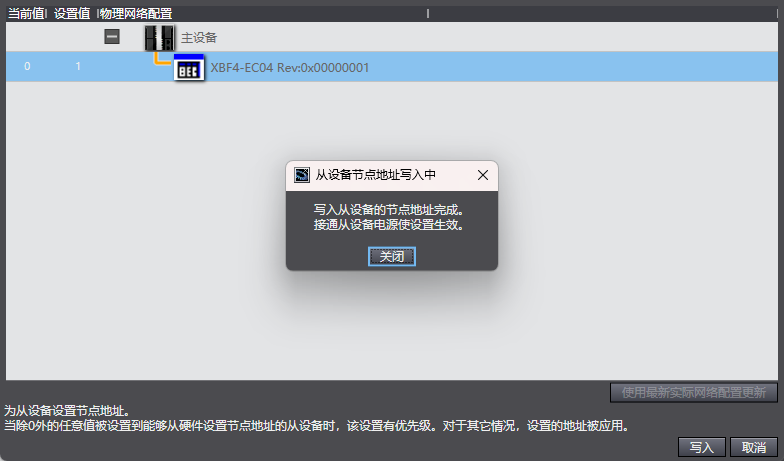
Go to the online module in the software, click in the order shown in the images. After writing, power cycle the module.
Note: Node writing is only required for the first communication of a new module.
3. Topology Configuration
Go online, click in the following order: Compare and Merge with Physical Network Configuration → Apply Physical Network Configuration → Apply → Close.
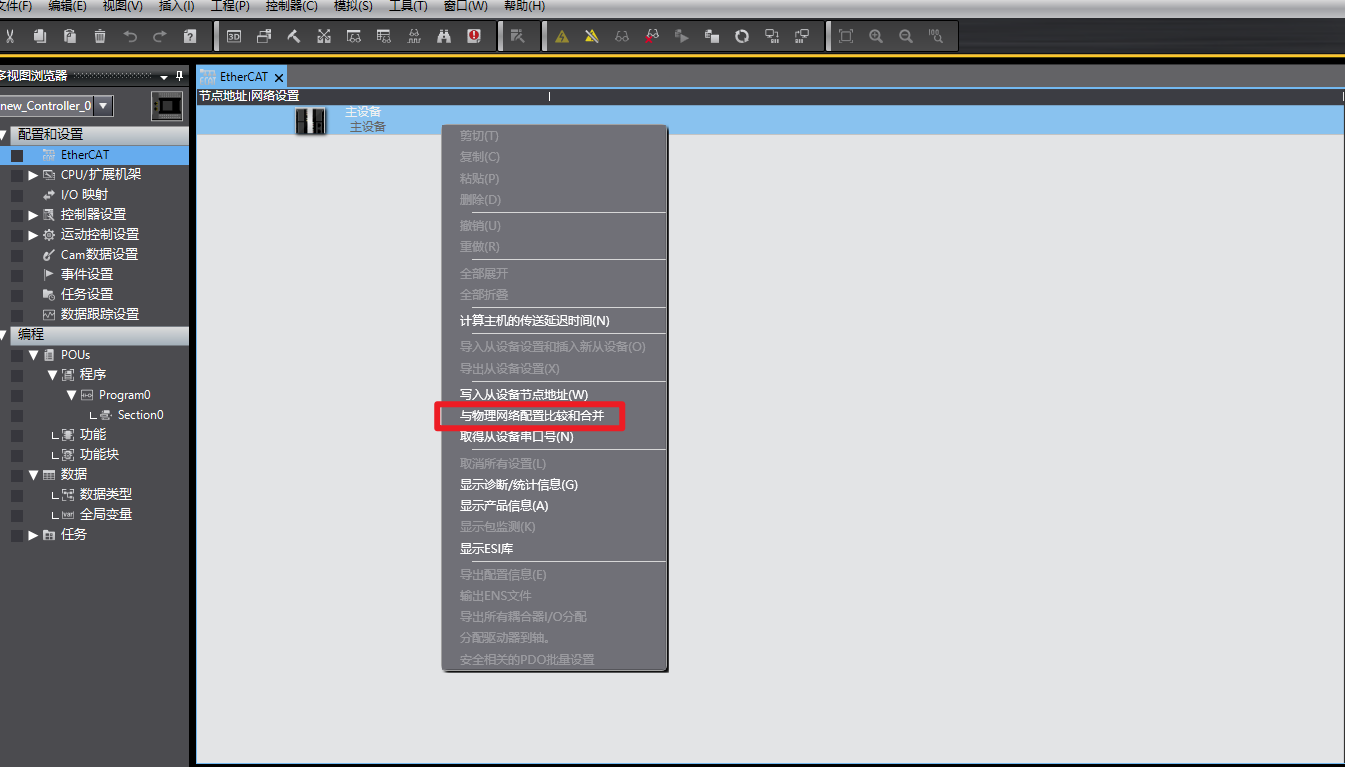
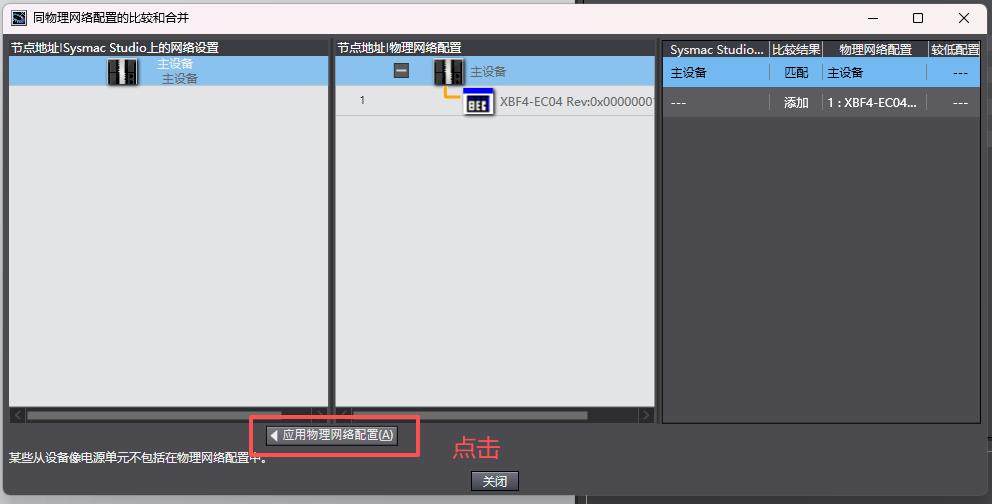
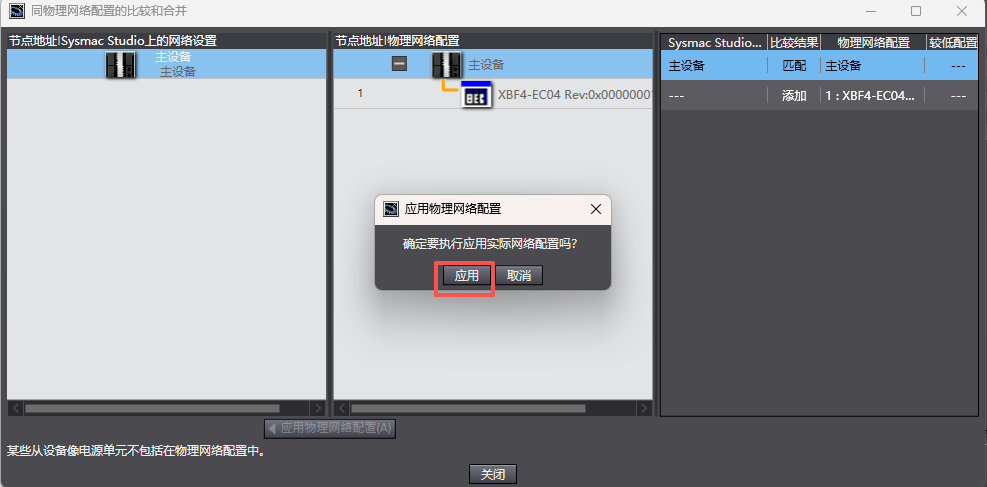
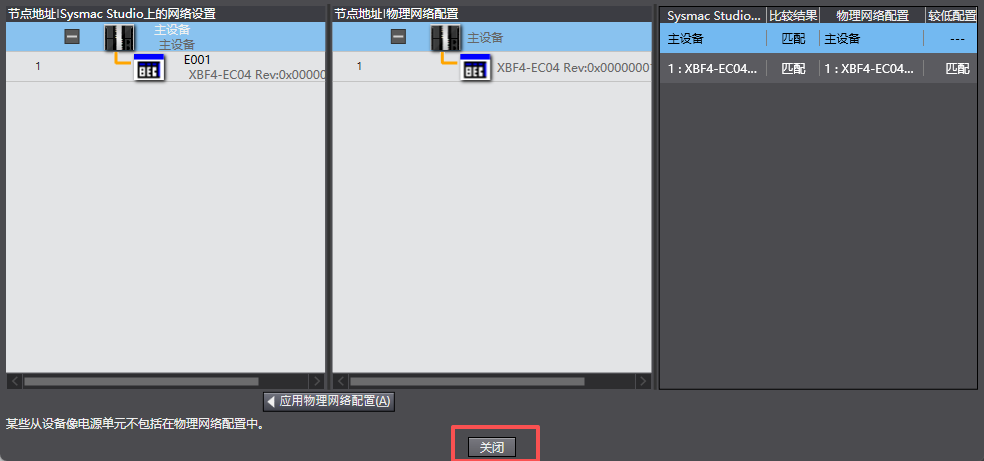
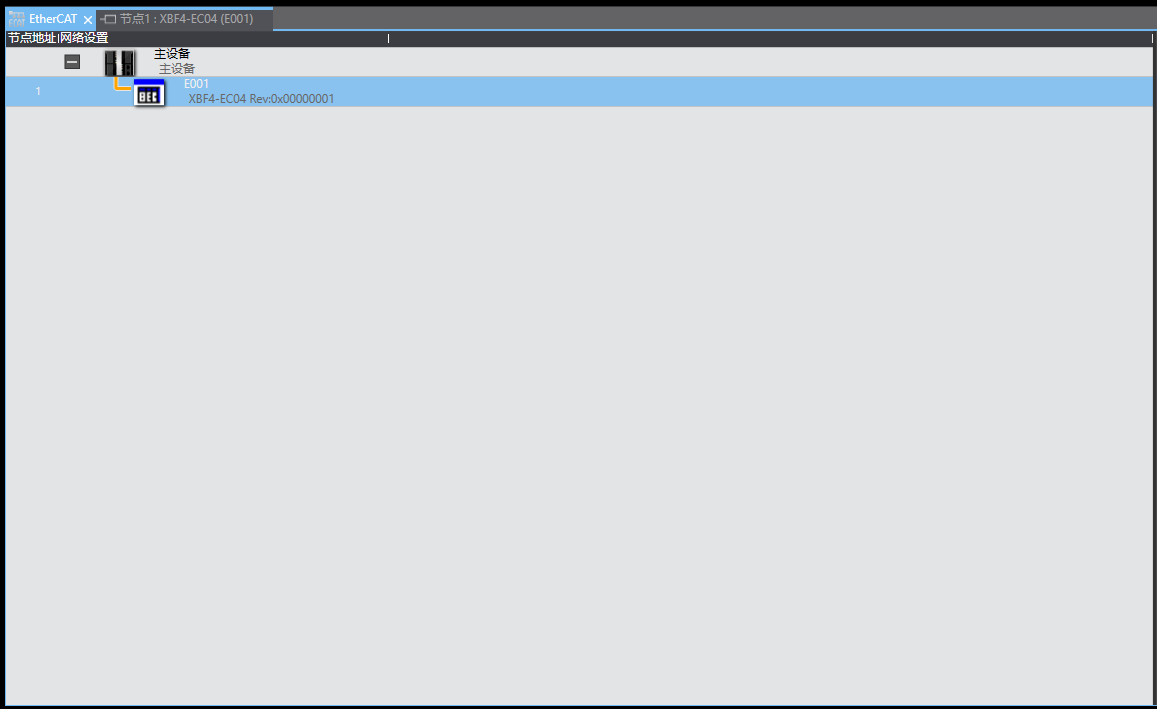
At this point, the topology configuration is complete. The C3 Valve Island node can be seen in the Sysmac Studio project tree.
II. I/O Mapping Output
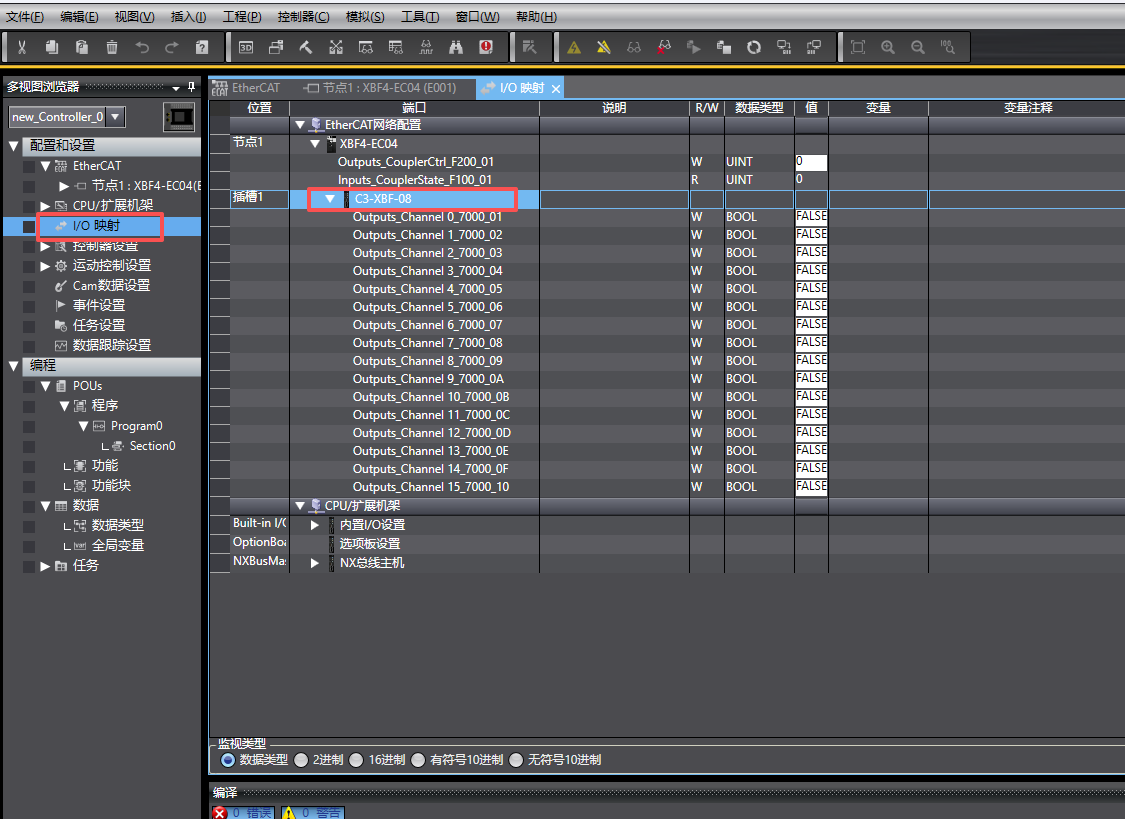
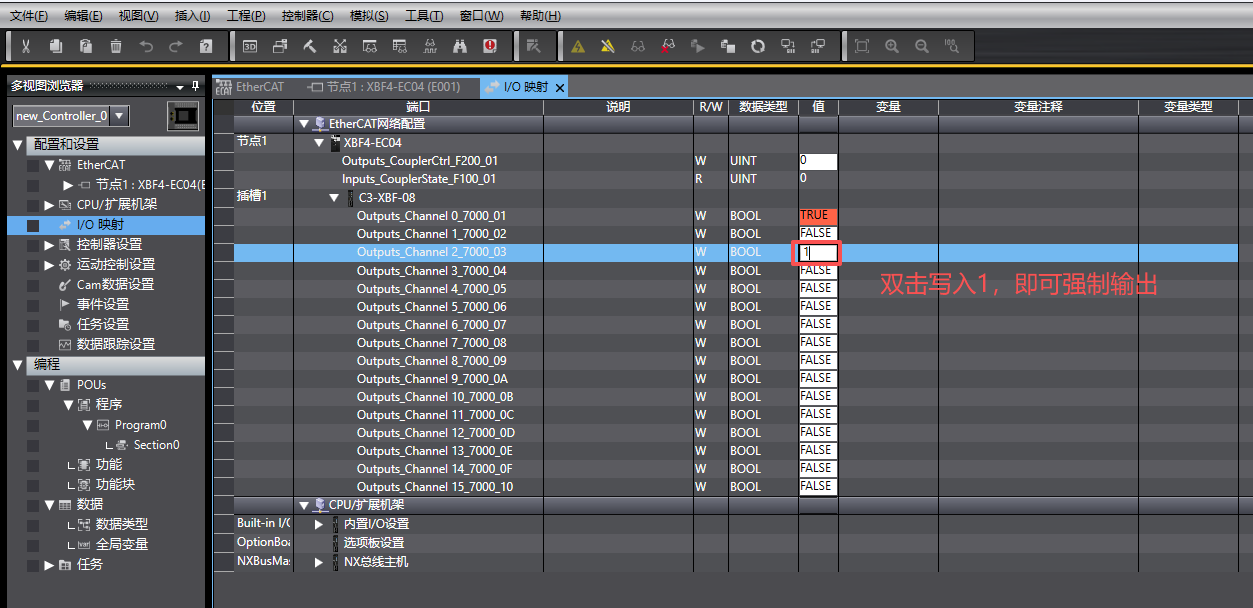
Double-click the I/O module mapping, locate the corresponding valve island module, expand it, and double-click the "Value" column to write 1, enabling forced output.