Knowledge

Detailed Configuration Guide for XB6S PTO Pulse Output Module on CODESYS - Siemens PLC Edition
XB6S-PT04A is a 4-channel PTO pulse output module in Shidian Technology's XB6S series, supporting two mode settings: Single pulse (pulse + direction) and Dual Pulse (CW/CCW). It can be connected to an external Stepper/Servo Motor Driver, driving the stepper/servo motor for motion logic control by outputting pulses. It is widely used in industries such as logistics, lithium battery, automotive manufacturing and semiconductors.

Shidian Technology Slice PTO pulse output moduleXB6S-PT04A
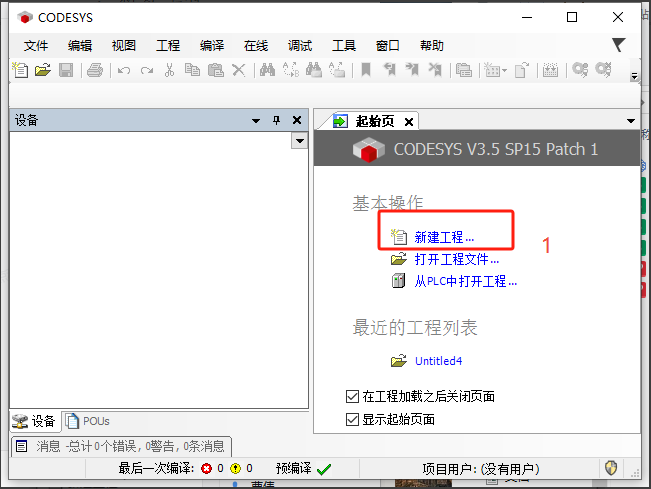
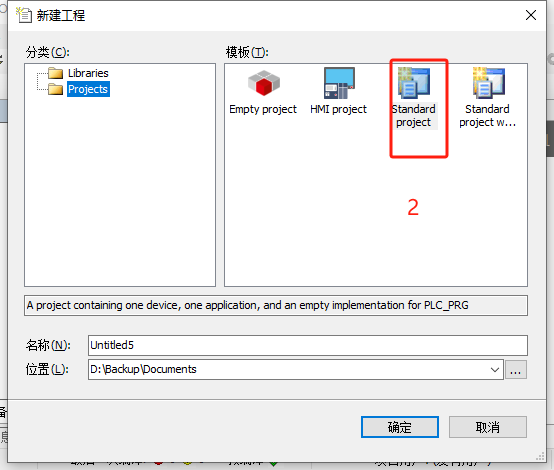
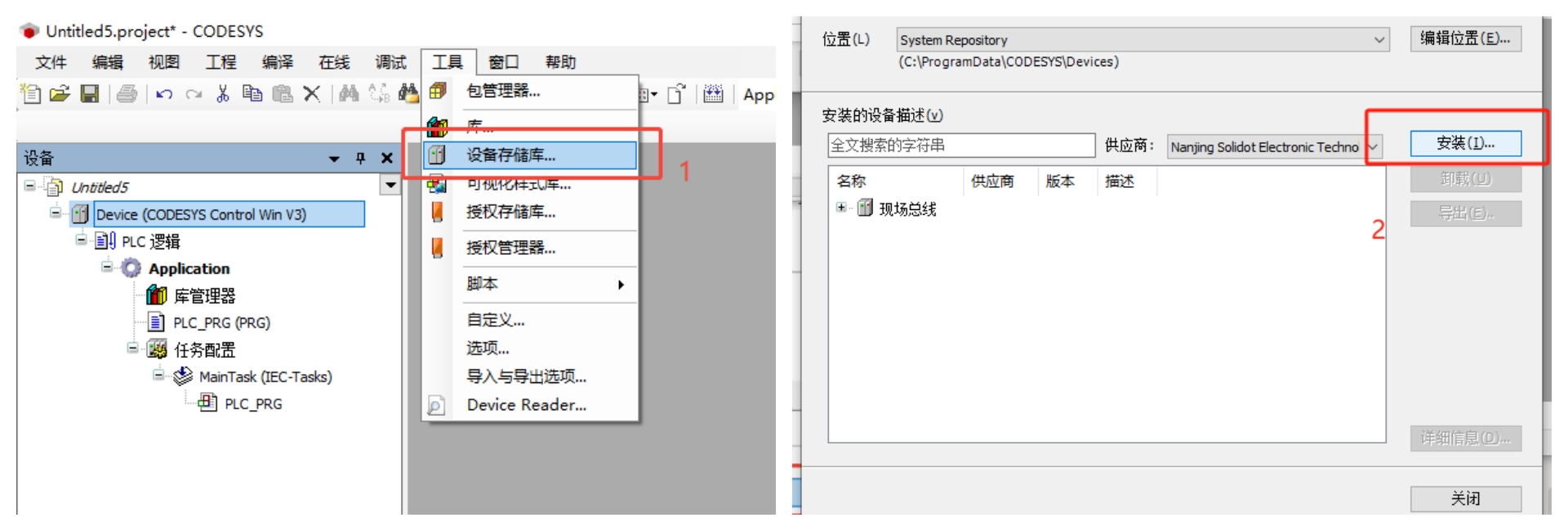
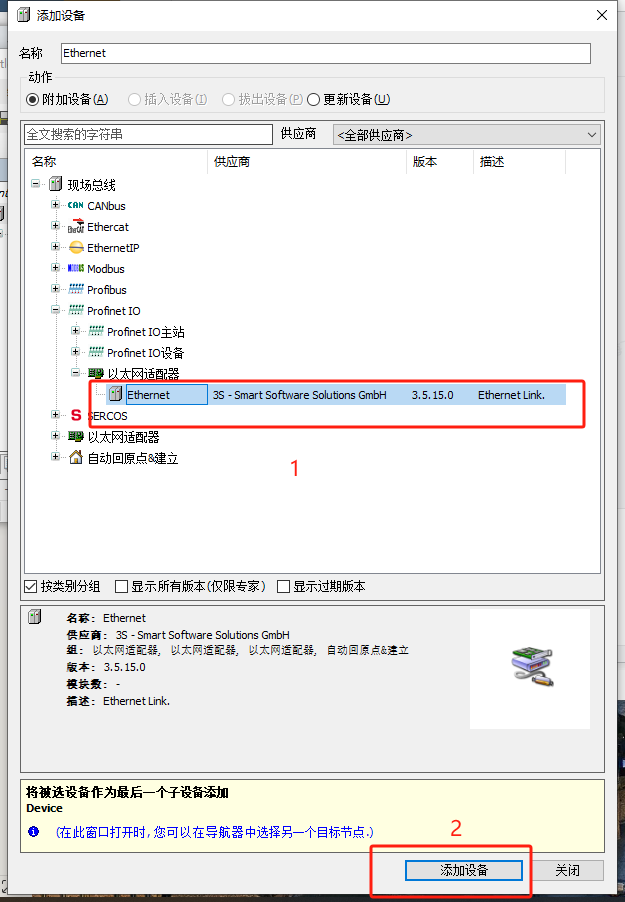
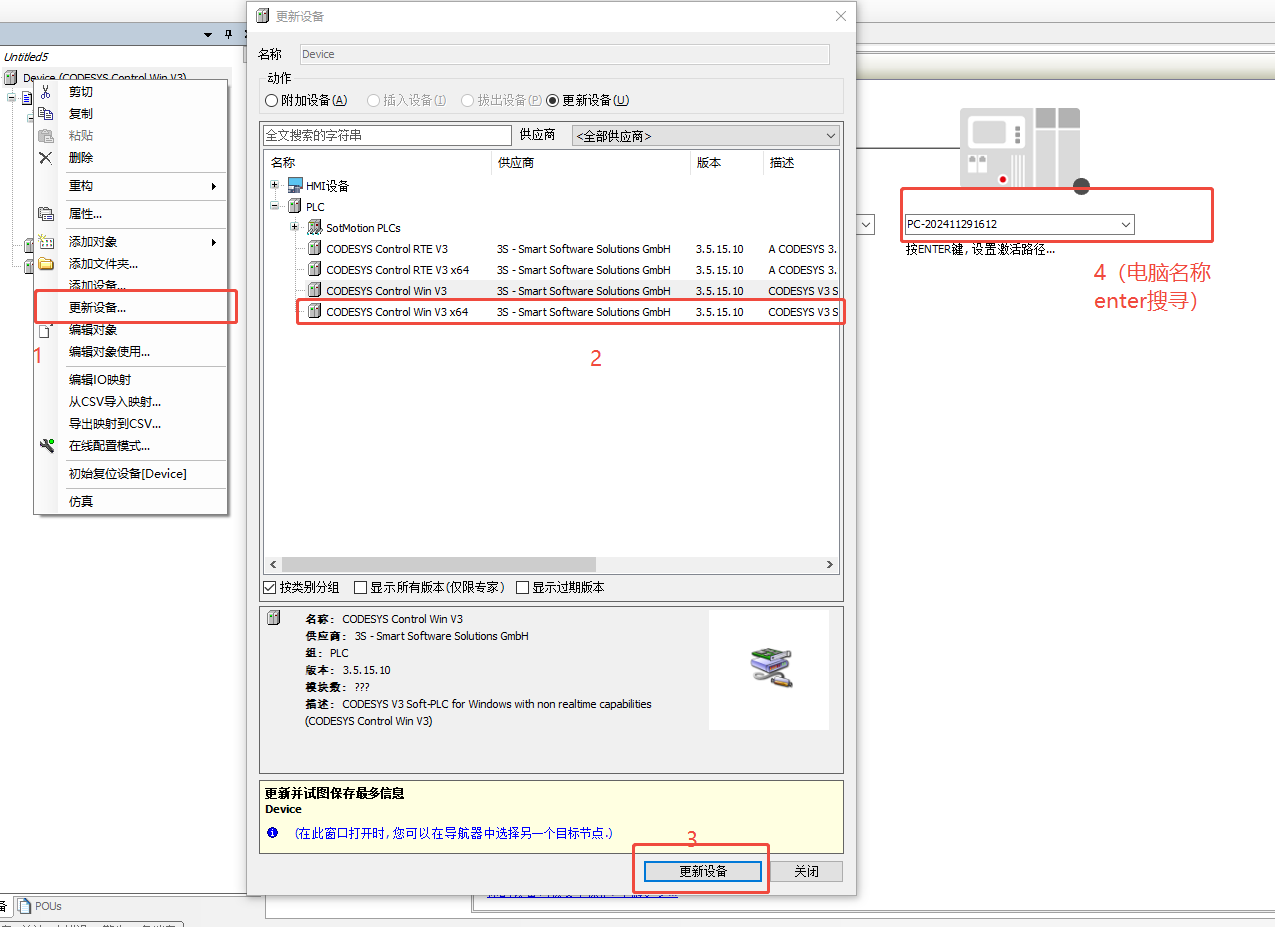
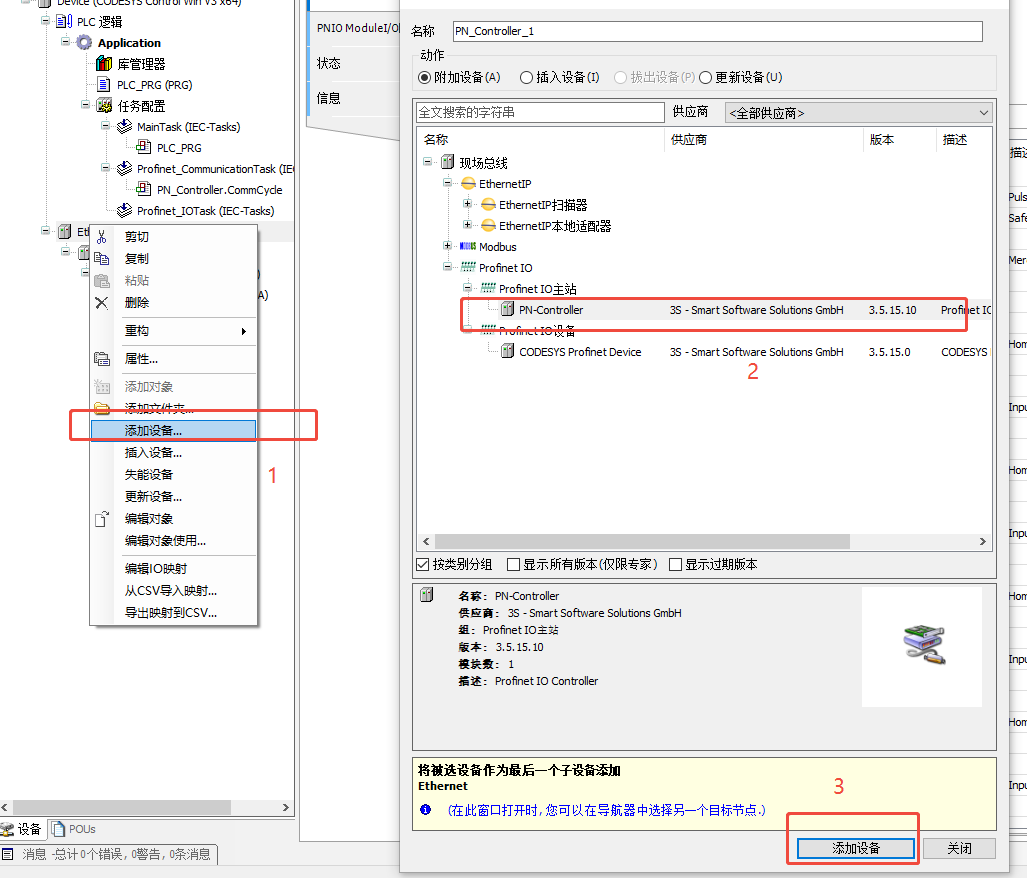
In practice, customers configuring Siemens PLC often ask about Configuration issues when using CODESYS with XB6S-PT04A. The detailed operation method is described below; please refer to steps 1, 2, 3, 4, etc. as marked in the figure.
I. New Project

II. Install GSD file
III. Add Device
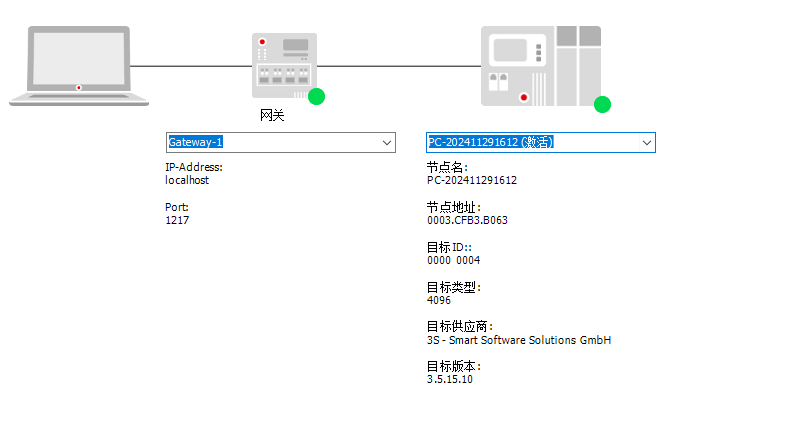
IV. Update Device and Scan IP
01 Open Soft PLC Status
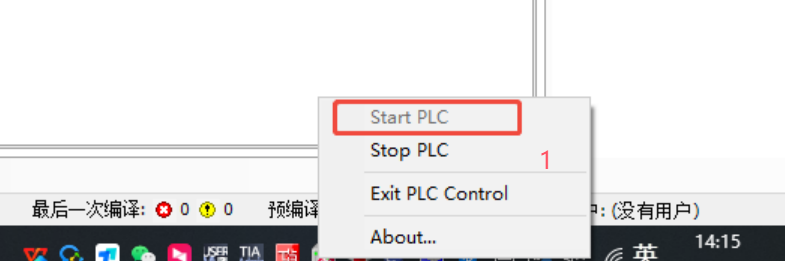
02 Select "Update Devices"
03 The sign of successful IP scan is shown in the figure below
V. Add Device PN Station
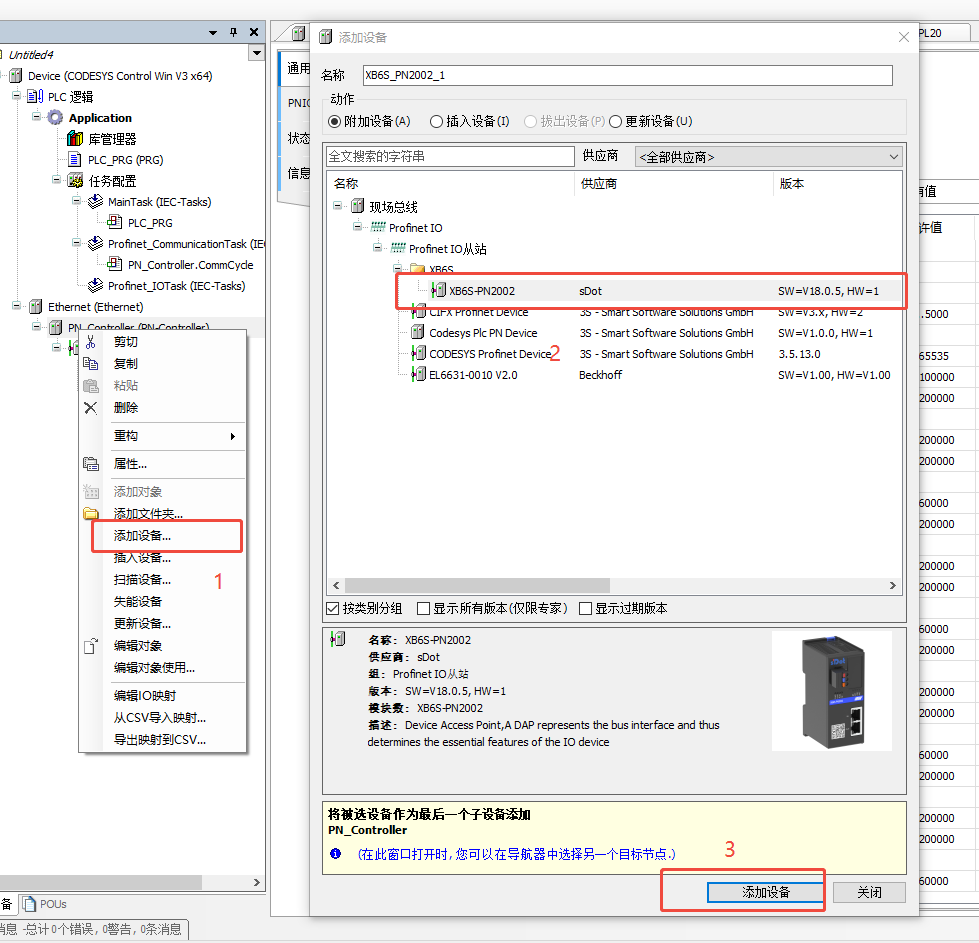
01 Add Master
02 Add Coupler
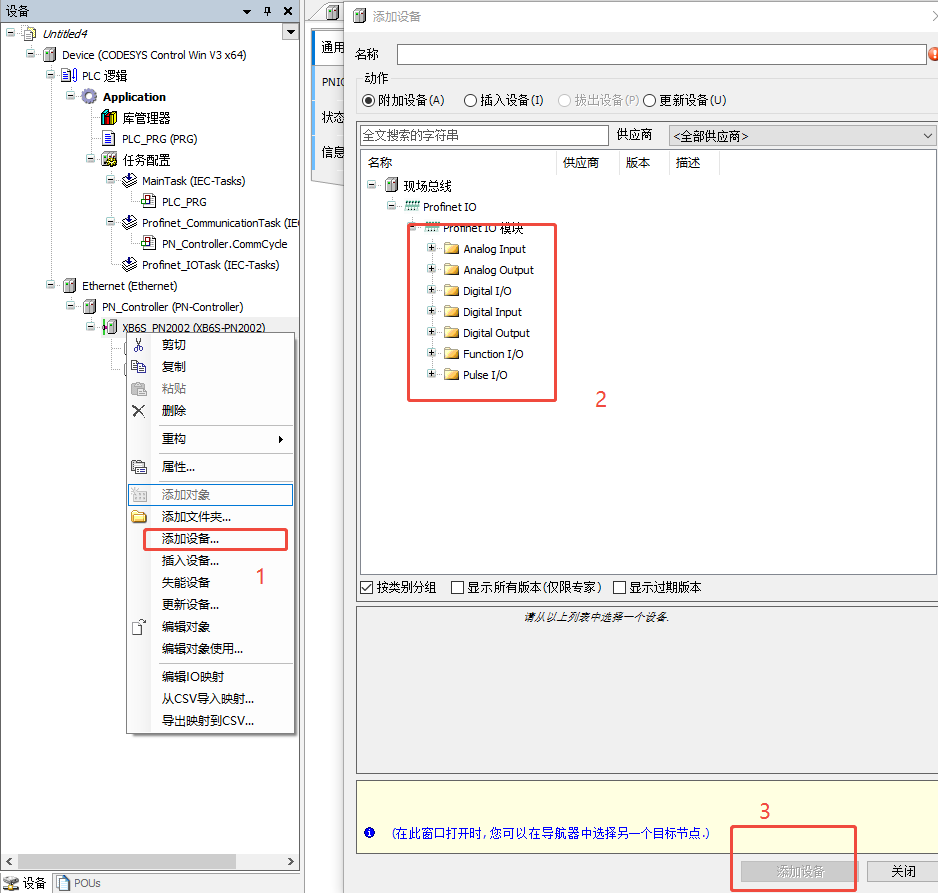
03 Add I/O Modules
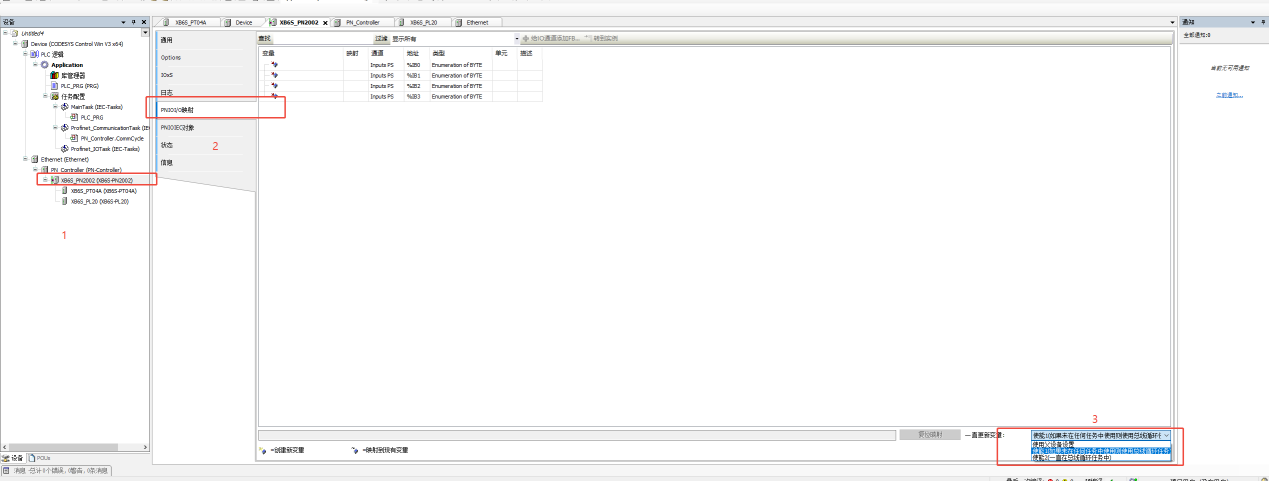
04 After adding, remember to select the Controller parameter (be sure not to select the parent device settings; the Coupler and I/O modules must be selected consistently)
VI. Set PT04A Initialization Parameters
Note: Writing must be performed in Offline Status

VII. Log in to the master for monitoring
01 Set Parameters - write the required parameters in the Prepare Value field (Ctrl+F7 shortcut key for writing)
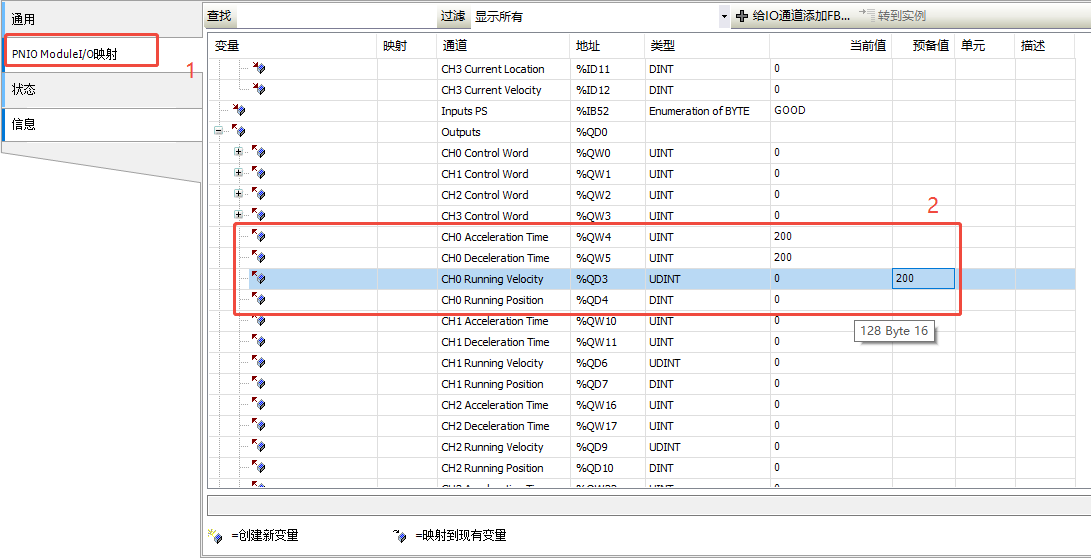
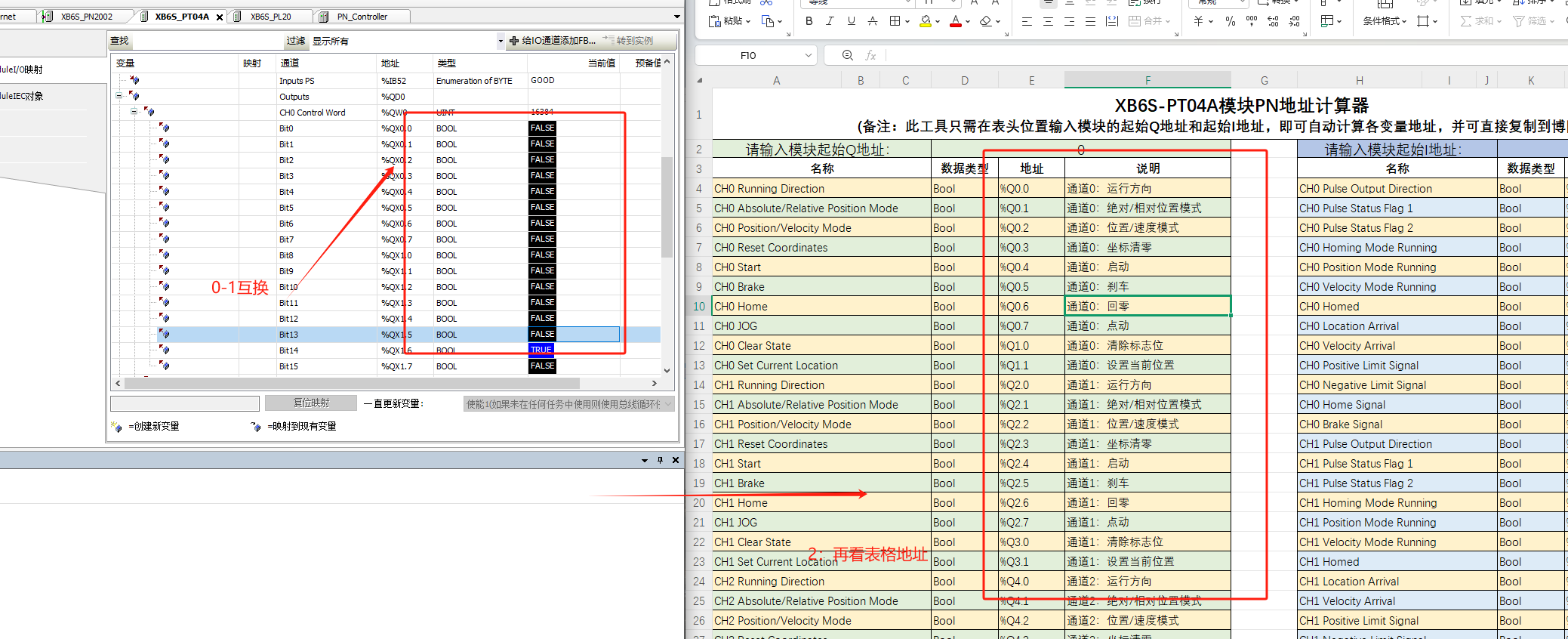
02 Pay attention to the key notes in the figure below when controlling downstream signals (CODESYS-PN byte order is reversed)
The above is the detailed configuration procedure for Realpoint Technology's Slice PTO pulse output module XB6S-PT04A on CODESYS - Siemens PLC edition. If you have any questions, please feel free to contact us. We will be at your service wholeheartedly!