
 Knowledge

Detailed Explanation of Communication Configuration for C3 Series Discrete Valve Island in Sysmac Studio Software
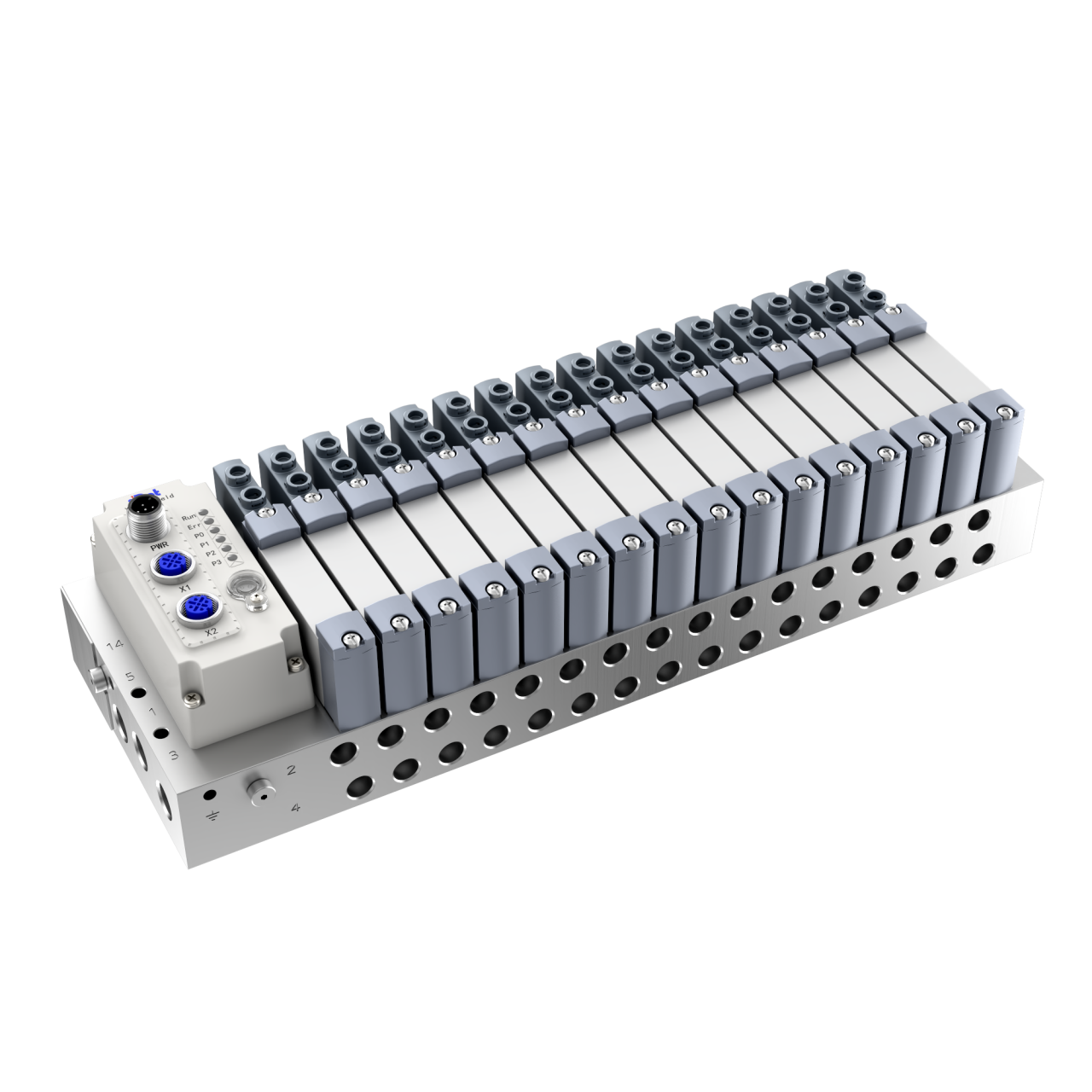
Solidot’s C3 Series Discrete Valve Island is widely used in industrial automation fields such as food and medical, 3C, photovoltaic and semiconductor, lithium battery and hydrogen energy, and automotive. In practical application, this article demonstrates the configuration process for the C3 Series Valve Island when used with the Discrete Coupler XBF4-EC04.
I. Software Configuration
1. Install the XML File
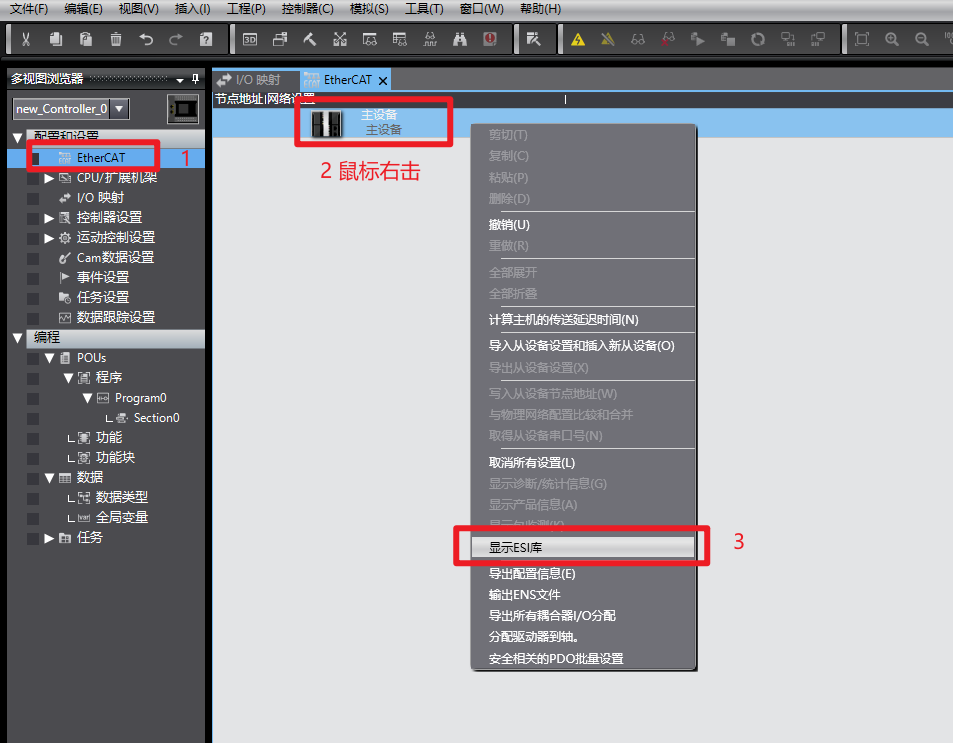
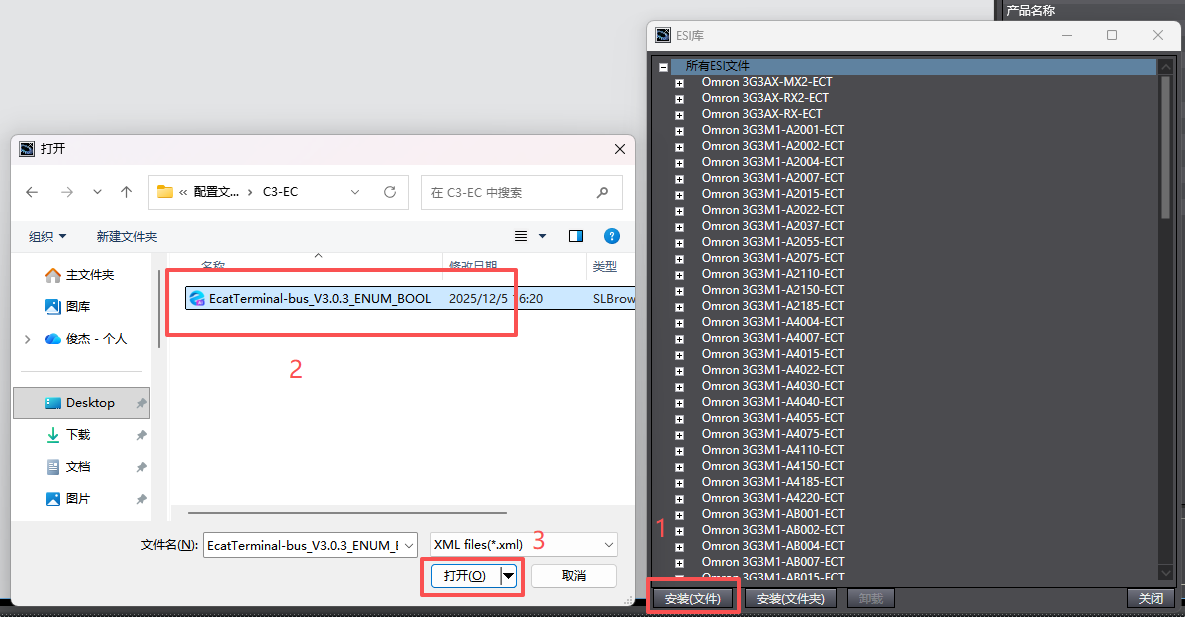
Enter the “Configuration and Setup” interface, double-click “EtherCAT” to open the network settings. Right-click “Master Device,” select “Show ESI Library” → “Install (File),” locate the downloaded XML file for XBF4-EC, click “Open” to complete the installation.
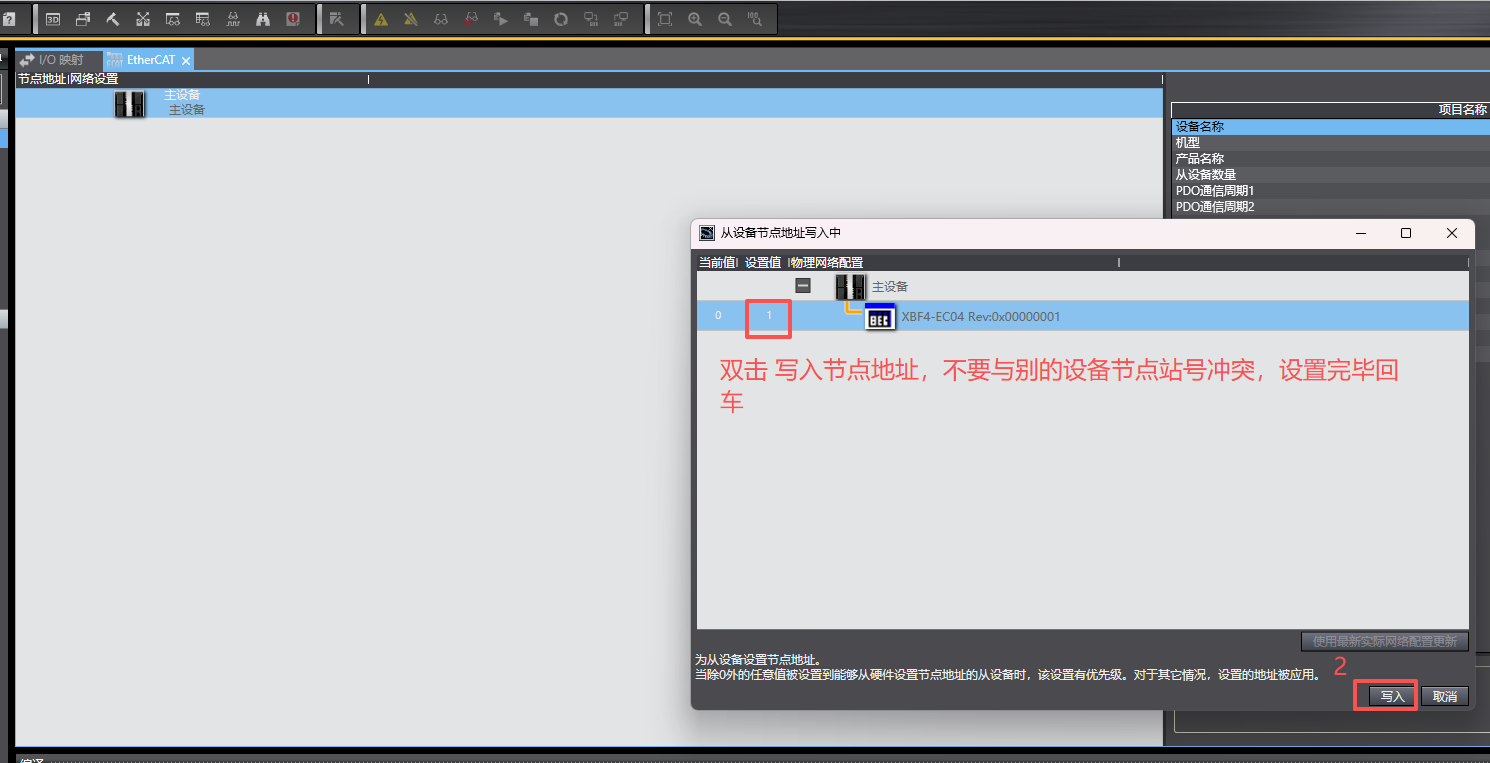
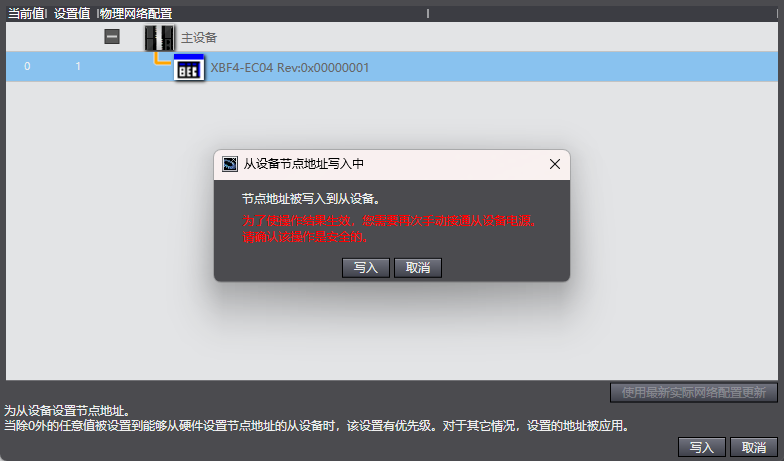
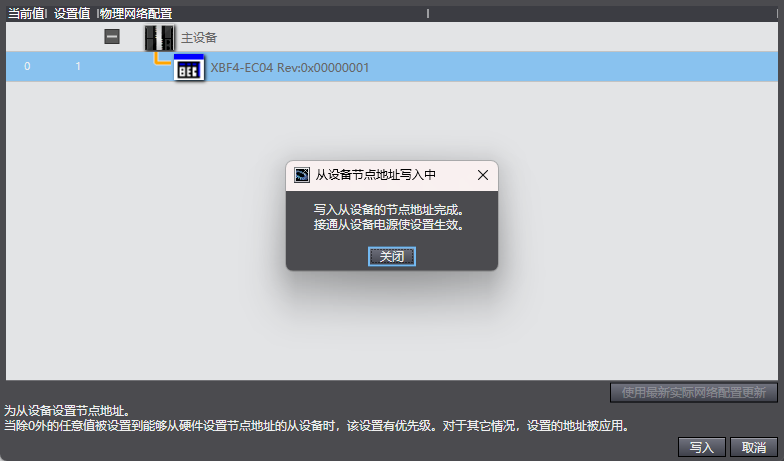
2. Set the Node Address of the Module
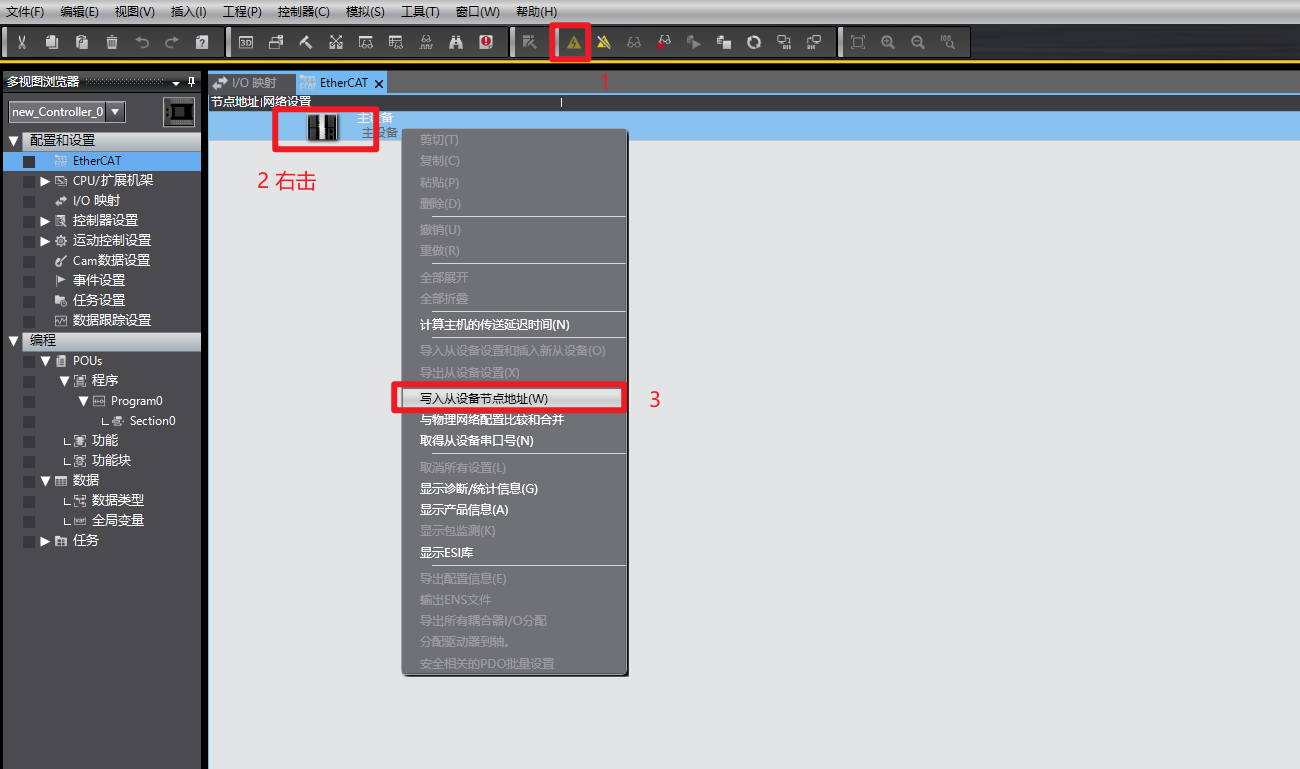
Switch the software to online mode and follow the sequence shown in the illustration. After writing is complete, power off and restart the module.
3. Topology Configuration
Switch to online mode and follow the sequence shown in the illustration.
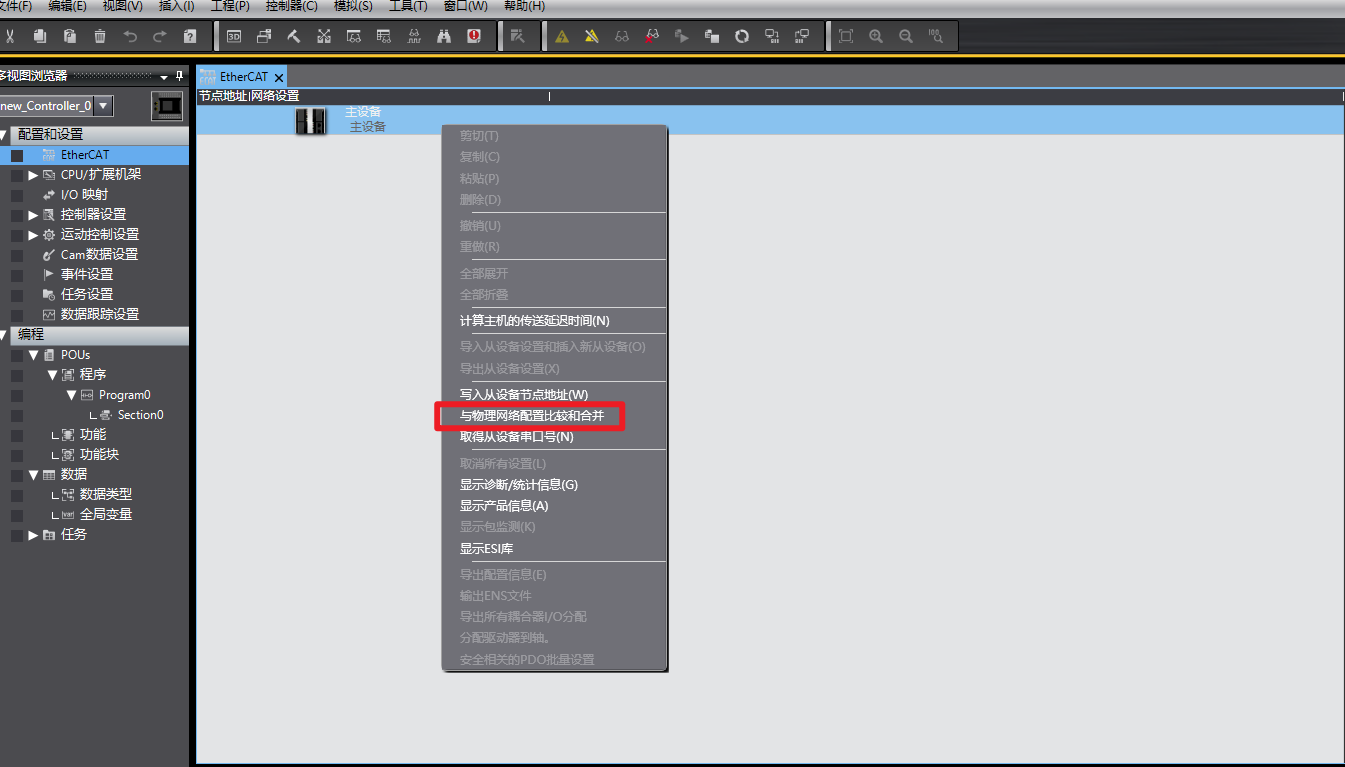
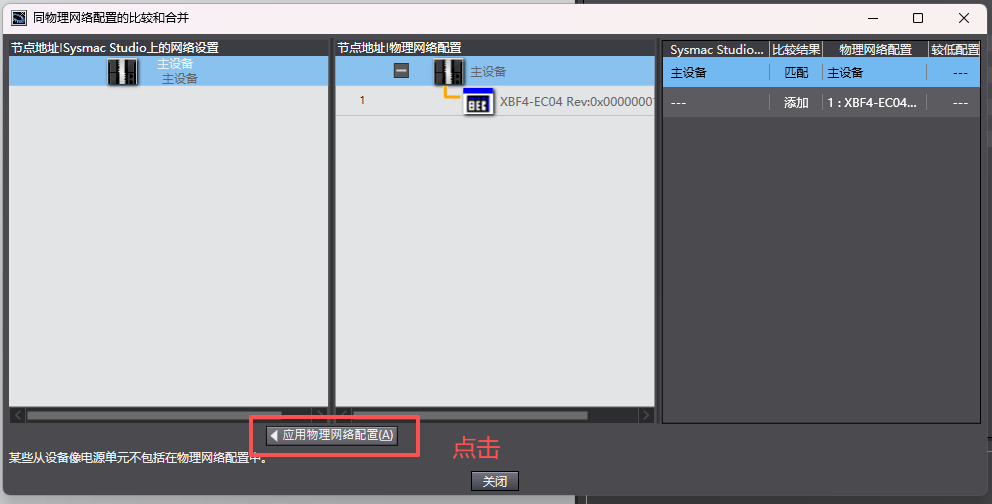
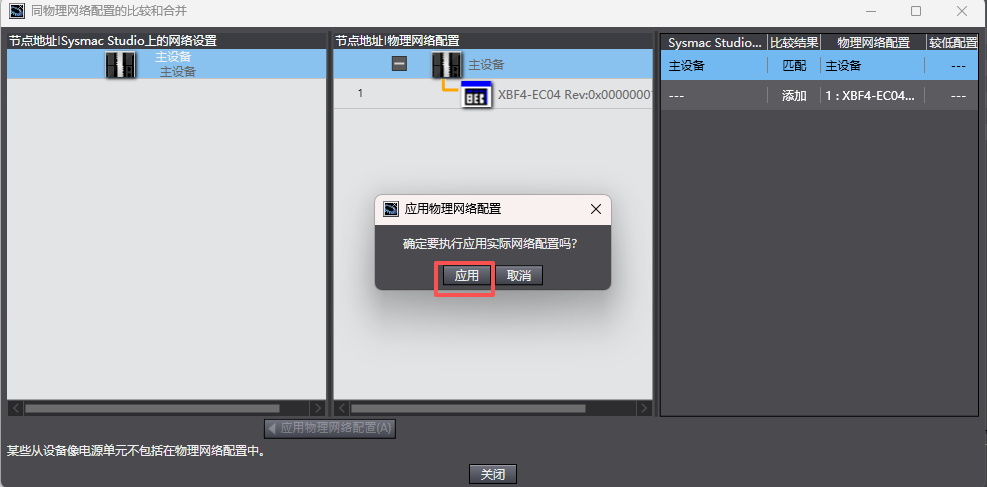
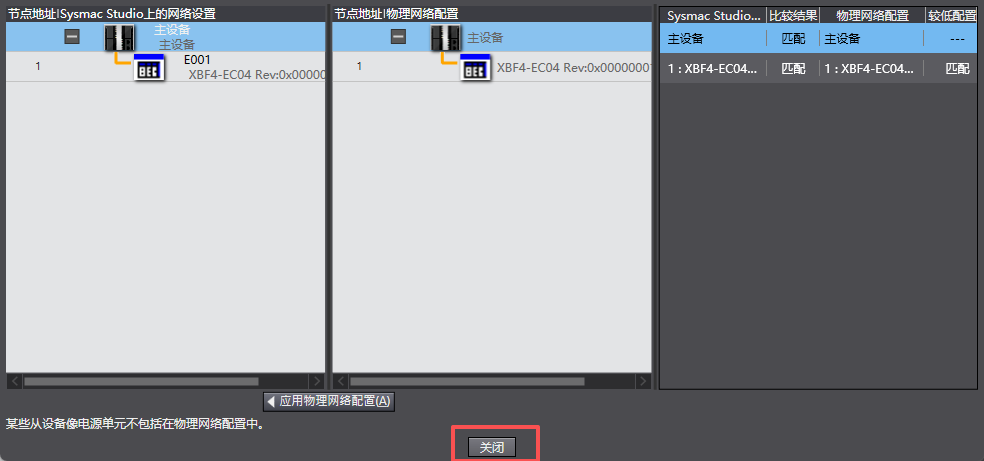
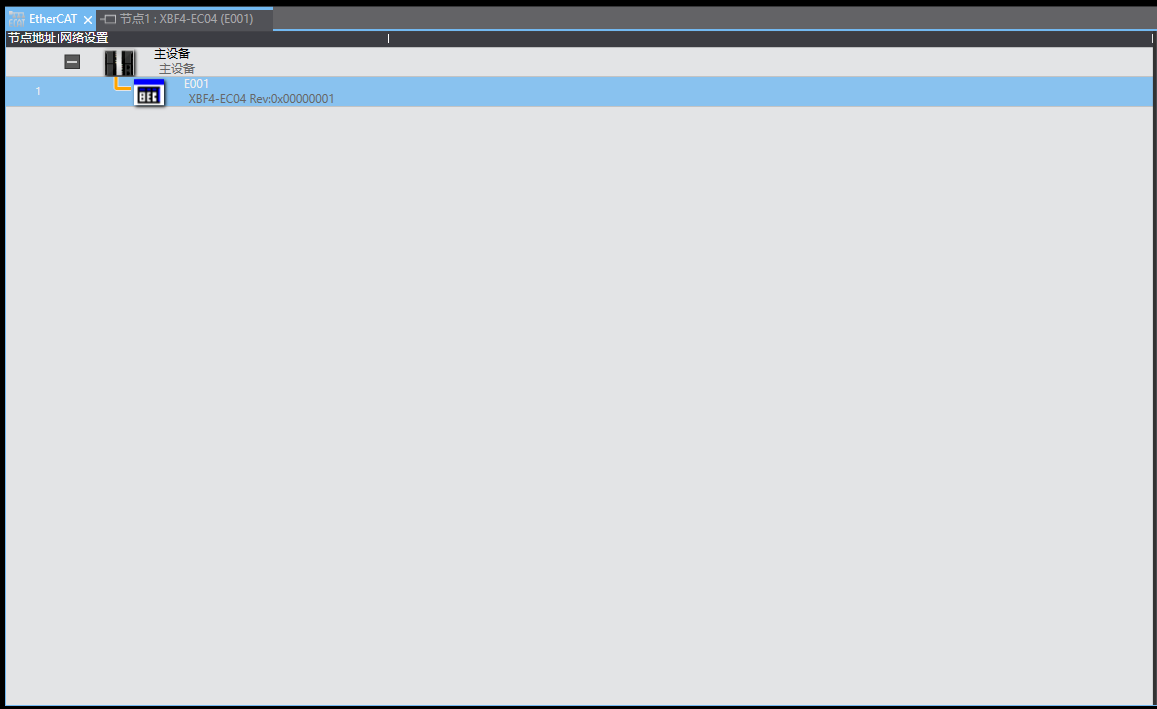
After completing the above steps, the configuration is finished.
II. I/O Mapping Output
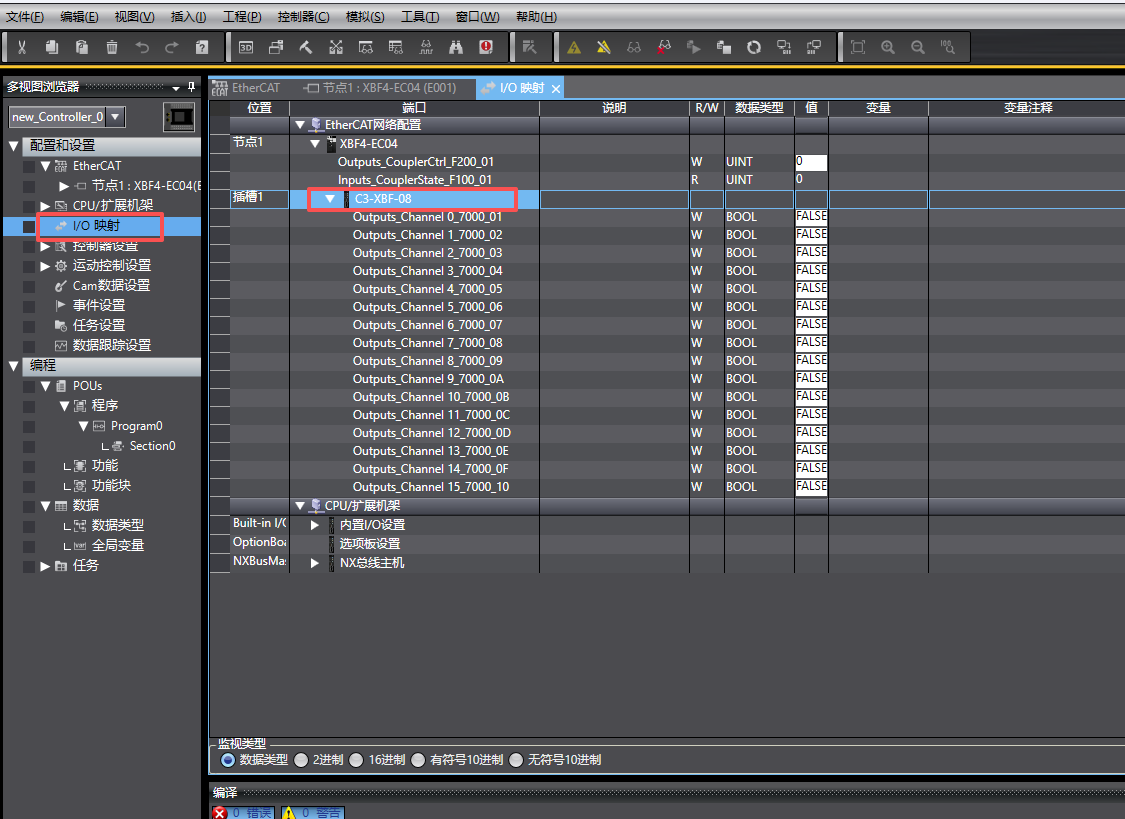
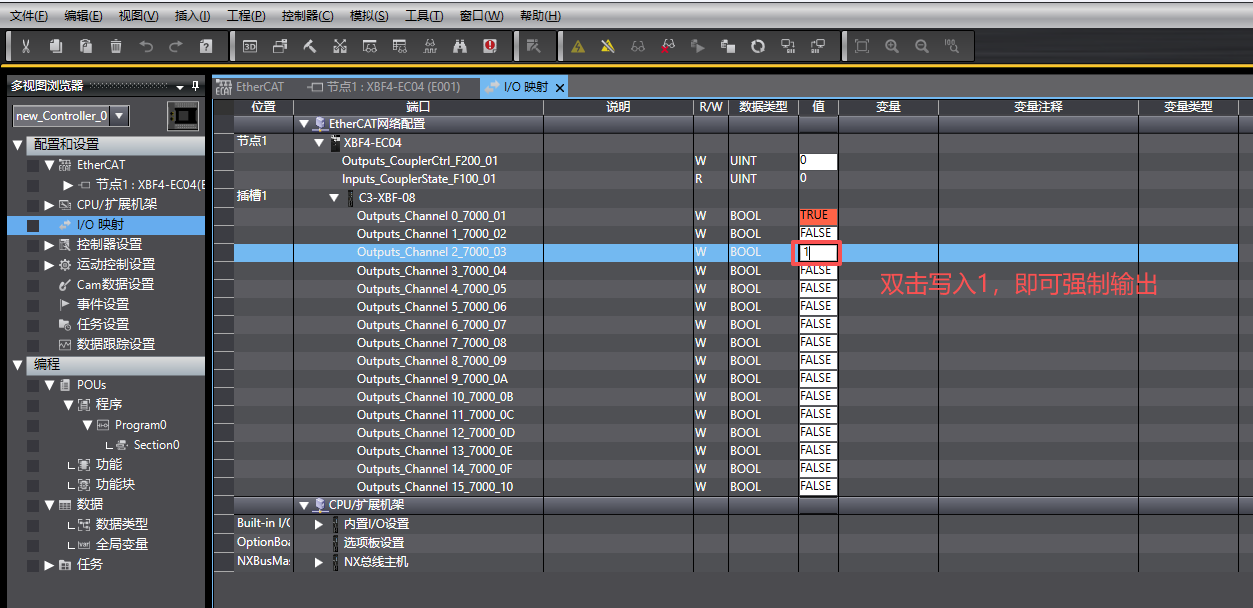
Double-click the I/O module to perform mapping, as shown in the illustration below.
The above is the detailed explanation of communication configuration for the C3 Series Discrete Valve Island in Sysmac Studio software. Thank you for watching.











