
 Knowledge

How to Complete Hardware Configuration and Parameter Setting of IOL7A-A8C-M12 Analog Module in TIA Portal?
Article overview
1. Demo product
IOL7A-PN01B-8A + IOL7A-A8C-M12
2. Communication protocol
PROFINET (accessed via IO-Link master IOL7A-PN01B-8A)
3. Configuration Tool
Siemens TIA Portal
4. Tools involved
Hardware Configuration addition, input/output mode switching, and measuring range modification
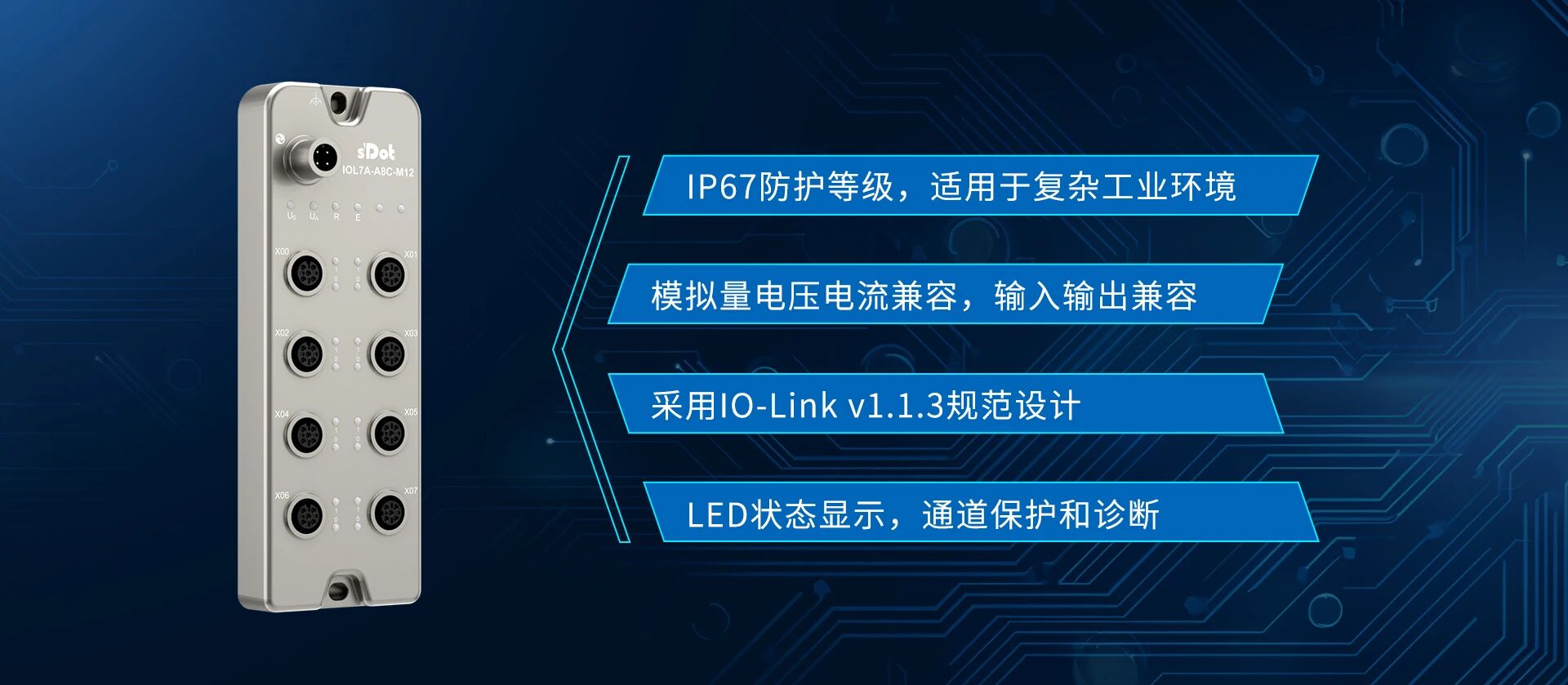
IOL7A-A8C-M12 is an analog voltage/current input/output IO-Link HUB from Shidian Technology. How to complete its Hardware Configuration in TIA Portal, and implement input/output mode switching and measuring range modification?
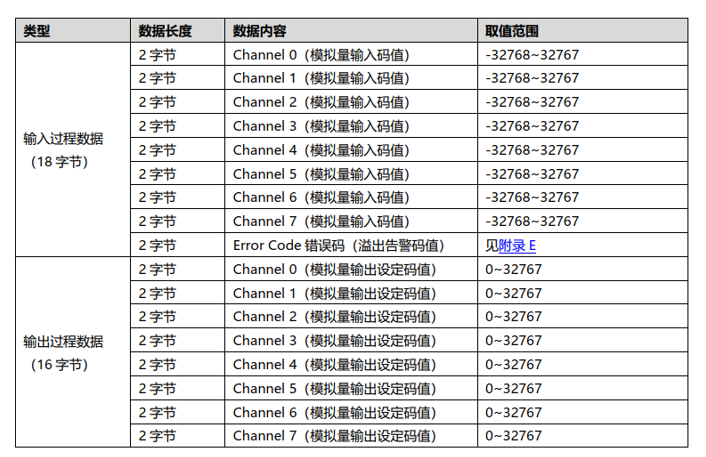
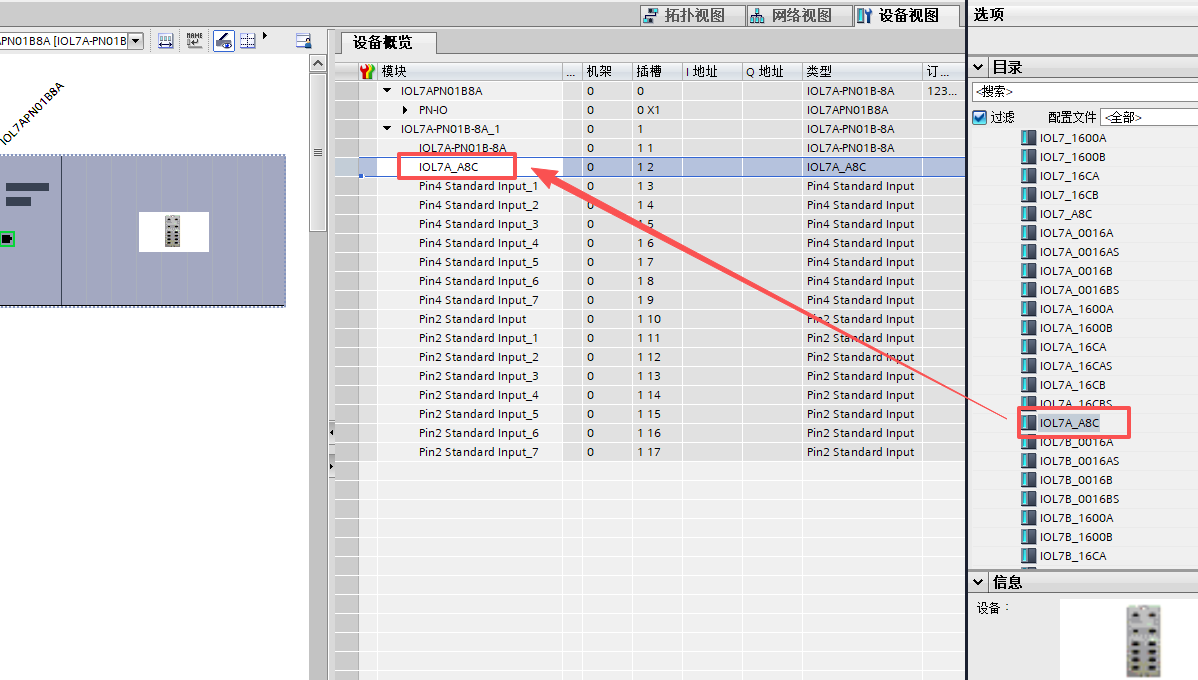
Based on its Upstream Process Data of 18-byte input and 16-byte output, we can, together with the IO-Link master IOL7A-PN01B-8A, select the IOL_I/O_24/24 byte submodule in TIA Portal (note: if using a configuration file version dated 20260311 or later, the module model IOL7A-A8C-M12 can be selected directly) to complete the configuration, and then introduce step by step the complete operation process of communication status confirmation, analog input test, mode switching, and measuring range modification.
I. Adding Hardware Configuration
STEP 1
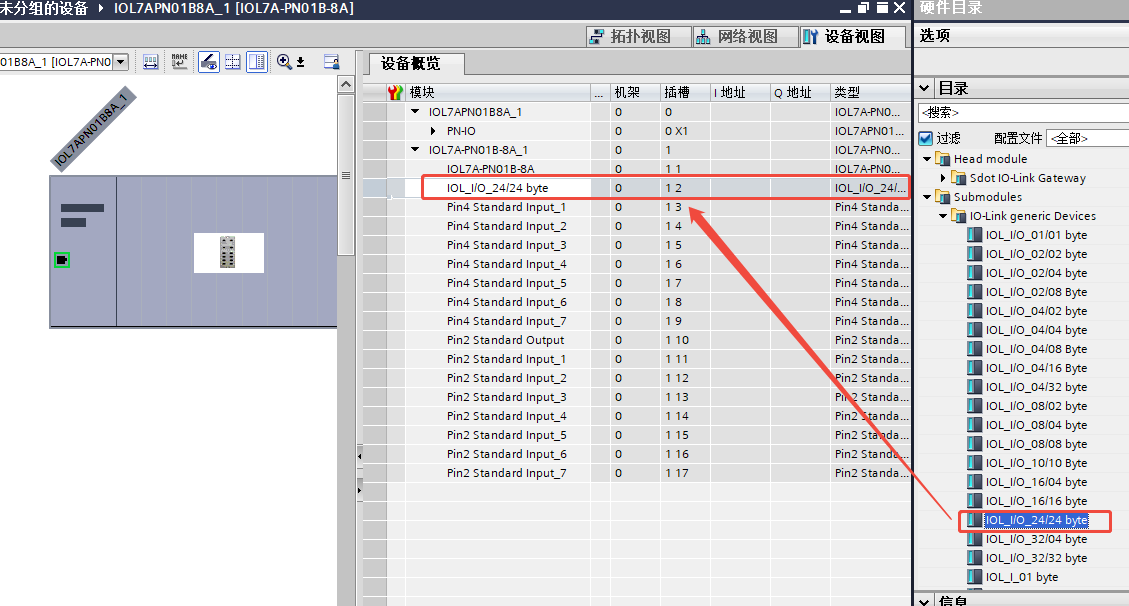
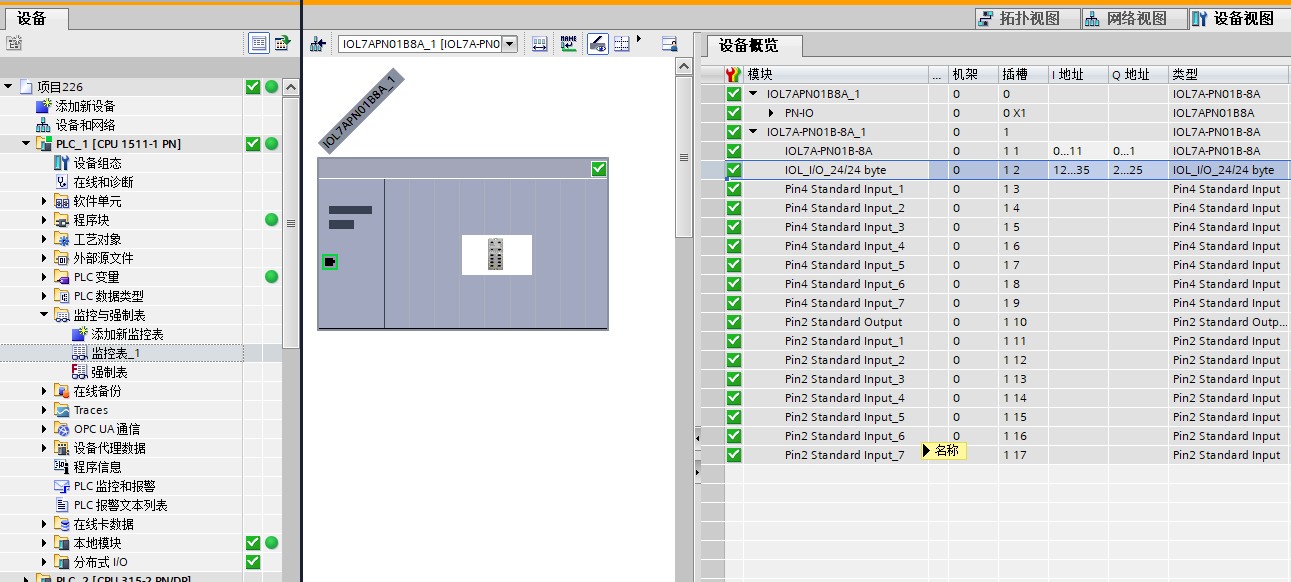
In the TIA Portal Hardware Catalog, find the IO-Link master IOL7A-PN01B-8A and add it to the Configuration. After the master is added, PIN4 and PIN2 definitions for 8 ports are generated by default, all with the type Standard Input.
STEP 2
Right-click to delete the default PIN4 port definition, then select IOL_I/O_24/24 byte (note: if using a configuration file version dated 20260311 or later, the module model IOL7A-A8C-M12 can be selected directly) to complete the addition of the Submodule configuration.
II. PROFINET Master Data Definition
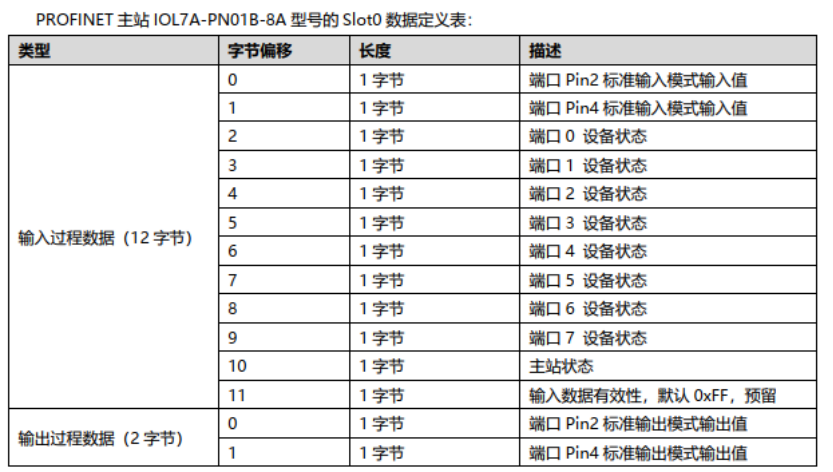
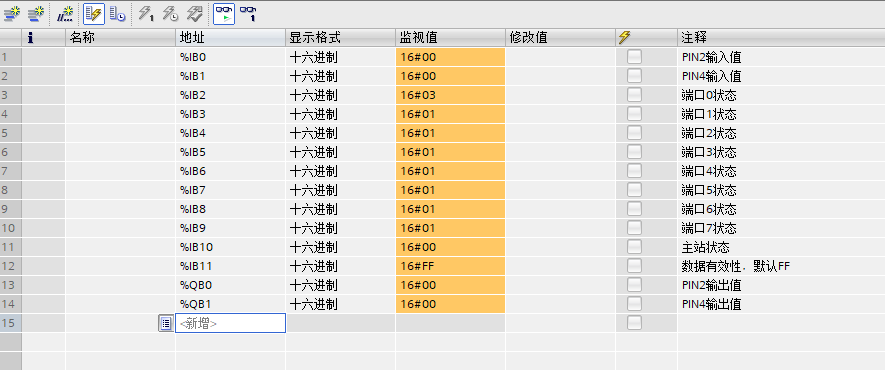
After completing the configuration, monitor the value of %IB2 Online. According to the definition table, when the value of %IB2 is 16#03, it indicates that port 0 has been successfully configured to IO-Link mode and the Communication Connection is normal.
III. Analog Input Test
IOL7A-A8C-M12 is configured by default as analog input mode, with a measuring range of 0 ... 10 V, corresponding to the value range of 0 ... 27648.
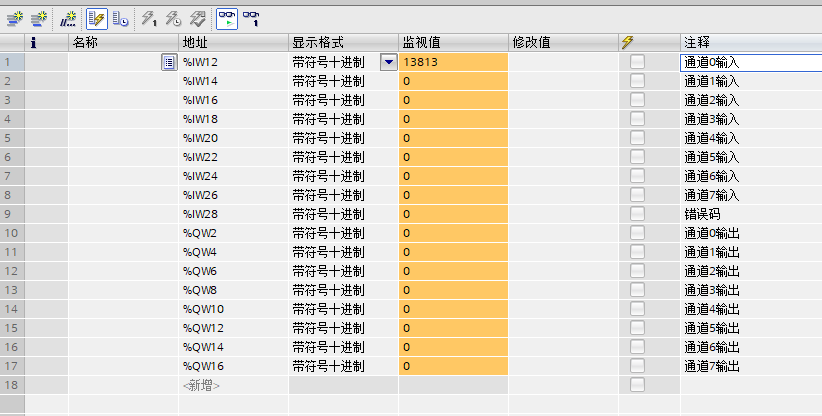
Test method: connect a 5 V voltage signal to X00, and monitor the variable %IW12 online.
Test result: the value read for %IW12 is 13813, while the theoretical value is 13824. The deviation is within the accuracy tolerance, and the analog input function is normal.
4. Switching between analog input/output modes
Configuration entry: right-click IOL_I/O_24/24 byte, select "Properties" to enter the module parameter configuration interface.
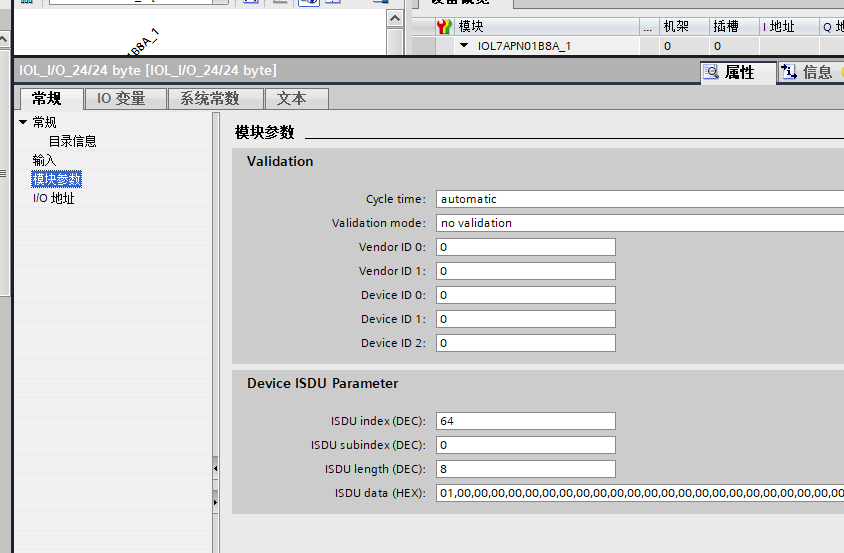
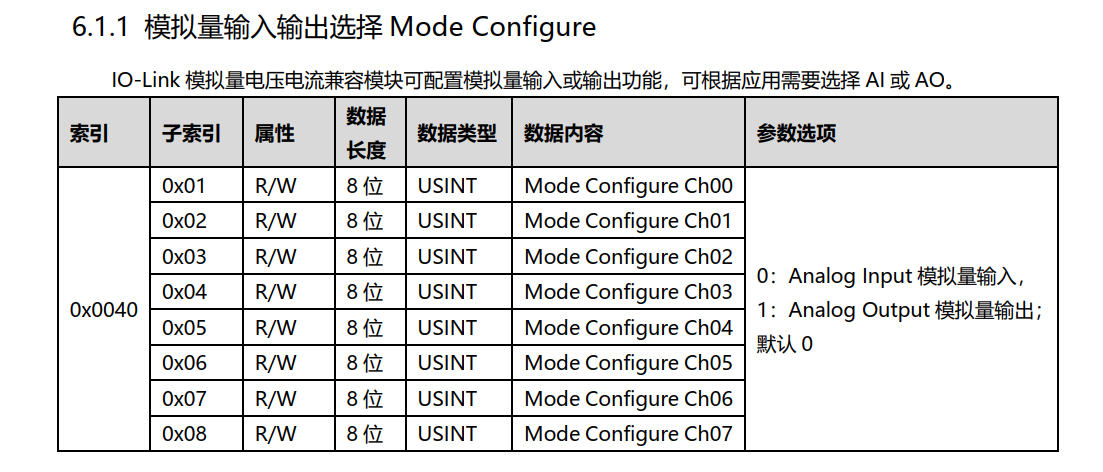
Configuration example: switch X00 to output mode, keep X01 to X07 in input mode, and write the following parameters:
• Index: 64
• Subindex: 0
• Length: 8
• Data: 01,00,00,00,00,00,00,00
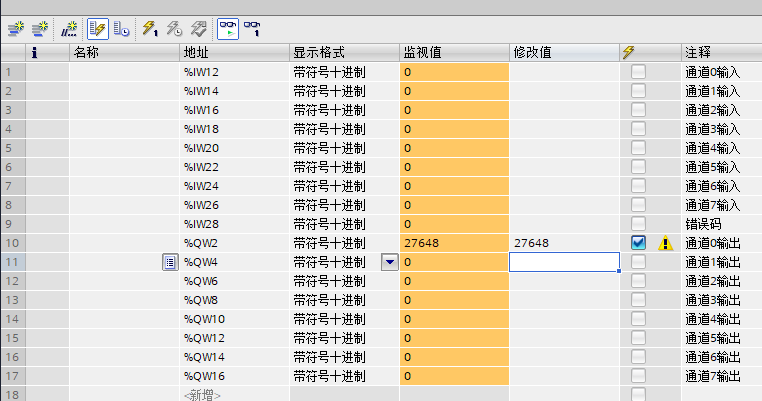
Download and test: switch to offline mode and download the hardware configuration. Assign 27648 to %QW2, and measure a 10 V voltage output at the module output terminal. The mode switching function is verified as normal.
5. Modifying the analog range
Configuration entry: right-click IOL_I/O_24/24 byte, select "Properties" to enter the module parameter configuration interface.
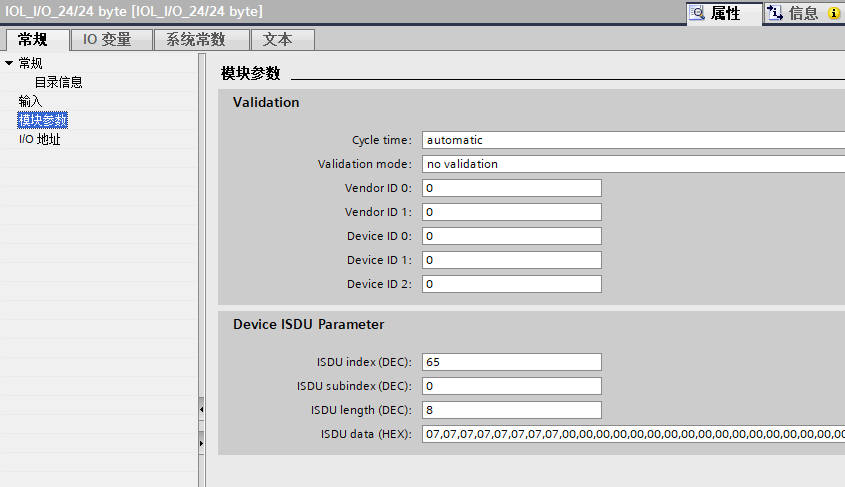
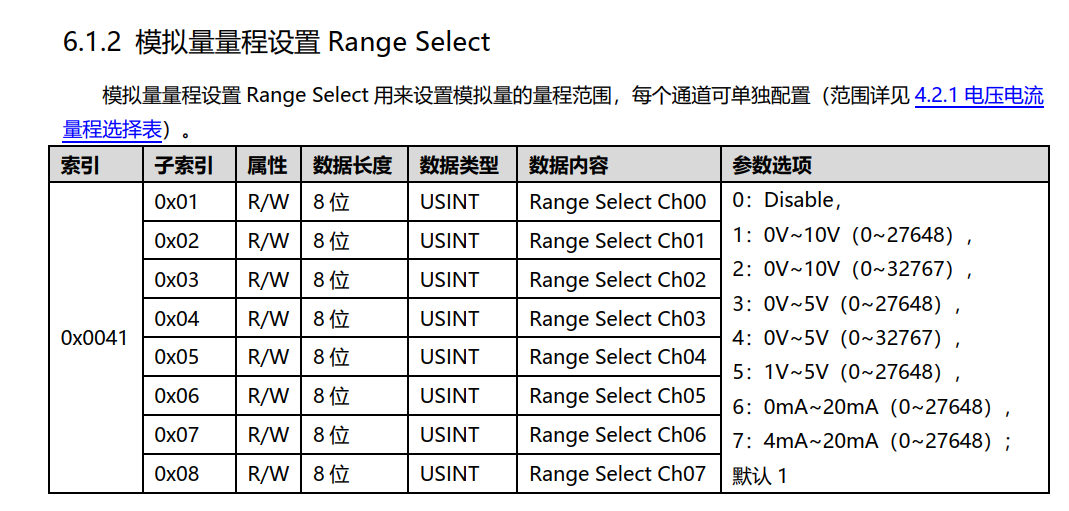
Configuration example: switch the measuring range of all 8 channels from X00 to X07 to 4 ... 20 mA (corresponding to the value range 0 ... 27648), and write the following parameters:
• Index: 65
• Subindex: 0
• Length: 8
• Data: 07,07,07,07,07,07,07,07
Download: switch to offline mode and download the hardware configuration; the range modification takes effect.
6. Key operational precautions
1. For module configuration, first delete the master's default port definition, then add the IOL_I/O_24/24 byte submodule;
2. After switching the mode or changing the measuring range, you must switch to offline mode and re-download the hardware configuration; otherwise, the parameters will not take effect.
3. The default measuring range is 0 ... 10 V, corresponding to values 0 ... 27648. To use other measuring ranges, configure ISDU to write the corresponding parameter to Index 65.











