
 Knowledge

How to troubleshoot no input signal read on XB6S-EC2002 under CODESYS platform
Article Overview
1. Applicable Products
XB6S-EC2002 + XB6S Series I/O Modules
2. Platform
CODESYS Programming Platform
3. Problem Scenario
The module's input channels cannot read input signals
4. Troubleshooting Dimensions
Wiring method / Variable address occupation / Variable update settings
Under the CODESYS platform, how to troubleshoot when the Solidot Slice I/O EtherCAT protocol coupler XB6S-EC2002 and its attached I/O modules cannot read input signals? This article provides step-by-step troubleshooting from the following three dimensions:
① Whether the wiring method is correct (judged by whether the channel indicator lights up);
② Whether the module variable address is occupied by other program elements;
③ Whether the variable update settings are correctly enabled.
Using XB6S-3200 as an example, the specific troubleshooting methods for each scenario are described below.
1. Check whether the wiring method is correct
Typical characteristic of this fault: The channel indicator does not light up.
Take XB6S-3200 as an example. First, look at the wiring diagram:
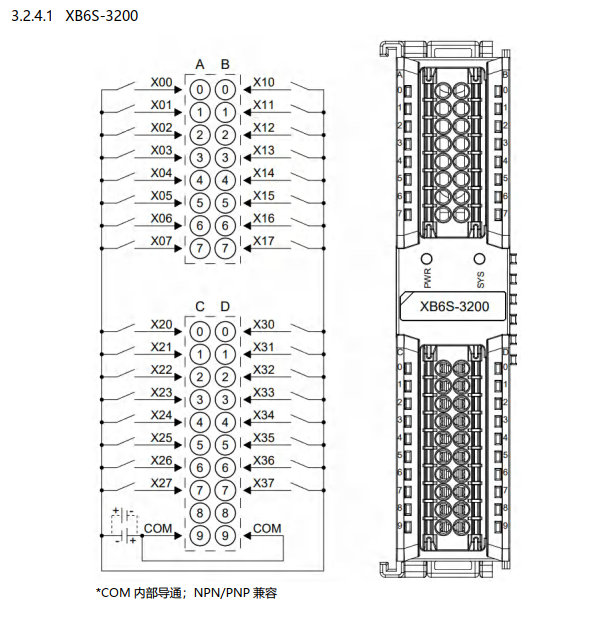
XB6S-3200 input signals are NPN/PNP compatible, switched by connecting COM. For PNP input signals, COM should be connected to 0V. For NPN input signals, COM should be connected to 24V. If COM is not connected, the input signal cannot form a loop inside the module, so the channel indicator will not light up, and naturally the input signal will not be read in the program.
2. Check whether the module variable address is occupied by other program elements
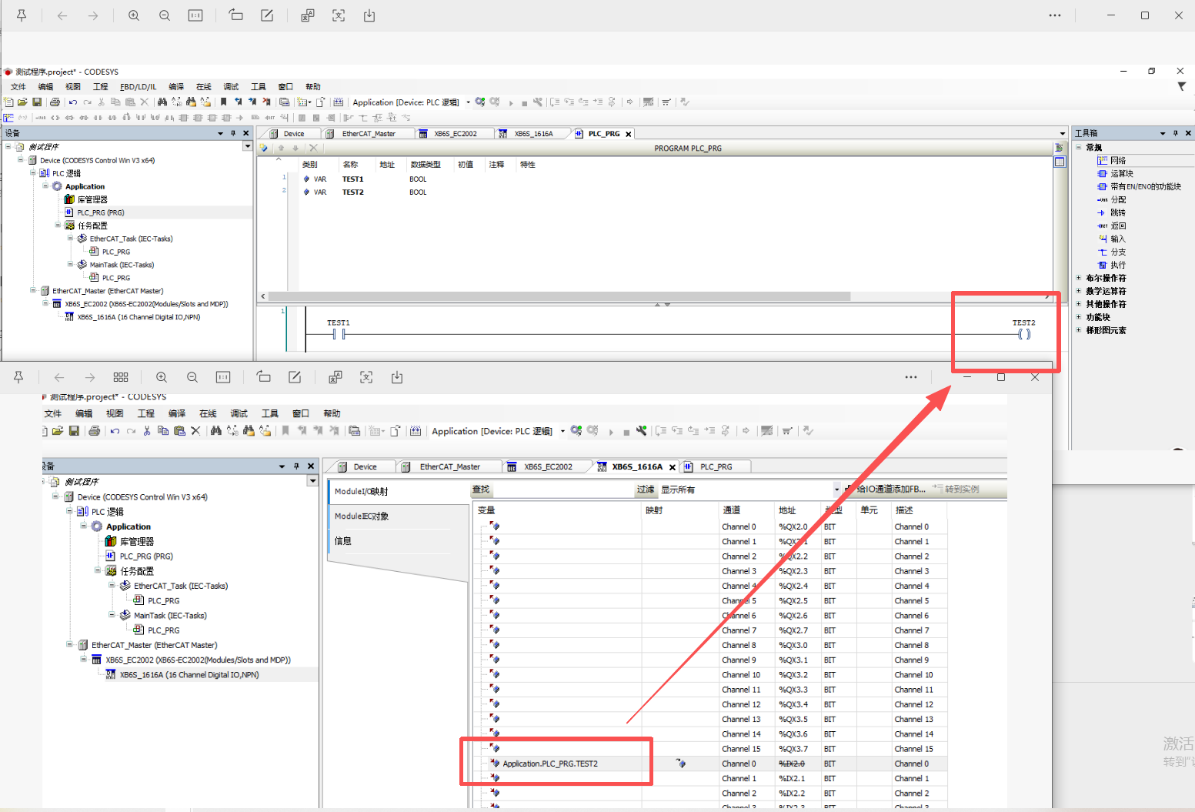
As shown in the figure below, the variable address "TEST2" bound to the first input channel of the module is called by a coil in the program. This compiles without error. At this time, even with an external input signal, the input value cannot be monitored either in the module I/O mapping or in the program. To read the input signal in real time, either unbind the variable from the coil or change to a variable address that is not called.
3. Check whether the variable update settings are correctly enabled
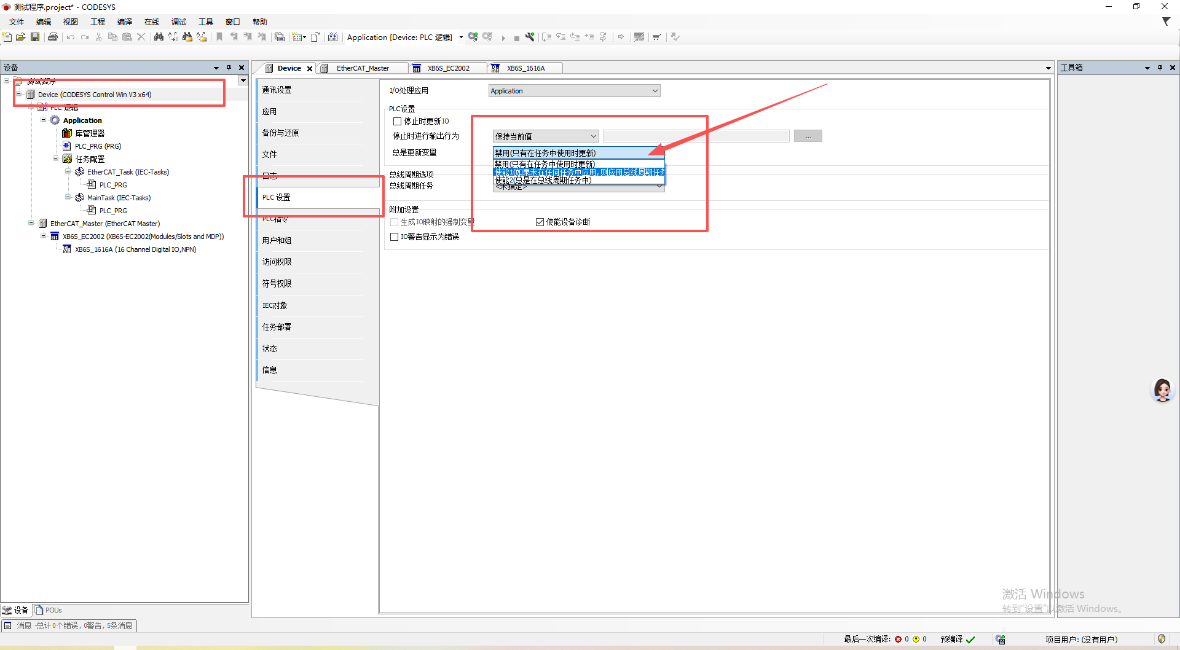
During new project configuration, the PLC variable update settings default to: Disabled (update only when used in a task). In this case, even if the module's input indicator lights up, the input signal will not be received.
It needs to be switched to: Enabled 1 (if not used in any task, apply bus cycle task). After re-downloading the configuration, input variables will update in real time with external signals.
The above are common troubleshooting methods when XB6S-EC2002 and its attached I/O modules cannot read input signals on the CODESYS platform. It is recommended to troubleshoot step by step in the order: wiring → variable address → variable update settings.











