
 Knowledge

The method for setting the end byte value in producer mode for the PN4-GW2FP, noting that Solidot is translated as Solidot and slice type is translated as Slice
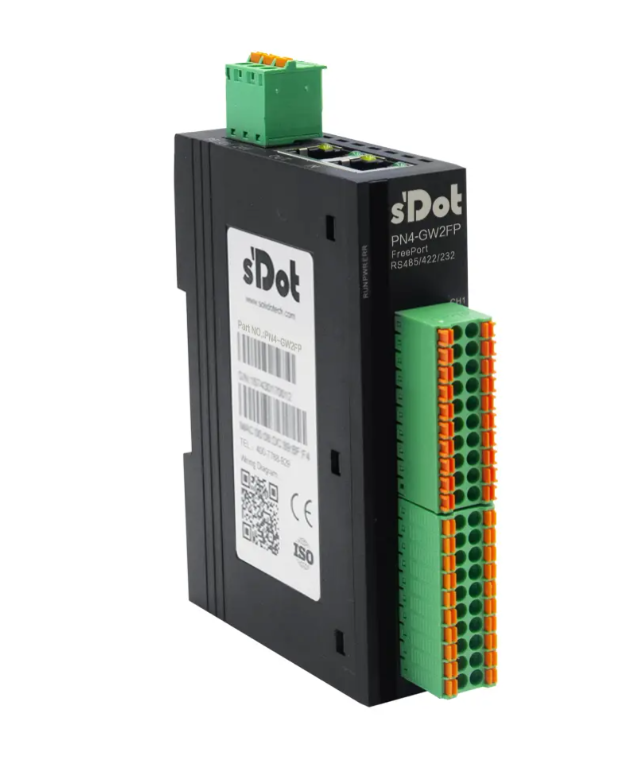
PN4-GW2FP is an all-in-one gateway module from Solidot that converts PROFINET to free port (serial port). In practical applications, the free port protocol often involves the transmission of variable-length data. How to reliably identify the complete transmission of a frame of data is a concern for many users.
The key to handling variable-length data lies in determining when the data transmission is complete, rather than the data length itself. To address this, the PN4-GW2FP provides a frame end determination mechanism based on the end byte value, which is mainly used for variable data transmission in producer mode. This article will explain the method for setting the "End Byte Value" parameter.
I. Software Configuration and Parameter Settings
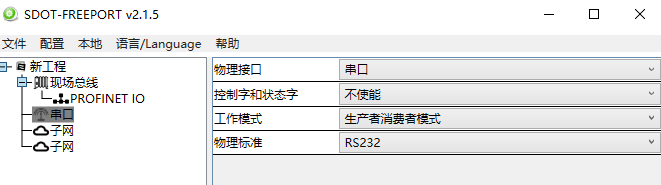
Download the Solidot PN4-GW2FP configuration software "SDOT-FREEPORT", create a new project, select "Producer-Consumer Mode" as the working mode, and choose the physical standard according to the actual situation. In this example, a USB to RS232 serial cable is used, so "RS232" is selected.
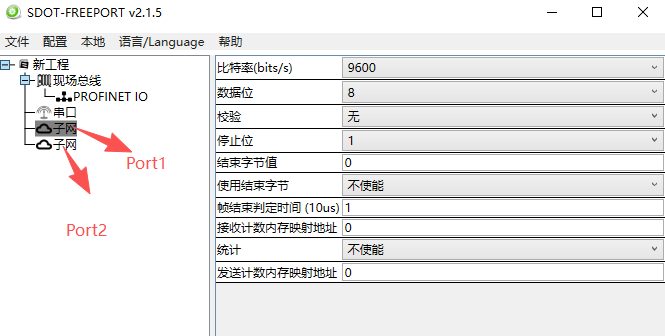
"Subnet" requires configuring the parameters of the connected serial device, such as baud rate, data bits, parity, and stop bits. Other parameters can remain at their default settings.
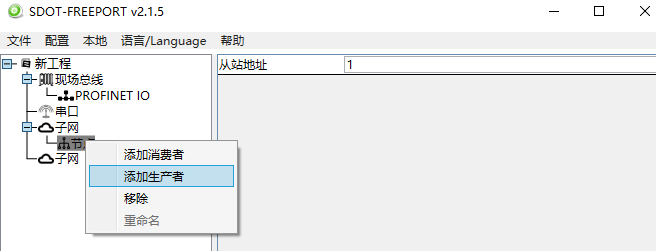
Producer, also referred to as request, is an output for the module, transmitting specified data from the fieldbus network (PROFINET) to the serial device.
Right-click on "Subnet" to add a "Node", then right-click on the "Node" to add a "Producer". The slave address remains default 1 (currently has no effect).
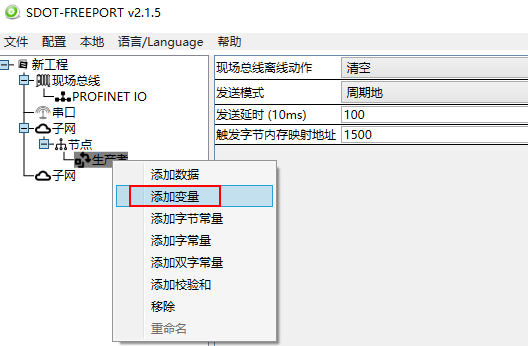
Right-click on "Producer" to add "Variable" data.
II. Mapping Relationship and Parameter Description
The data conversion between the PROFINET network and the serial port of the PN4-GW2FP is established through a "mapping" relationship. The module has two internal data buffers: an input buffer (1500 bytes) with an address range of 0–1499, and an output buffer (1500 bytes) with an address range of 1500–2999.
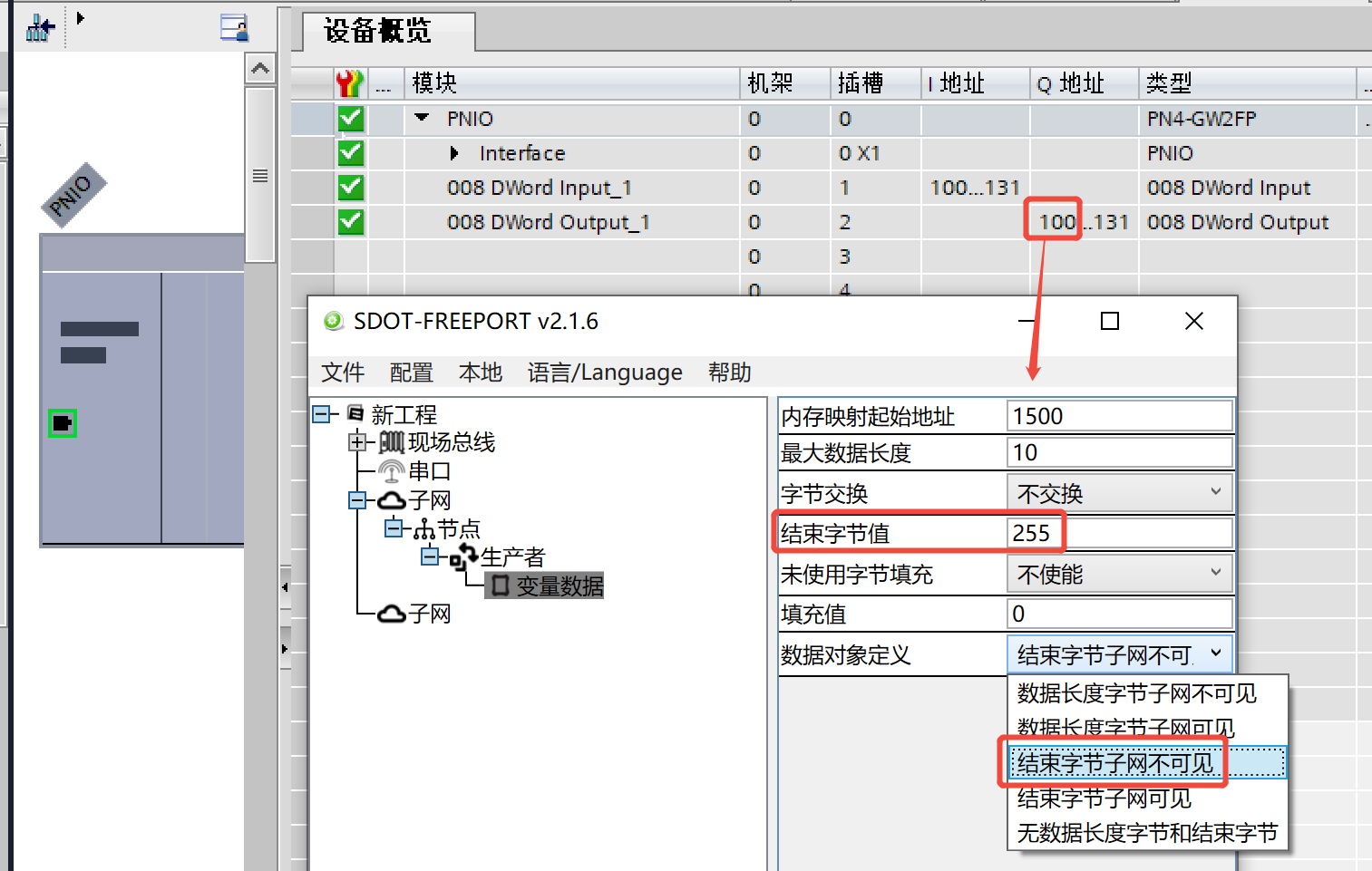
Memory mapping start address: 1500, corresponding to the starting address of QB on the TIA Portal side. In this example, the TIA Portal side is set to QB100;
Maximum data length: 10 bytes, corresponding to TIA Portal addresses QB100–QB109 (Note: If the start address is configured as 1502, it corresponds to QB102–QB111);
End byte value: Default is 0, settable range 0–255. In this case, it is set to 255 (hexadecimal FF);
[Note] The address length allocated on the TIA Portal side can be greater than or equal to the maximum data length set in the configuration software.
Data object definition: Two options are available: "End Byte Subnet Invisible" and "End Byte Subnet Visible". The difference between the two will be explained below.
III. Download Configuration
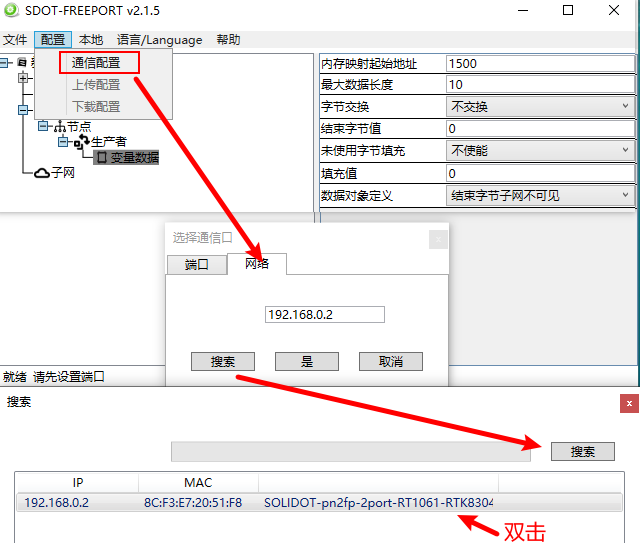
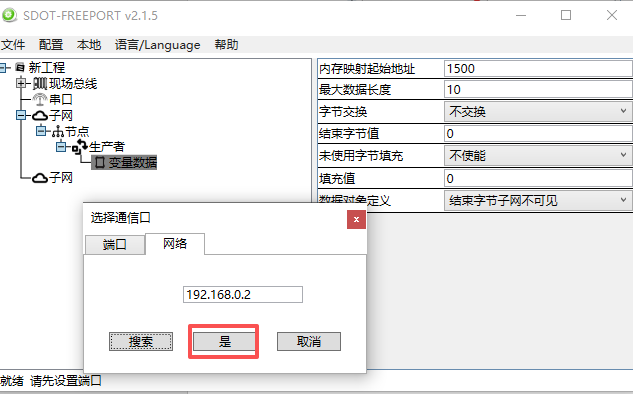
[Configuration] - [Communication Configuration] - [Network] - [Search] - double-click after finding the module, confirm and click [Yes].
[Configuration] - [Download Configuration]
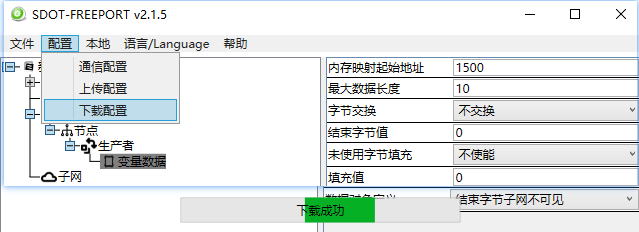
IV. Monitoring Verification and Comparison
1.When the data object is defined as "End Byte Subnet Invisible"
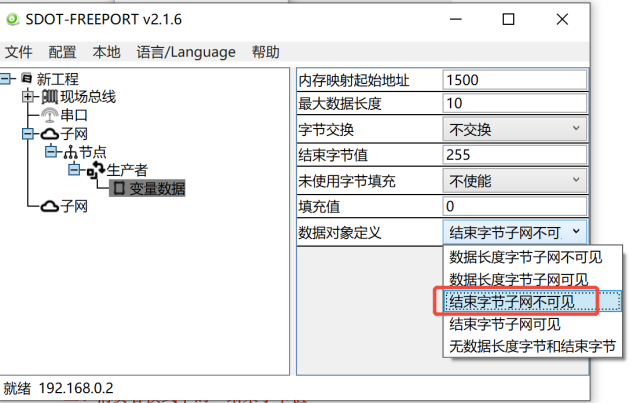
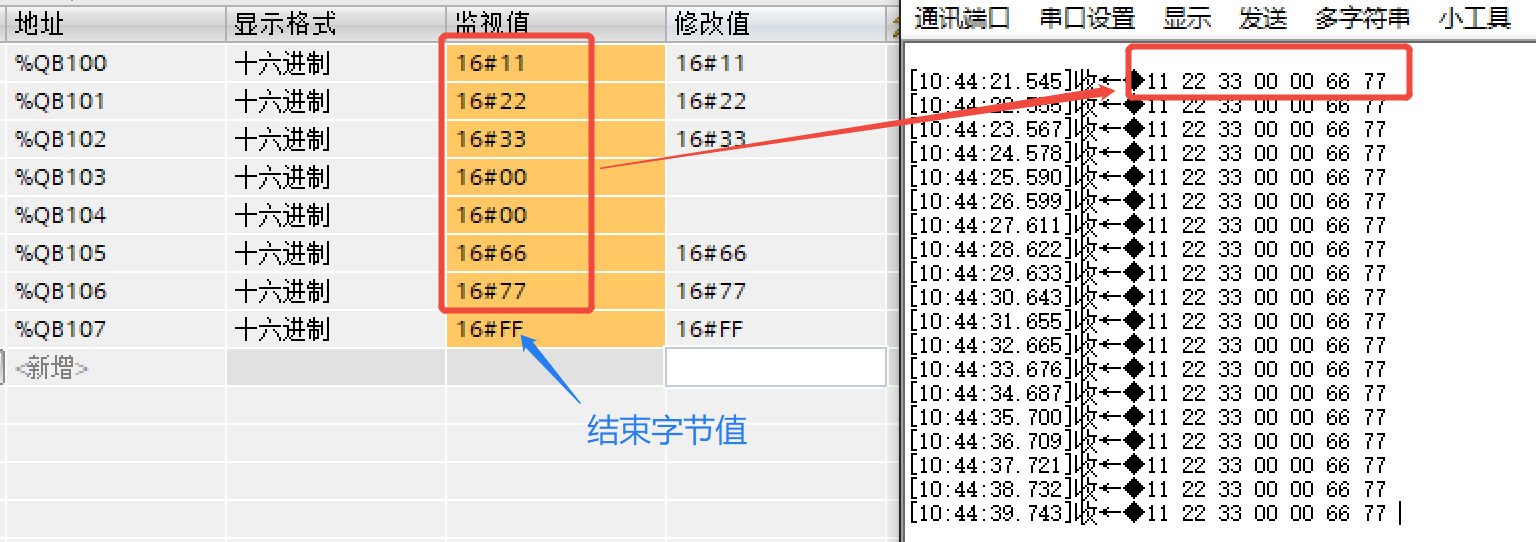
The TIA Portal side sends data from QB100–QB106 to the serial debugging assistant. The end byte value is not transmitted to the data area, as shown in the following figure:
2.When the data object is defined as "End Byte Subnet Visible"
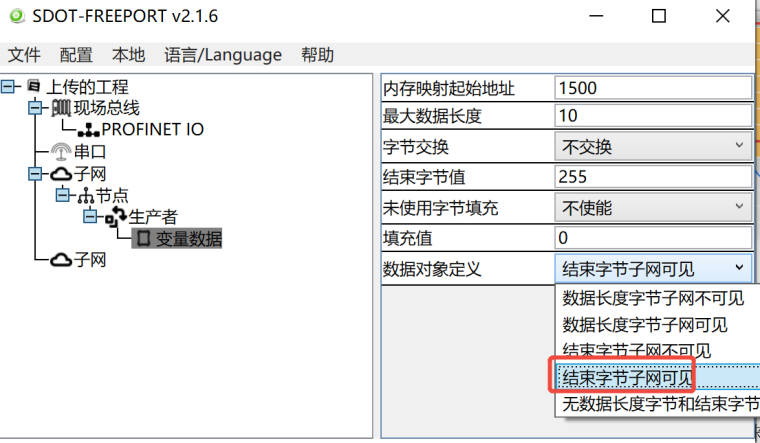
The TIA Portal side sends data from QB100–QB107 to the serial debugging assistant. The end byte value is transmitted to the data area, as shown in the following figure:
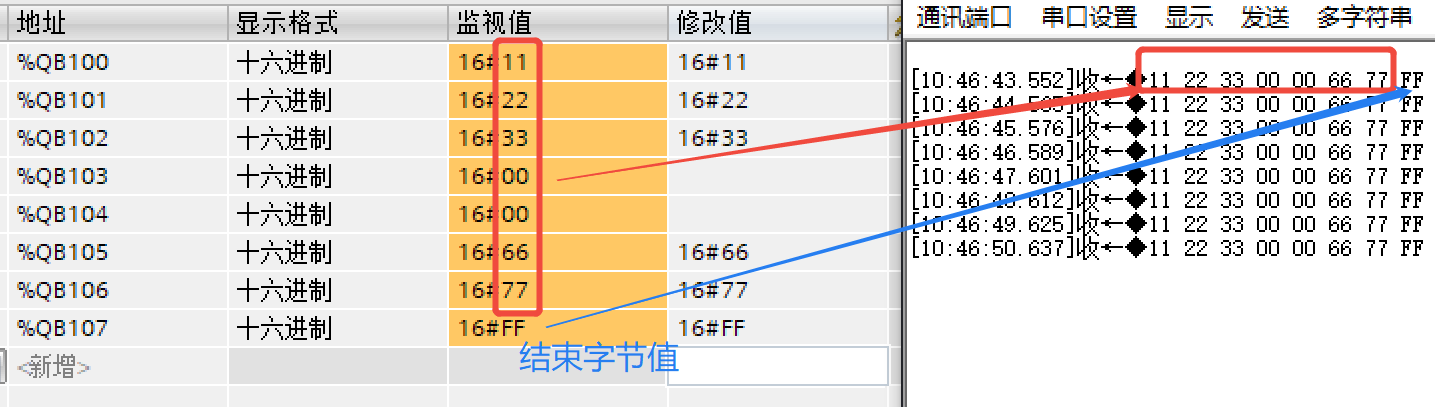
From the above comparison, it can be seen that in the "End Byte Subnet Invisible" mode, the end byte value does not enter the data area; while in the "End Byte Subnet Visible" mode, the end byte value enters the data area. Users can choose the appropriate configuration method based on the actual application scenario.
The above is the method for setting the end byte value in producer mode for the PN4-GW2FP. Thank you for watching.











