Knowledge

How to confirm the process data length of the slave in IO-LINK
When configuring the slave station in IO-LINK, there is no need to select a specific model, just define the same byte length as the slave station process data. Generally, there are three ways to obtain the process data length of the slave station.
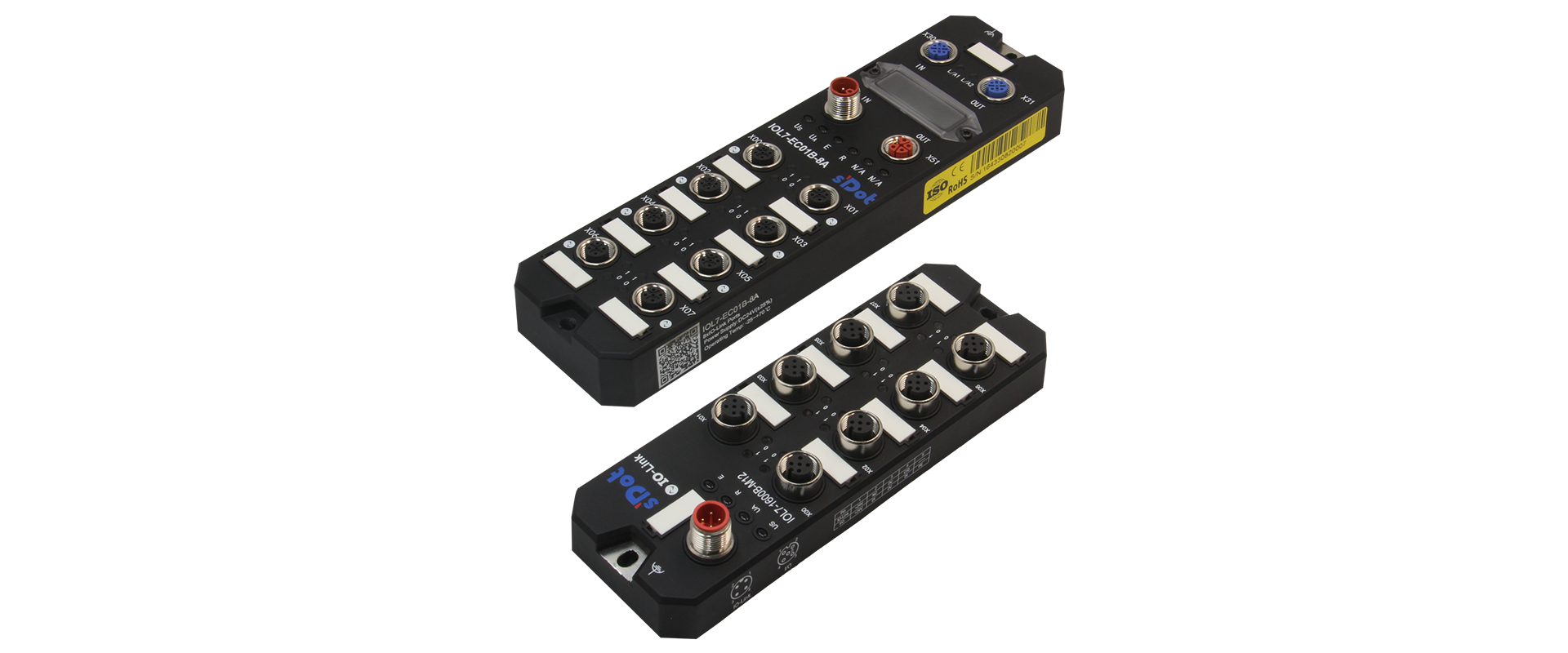
↑ IO-LINK master and slave of Solidot Technology
1. Consult the operation manual of the slave device
For example, the slave station of Solidot TechnologyIOL7-16CB-M12, you can find the process data description table in the operation manual
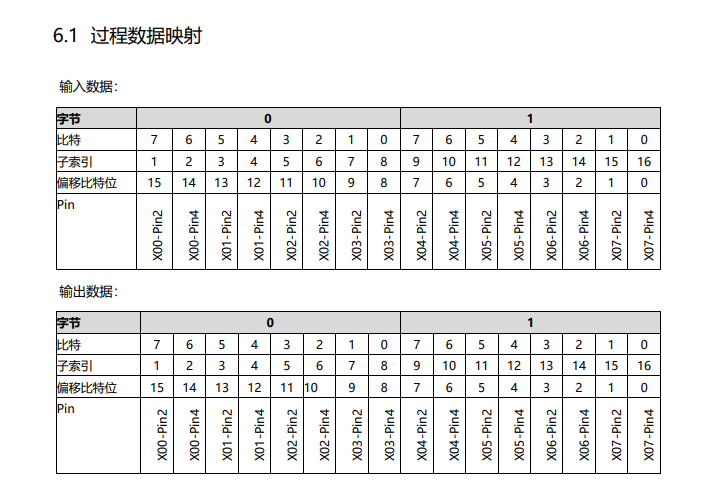
From the table, we can see that the process data has 2 bytes input and 2 bytes output, so the slot is IOL_I/O_02/02 byte

2. Check the IODD file of the slave device
Generally, IO-LINK slave devices have an IODD file, as shown in the figure below.
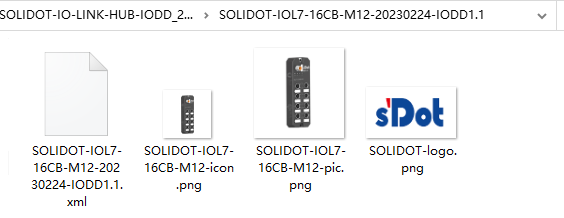
If you open this file directly, it is a bit difficult to read, so we can use a software called "IODD Viewer", which can be downloaded online or contact us to obtain it.

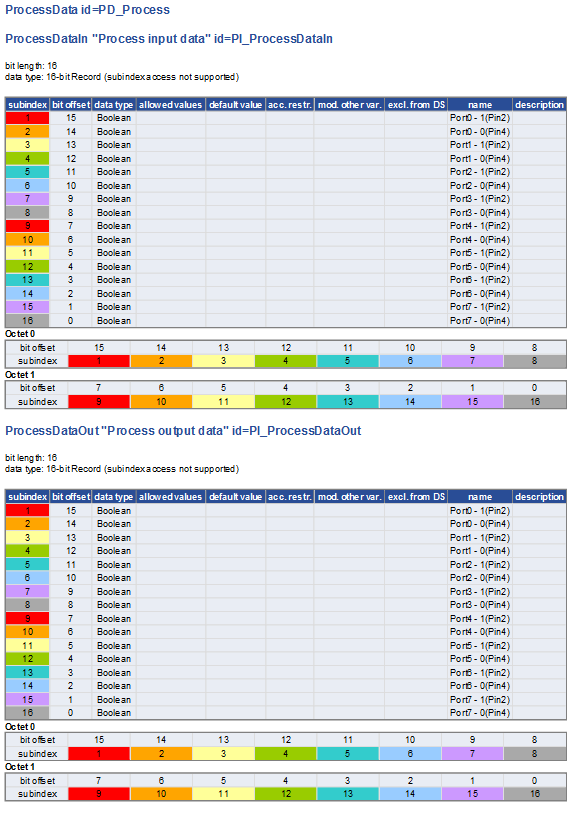
By opening the IODD file from the software, we can get the desired information more intuitively
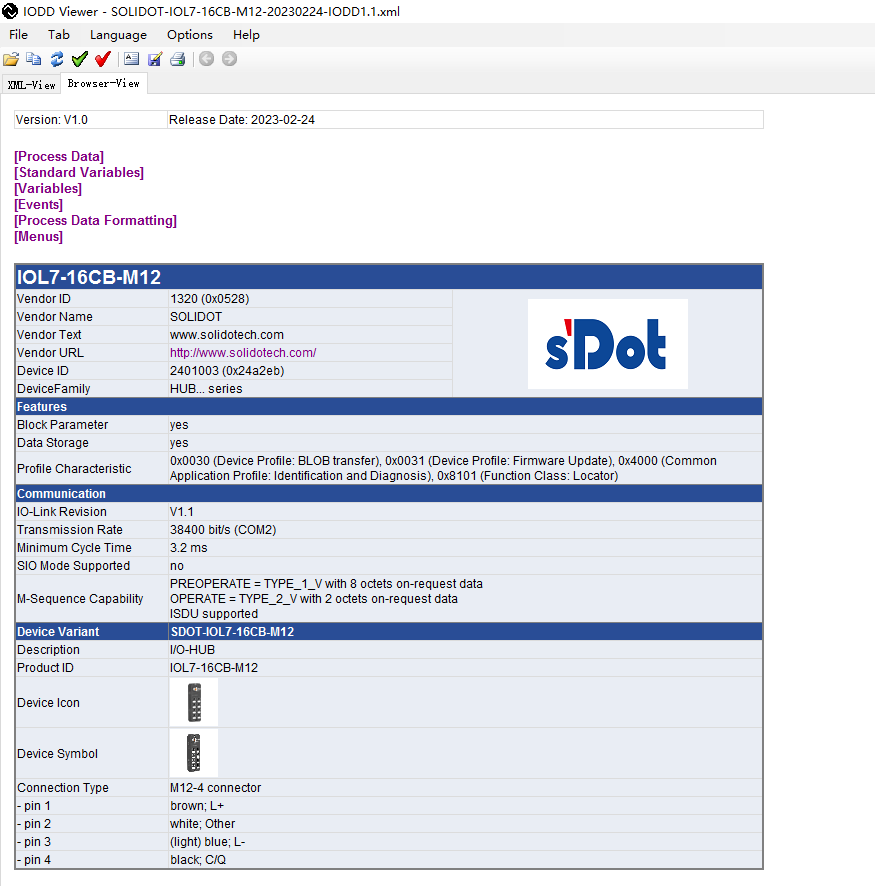
Click the first line Process Data to jump to the process data description page. As shown in the figure below, we can clearly see that the process data has a total of 2 bytes input and 2 bytes output, so the slot is selected as IOL_I/O_02/02 byte
3. Read the slave ISDU
Not all master stations can read ISDU parameters (for example, Siemens TIA Portal can only perform ISDU write operations). Here we take TwinCAT as an example:
Configure the port to IO-LINK mode of any length, connect to the slave, and in CoE-online, find index 9000:0 IOL Info data Port 0. From here on, the slave information is read in real time by the master IO-LINK port 0 to port 7. The process data length can be read at 9000:24 and 9000:25.
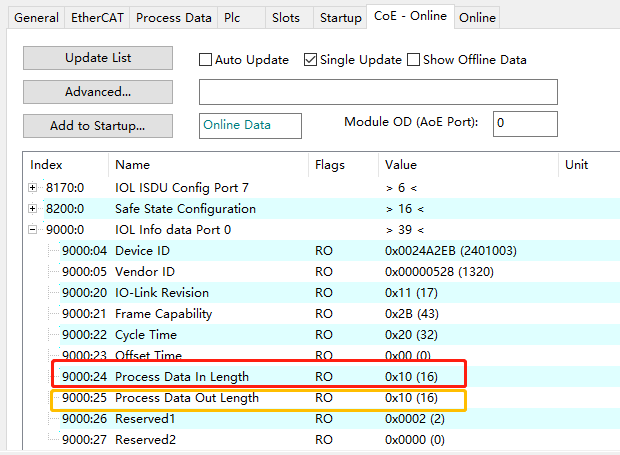
Here you can see 16-bit input and 16-bit output, so for 2-byte input and 2-byte output, select IOL_I/O_02/02 byte