Knowledge

How to confirm the process data length of the slave in IO-LINK
When configuring the slave in IO-Link, there is no need to select a specific model; it is only necessary to define a byte length identical to the slave's process data. Generally, there are three ways to obtain the process data length of the slave.
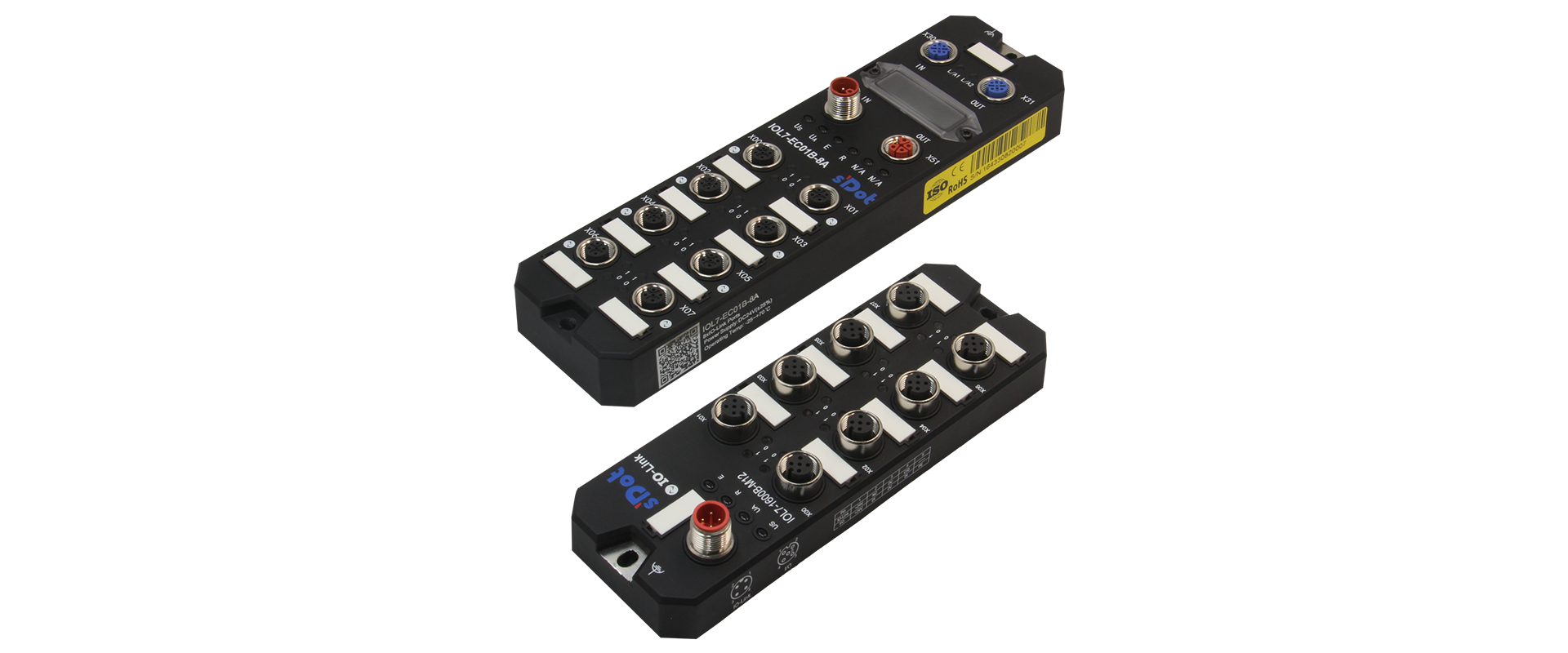
↑ Shidian Technology IO-Link master and slave
I. Refer to the operation manual of the slave device
For example, for Shidian Technology's slave IOL7-16CB-M12, the Process Data Description table can be found in the operation manual.
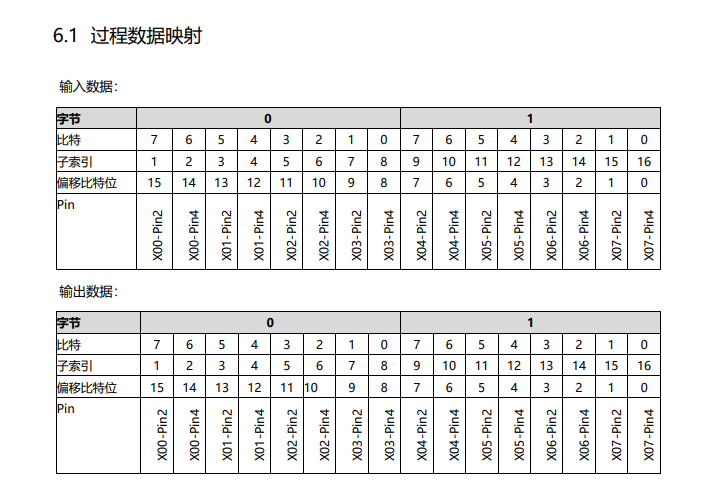
As shown in the table, the process data consists of 2 bytes of inputs and 2 bytes of outputs, so select IOL_I/O_02/02 byte for the slot.

II. Check the IODD file of the slave device
Generally, an IO-Link slave device has an IODD file, as shown in the figure below.
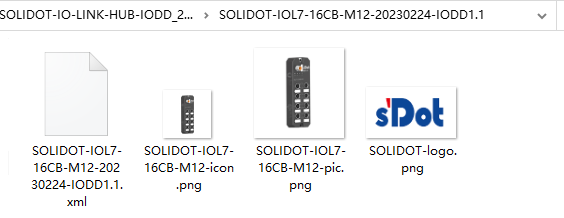
If this file is opened directly, it is somewhat difficult to read, so we can use a software tool called IODD Viewer, which can be downloaded online or obtained by contacting us.

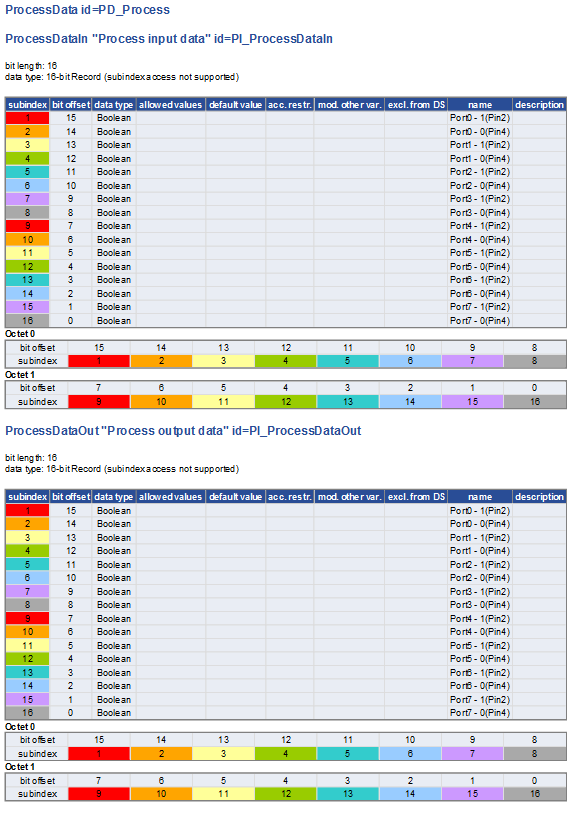
By opening the IODD file in the software, we can obtain the desired information more intuitively.
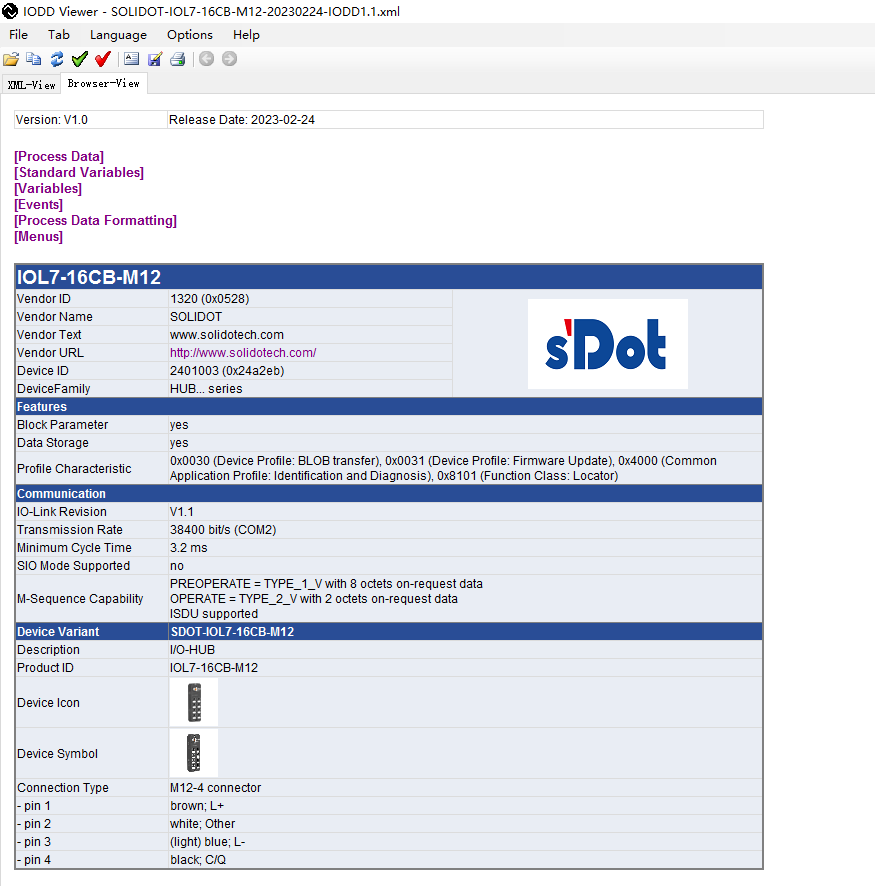
Click the first row, Process Data, to jump to the Process Data Description page. As shown in the figure below, we can clearly see that the process data consists of 2 bytes of inputs and 2 bytes of outputs, so select IOL_I/O_02/02 byte for the slot.
III. Read the ISDU of the slave
Not all masters can read ISDU parameters (for example, Siemens TIA Portal can only perform ISDU write operations). Here we take TwinCAT as an example —
Configure the port to IO-Link mode with any length, connect the slave, and in CoE-online find Index 9000:0 IOL Info data Port 0. Starting from here is the slave information read in real time by the master's IO-Link Port 0 to Port 7; the process data length can be read at 9000:24 and 9000:25.
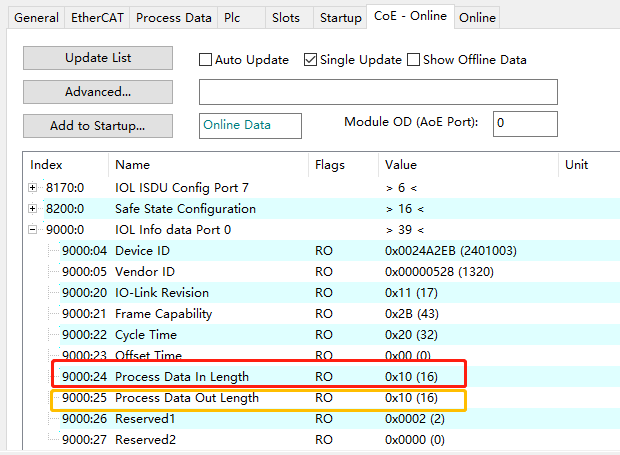
Here we can see 16-bit inputs and 16-bit outputs, so likewise this is 2 bytes of inputs and 2 bytes of outputs; select IOL_I/O_02/02 byte.