Knowledge


XB6S-PL20 is a Solidot remote I/O Incremental Encoder Counter module that can connect to two 24 V single-Ended Incremental Encoders externally and supports functions such as Z-phase reset, Compare output, and Probe latch. This document demonstrates operation using Sysmac Studio with XB6S-PL20 mounted on an XB6S EtherCAT coupler.
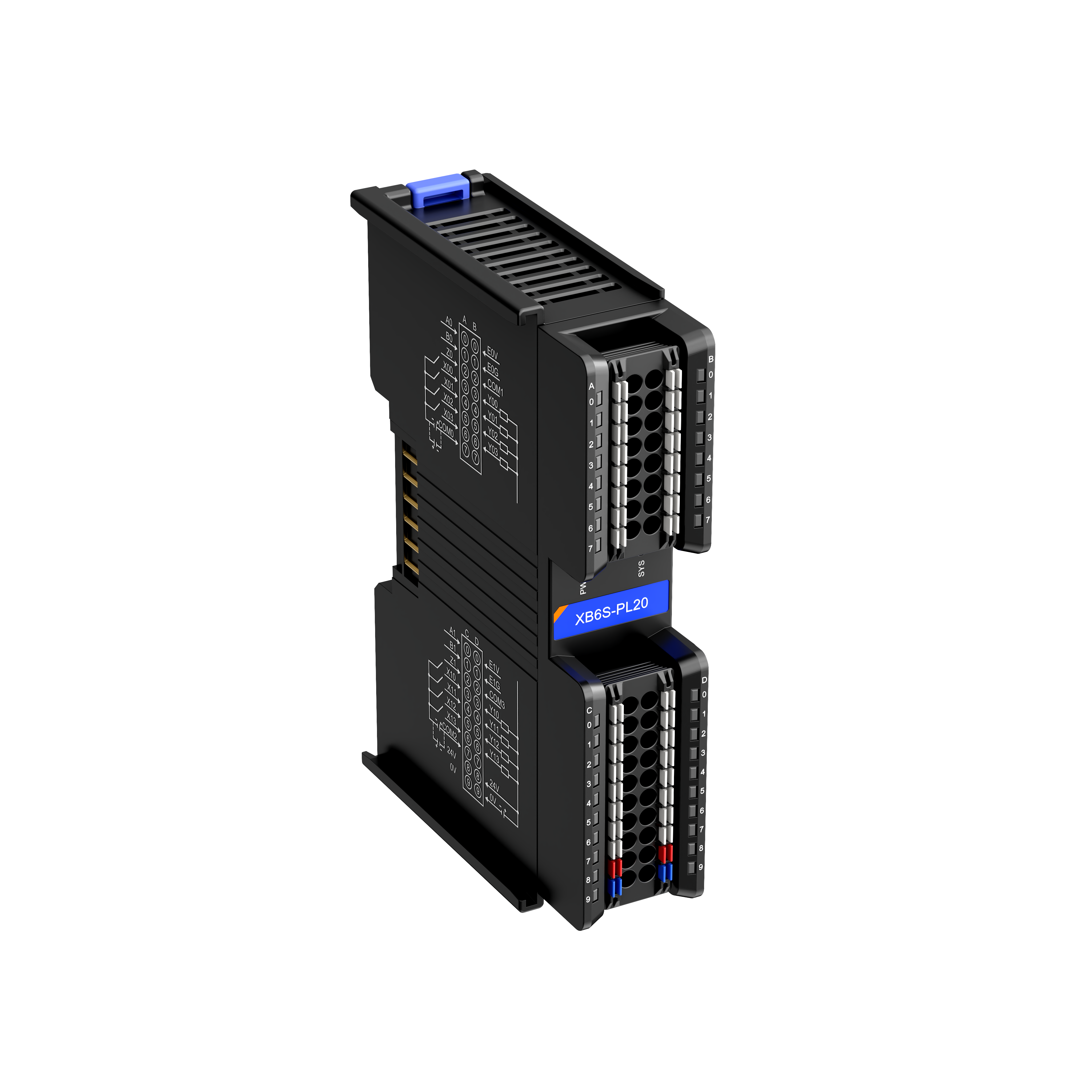
1. Adding modules
1.1 Adding the coupler
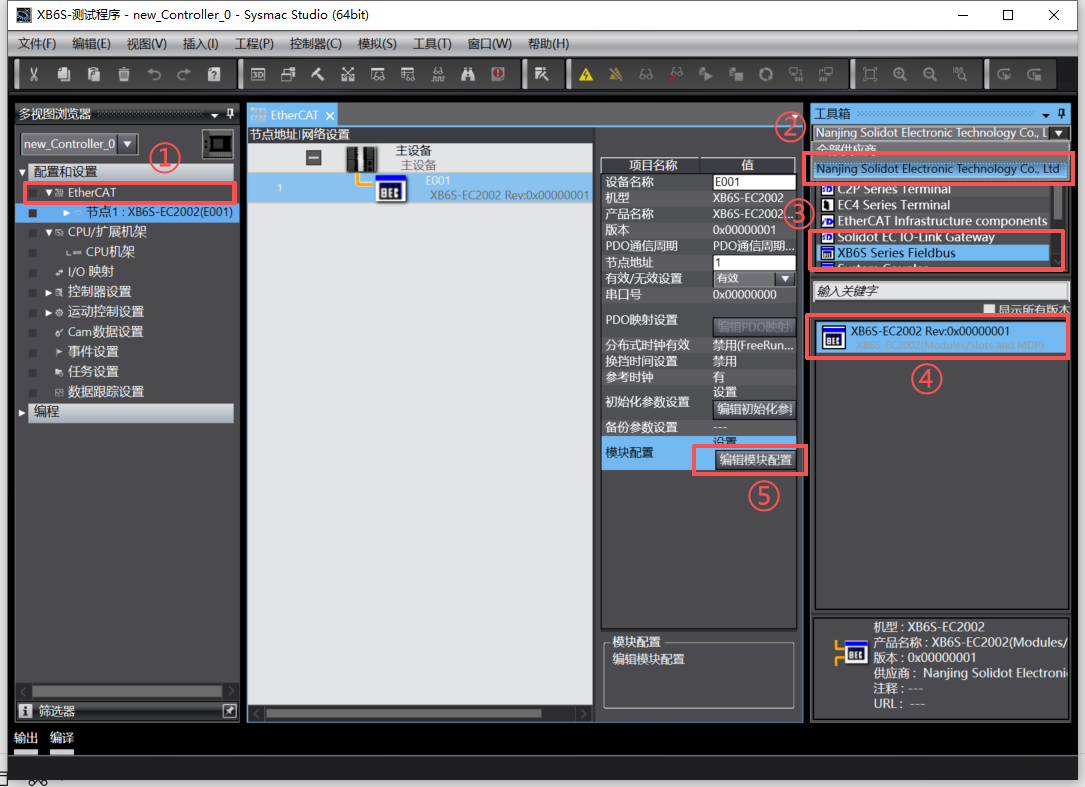
After creating a new project, proceed as follows:
① Click "Configuration and Setup", expand it, and double-click "EtherCAT" to open the device configuration view;
② In the "Toolbox" pane on the right, expand "All Vendors" and select "Nanjing Solidot Electronic Technology Co., Ltd.";
③, ④ Select "XB6S Series Fieldbus" in the list, then double-click the XB6S-EC2002 coupler module to add it as a slave device;
⑤ On the EtherCAT main page, select the XB6S-EC2002 coupler just added and click "Edit Module Configuration".
2. Adding the XB6S-PL20 module
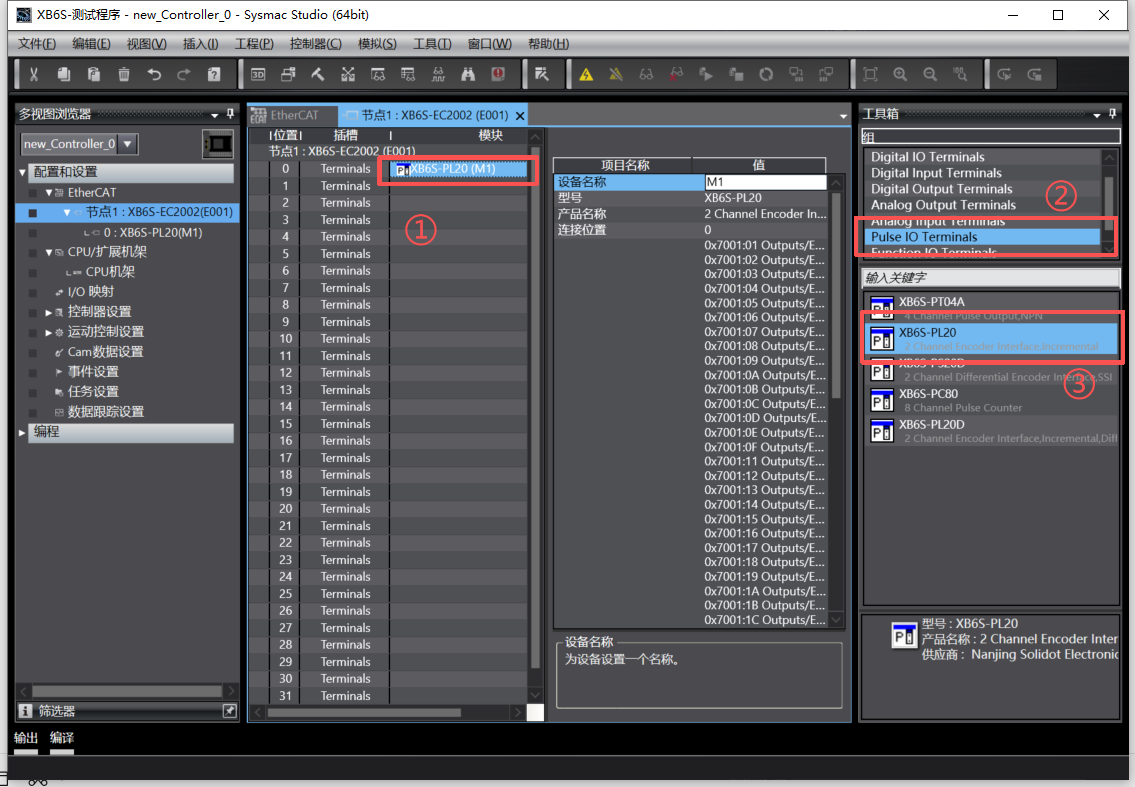
After entering the edit module view:
① Select the corresponding slot according to the actual installation order of the I/O modules (in this case only one module is configured, so select slot 0);
② In the "Toolbox" pane on the right, select "Pulse IO Terminals";
③ Double-click the XB6S-PL20 module to complete adding the submodule.
2. Modifying configuration parameters
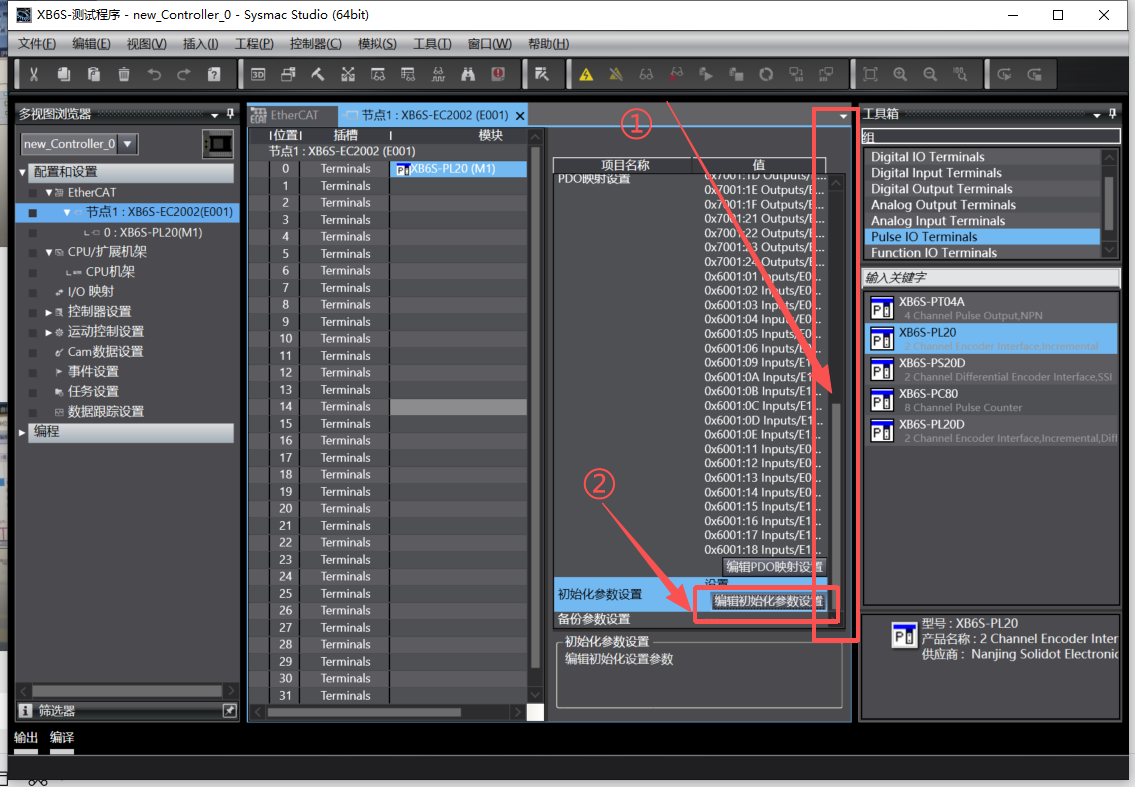
In the edit module view, select the corresponding module:
① Drag the scroll bar to the bottom until the "Initialization Parameter Settings" area appears;
② Click "Edit Initialization Parameter Settings" to open the configuration parameters view.
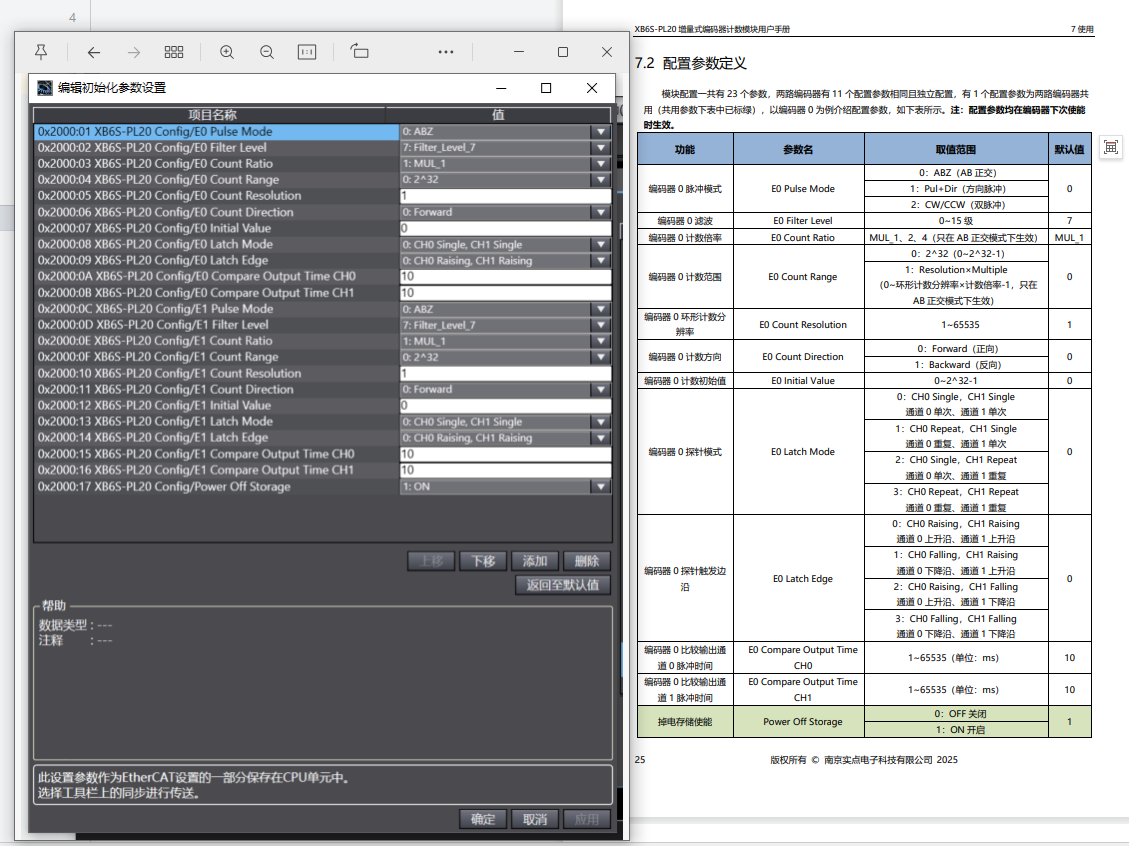
Referring to the configuration parameter definition in the product manual, customize the parameters of the required channels. After all parameters are configured, download the program to the PLC again and power-cycle the PLC and the module for the configuration to take effect.
3. Upstream/downstream data monitoring and variable mapping
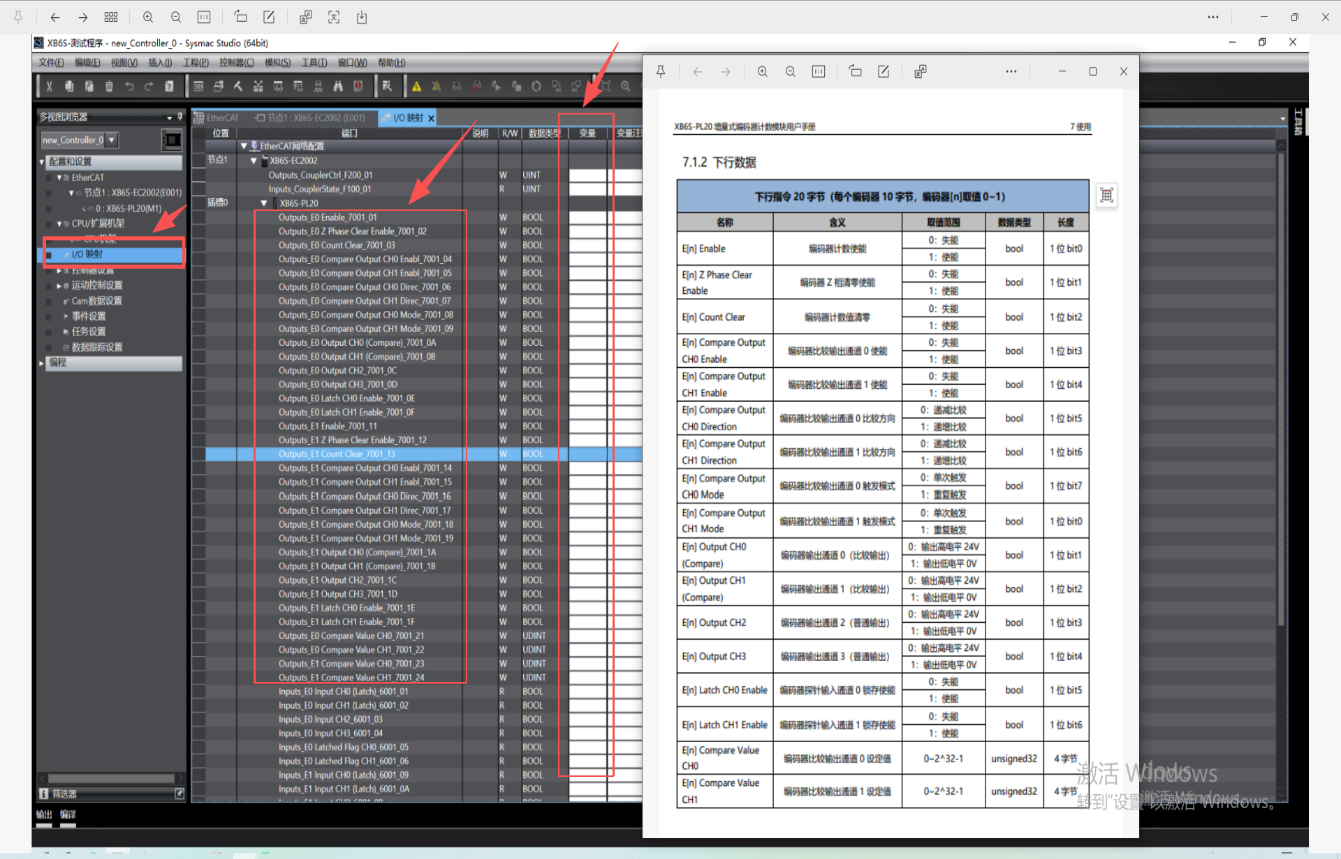
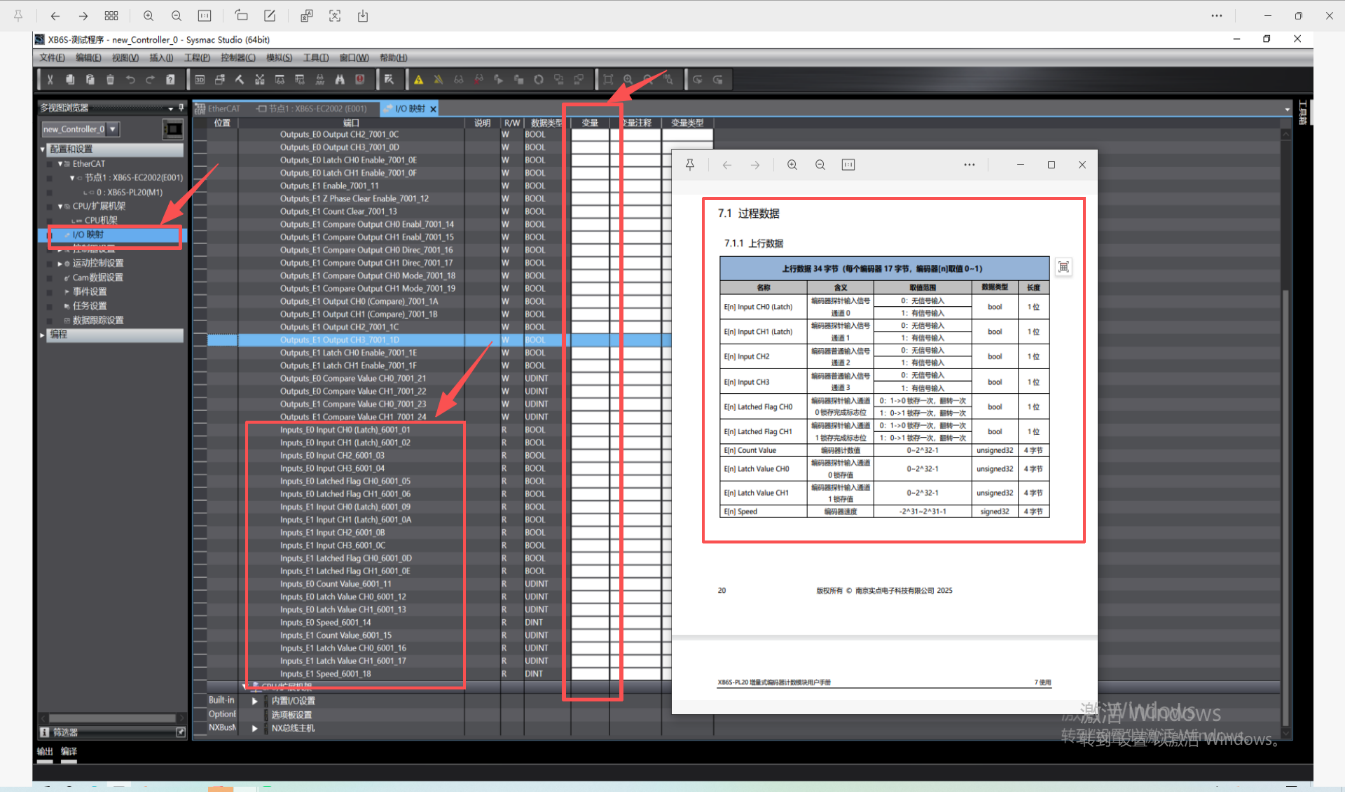
Click "I/O Map" on the left side of the view, select the corresponding coupler, and expand the submodule to view the specific PDO entries. Referring to the process data description in the product manual, bind the corresponding variables to read data from and write data to the module. For details on using specific functions, refer to the relevant examples in the product manual or contact our technical support personnel.
This concludes the demonstration of configuring and applying the Solidot remote I/O Incremental Encoder Counter module XB6S-PL20 in the Sysmac Studio software. Thank you for watching.